Archive for category fun
Six Clicks to Imogen
Posted by Paul in events, fun, Music, visualization on January 25, 2011
For my weekend Music Hack Day hack I built in app called Six Clicks to Imogen. The hack is a game where the goal is to find the shortest path from a randomly selected artist to Imogen Heap.
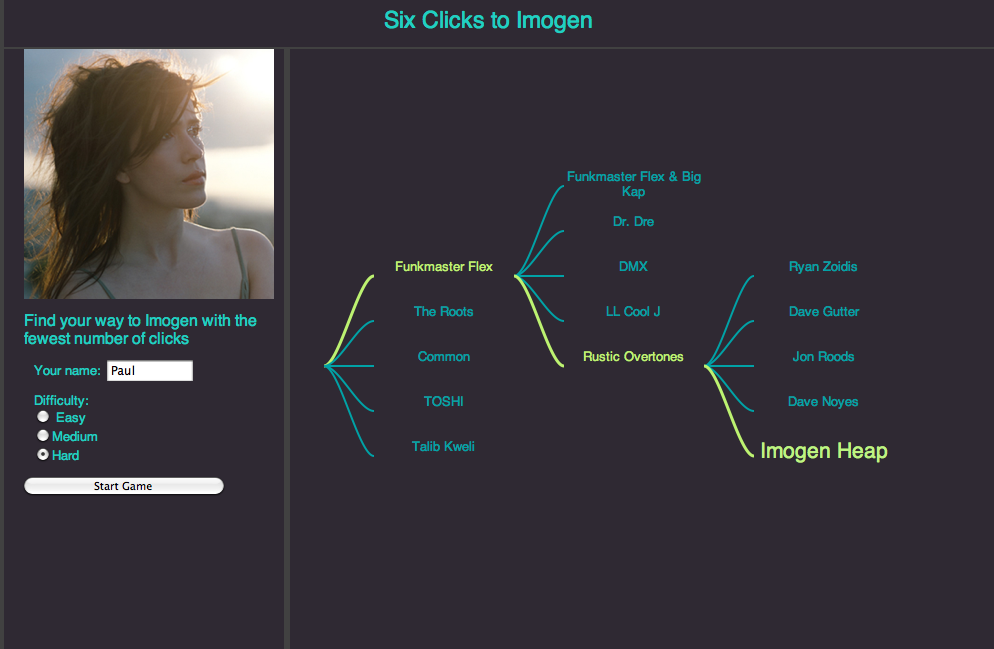
To build the hack I used the Musicbrainz artist relationship data to find all the artist connections, and plotted the graph with the JavaScript Infoviz toolkit . The game has about 55,000 artist nodes that are connected to Imogen by millions of artist relation ship edges. The hack is live, so go ahead a play the game:
Thanks much to Hannah for contributing excellent design suggestions for the app.
Music Hack Day comes to New York City

Mark your calendar! Music Hack Day is coming to New York City on February 12 and 13. Registrations are live, and going fast. This event is guaranteed to sell out. Register early if you want a seat: nyc.musichackday.org

Photo by Thomas Bonte
Know your genre
Not sure what the difference is between Black Metal or Death Metal? Looking for the quintessential nerdcore track? Confused about how 3rd wave ska relates to ska? Check out Know your Genre for all the answers.
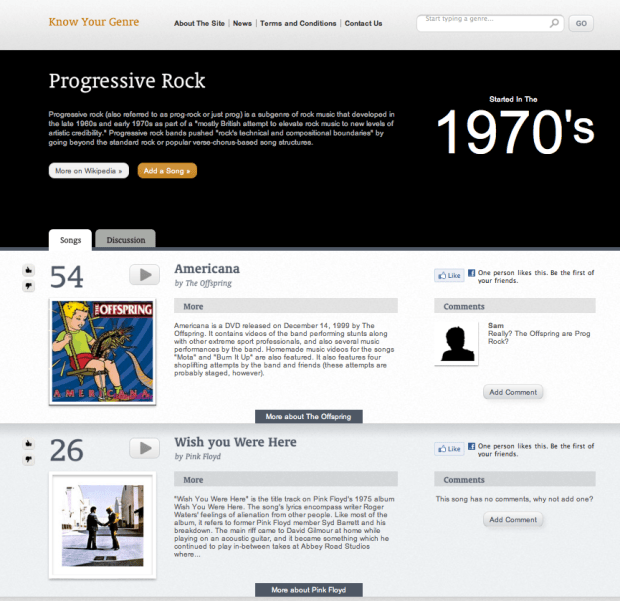
Know your Genre is a website built by Sam Richardson that helps you better understand the world of music genres. Type in the name of a genre, and Know Your Genre will bring you to a page devoted to the genre where you listen to the best examples, see the most representative bands and discuss the genre with other fans. There’s an interesting crowd sourcing component to Know Your Genre. You can submit your favorite example of a song for a particular genre. For example, I submitted Tales of Topographic Oceans by Yes to the Progressive Rock page. It is now sitting at the end of a long list of examples (with my single vote), but if people decide that ToTO really is the pinnacle of the progrock movement, it will be voted up, reddit style to the top of the prog rock page. (Clearly, this needs to happen, currently there’s a song by Offspring on the top of the progrock heap.)
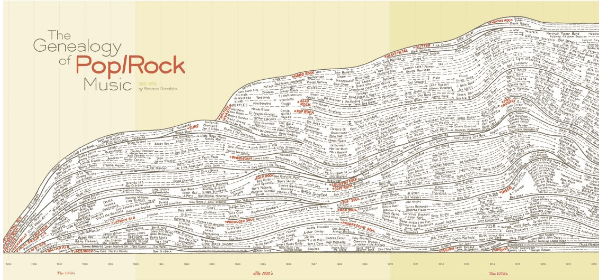
Know your genre is a well designed site, with lots of nice touches. Sam says he’s going to continue to build on the site, his ultimate plan being to build a timeline of music from pre history through to modern day music with examples of the evolution. Imagine a version of Ishkur’s guide but for all music, or an updated version of Reebee Garofalo’s Genealogy of Pop/Rock Music, that is hyperlinked to bios, audio and video. I’m looking forward to seeing what Sam does with Know Your Genre.
The Music Maze
Posted by Paul in code, fun, Music, The Echo Nest, video, visualization, web services on December 20, 2010
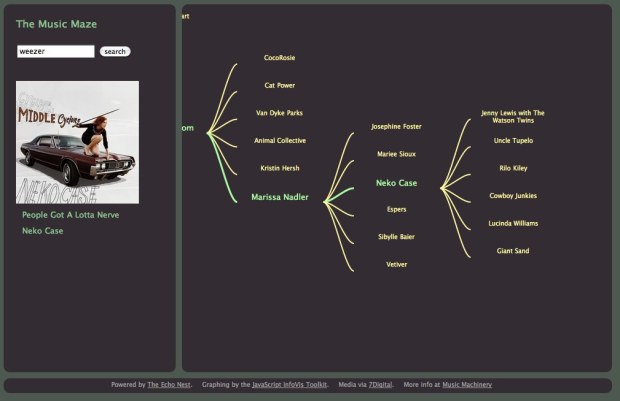
I wrote an application over the weekend called Music Maze. The Music Maze lets you wander through the maze of similar artists until you find something you like. You can give it a try here: The Music Maze (be forewarned, the app plays music upon loading).
We’ve seen the idea behind the Music Maze in other apps like Musicovery and Tuneglue’s Music Map. The nifty thing about the Music Maze is that I didn’t have to write a single line of server code to make it all happen. The Music Maze web app talks directly to The Echo Nest API. There’s no middle man. The artist graph, the album art, the links to audio – everything are pulled on demand from the Echo Nest API. This is possible because the Echo Nest API now supports JSONP requests (in beta, full release coming soon!). With JSONP an AJAX app can escape the Javascript sandbox and make calls to 3rd party web services. No need for me to set up a server to proxy calls to the Echo Nest, no Apache or Tomcat, no MySQL, no worries about scaling. This makes it incredibly easy for me to host and deploy this app. I just toss my HTML, Javascript and CSS files into an Amazon S3 bucket, make them world readable, and I’m done. It really has never been easier to create Music Apps. This whole app is less than 500 lines of javascript, written in a few hours on a Sunday morning while the rest of the family are still asleep. It is great to see all of these technologies coming together to make easy to create music apps.
(Be sure to check out the JavaScript InfoVis Toolkit . It does all of the the graphical heavy lifting in this app. It’s pretty neat.)
SongCards – an untapped app
I saw this interesting video from IDEO for c60 – an RFID-based interface that ‘reintroduces physicality to music, something lost with digitization and the move to the cloud.’
This video got me excited, because it is the hardware piece of an idea that my friend Steve Green and I had called ‘SongCards’ while working at Sun Labs a few years ago. We pitched SongCards to Sun’s management (Sun was big into RFID at the time so it seemed like a good fit), but Sun didn’t bite – they decided to go buy MySql instead. And so this concept has been gathering digital dust in a text file on my laptop. The c60 video has inspired me to dust it off and post i here. I think there are some good ideas embedded in the concept. Perhaps the folks at IDEO will incorporate some into the c60, or maybe Eliot will add this idea to his Untapped Apps portfolio on Evolver.fm.
Here’s the concept in all its glory:
Observations
- Many people have a physical connection with their music. These people like to organize, display and interact with their music via the containers (album covers, cd cases).
- Music is a highly social medium. People enjoy sharing music with others. People learn about new music from others in their social circle.
- The location where music is stored will likely switch from devices managed by the listener to devices managed by a music service. In the future, a music purchaser will purchase the right to listen to a particular song, while the actual music data will remain managed by the music service.
- Digital music lacks much of the interesting metadata that previous generations of music listeners enjoyed – lyrics, photos of the performers, song credits. The experience of reading the liner notes while listening to a new album has been lost in this new generation of digital music.Music is collectable. People take pride in amassing large collections of music and like to be able to exhibit their collection to others.
The Problem
The digital music revolution and the inevitable move of our music from our CD racks, iPods and computers, to the back room at Yahoo, Apple, or Google will make it convenient for people to listen to music in all sorts of new ways, however at the same time it will eliminate many of the interactions people have had with the music. People can’t interact with the albums, read the liner notes, display their collection. They can’t trade songs with their friends. There is no way to show off a music collection beyond saying “I have 2,025 songs on my iPod”. Album art is a dying art.
weMusic collecting is not just about the music, it also is about the things that surround the music. Digital music has stripped away all of the packaging, and at the same time has stripped away a big part of the music collecting experience. We want to change that.
The Idea
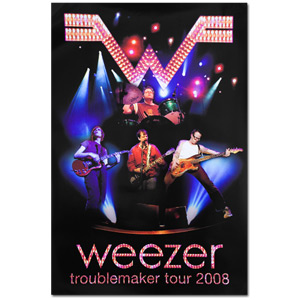 Imagine if you could buy music like you buy collectable trading cards such as Magic the Gathering, or Pokemon cards. One could buy a pack of cards at the local 7-11 for a few dollars. The cards could be organized by genre. You could buy a pack of ‘boy-band’, ‘alternative-grunge’, ‘brit-pop’, ‘British invasion ‘, ‘drum and bass’ etc. Each pack would contain 5 or 10 cards draw from the genre of the pack. Each card would have all of the traditional liner note metadata: lyrics, album art, artist bios. Also associated with each card would be a unique ID that can be read by an electronic reader that would identify the unique instance of the card and the song/performance that the card represents. The new owner of the card would add the song to their personal collection by just presenting it to any of the owner’s music players (presumably they are connected to the music server run by the music service provider). Once this is done, the user can access and play the song at any time on any of their music devices.
A package of music cards can be packaged in the same way as other trading cards are packaged. Typically in each pack there are one or two ‘special’ cards that are highly desirable. For music cards these would be the highly desirable ‘hit cards’. The bulk of the cards in a deck could be made up of lesser known, or less popular bands. For instance a ‘British invasion’ card set may contain ‘hey jude’ as the special card, and a few lesser known Beatles songs, and few songs by “the who” and perhaps some by “the monkees” and other songs by bands of that era. This method of packing music would allow for serendipitous discovery of music since you would never know what songs you would get in the pack. It would also encourage music trading, since you could trade your duplicate songs with other music collectors.
Trading – since the cards represent a song by a digital id, trading a song is as simple as giving the card to someone. As soon as the new owner of the card puts the card into one of their music players the transfer of ownership would occur, the song would be added to the collection of the new owner and removed from the collection of the old owner. There would be no limit to how often a song could be traded.
Some interesting properties of music cards:
- Your music collection once again has a physical presence. You can touch it, you can browse through it, you can stack it, you can show it off.
- You can easily and legally trade or sell music with your friends (or on eBay for that matter). Supply and demand economics can take hold in the music card after market (just as we’ve seen with Beanie Babies and Magic cards).Cards can be grouped in packages for sale using a number of criteria such as genre, popularity, geography, appeal to a certain demographic.
- You can make playlists by ordering your cards.
- You can make a random playlist by shuffling your cards.
- At a social gathering, cards from many people can be combined into a single uber-playlist.
- You will be potentially exposed to new music every time you buy a new pack of cards.
- You will not need to carry your cards with you when you want to listen to music (the music service knows what music you own).
- Since the music service ‘knows’ what music you own it can monitor trades and music popularity to track trend setters within a social group and target appropriate marketing at the trend setters.
- Song cards can’t be ‘ripped’ in the traditional sense, giving music companies much more control over their intellectual property.
Some interesting variations:
- The artwork on the back of a card could be one section of the album art for a whole album. You could tack the cards up on the wall to form the album art when you have the whole album.
- Some of the cards could be power cards that act as modifiers:
- ‘More Like This‘ when inserted into a playlist, plays a similar song to the previously played card. The similar song is drawn from the entire music service collection not just the songs owned by the collector.
- Genre Wild card’ – plays a random song from the genre. The similar song is drawn from the entire music service collection not just the songs owned by the collector.
- ‘Musical Journey‘ – make a musical journey between the surrounding cards. The songs on the journey are drawn from the entire music service collection not just the songs owned by the collector.
- ‘Album Card’ – it’s not just a song, it’s a whole album.
Note that I don’t think that SongCards would replace all digital music sales. It would still be possible to purchase and download a song from iTunes as one can do today. I think that SongCards would appeal to the ‘Music Collector’, while the traditional download would appeal to the ‘Music Listener’.
That’s it – SongCards – Just imagine what the world would be like if Sun had invested $800 million on SongCards instead of that open source database.
Map Of Metal
Posted by Paul in fun, Music, visualization on December 7, 2010
Web designer Patrick Galbraith has built the Map Of Metal – an interactive tool for exploring the world of metal. It is a bit like Ishkur’s Guide to Electronic Music but for metal. The map shows how the various subgenres of metal are connected, provides descriptions of the various subgenres (culled from Wikipedia) and plays full track examples of each type of music (drawn from Youtube). The map has a funky design sense that adds to the fun. Patrick uses denim, patches of leather, chains, threads , band-aids, buttons, pins and a whole lot of skulls to knit the whole visualization together.
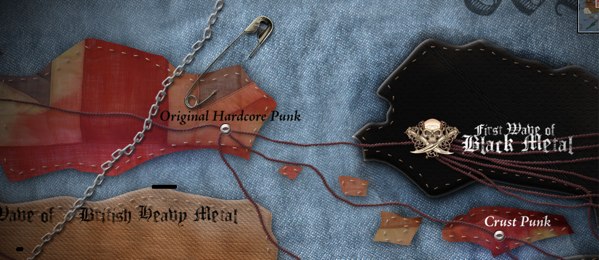
There’s lots of information crammed into this hand made visualization. There are about a hundred metal genres represented, (South American death Metal anyone?), era, connections, influences, and lots of music. Each genre is represented by a dozen or so representative artists and tracks. Unlike Ishkur’s, the Map Of Metal plays full tracks so the music never stops while you are exploring. It is certainly a whole lot more interesting than the map of metal I built a few years ago by analyzing Last.fm tags:

I do wish that I could see the whole map at once – there is a navigation map that shows the whole thing but it is far too small to give me a sense of the whole space.
 The Map Of Metal is good fun. Worth checking out.
What’s the TTKP?
Posted by Paul in data, fun, Music, web services on November 9, 2010
 Whenever Jennie and I are in the car together, we will listen to the local Top-40 radio station (KISS 108). One top-40 artist that i can recognize reliably is Katy Perry. It seems like we can’t drive very far before we are listening to Teenage Dreams, Firework or California Gurls. That got me wondering what the average Time To Katy Perry (TTKP) was on the station and how it compared to other radio stations. So I fired up my Python interpreter, wrote some code to pull the data from the fabulous YES api and answer this very important question. With the YES API I can get the timestamped song plays for a station for the last 7 days. I gathered this data from WXKS (Kiss 108), did some calculations to come up with this data:
- Total songs played per week: 1,336
- Total unique songs: 184
- Total unique artists: 107
- Average songs per hour: 7
- Number of Katy Perry plays: 76
- Median Time between Katy Perry songs: 1hour 18 minutes
That means the average Time to Katy Perry is about 39 minutes.
Katy Perry is only the fourth most played artist on KISS 108. Here are the stats for the top 10:
| Artist | Plays | Median time between plays |
Average time to next play |
|---|---|---|---|
| Taio Cruz | 84 | 1:07 | 0:34 |
| Rihanna | 80 | 1:27 | 0:44 |
| Usher | 79 | 1:20 | 0:40 |
| Katy Perry | 76 | 1:18 | 0:39 |
| Bruno Mars | 73 | 1:30 | 0:45 |
| Nelly | 56 | 1:44 | 0:52 |
| Mike Posner | 56 | 1:57 | 0:59 |
| Pink | 47 | 2:20 | 1:10 |
| Lady Gaga | 47 | 1:59 | 1:00 |
| Taylor Swift | 41 | 2:17 | 1:09 |
I took a look at some of the other top-40 stations around the country to see which has the lowest TTKP:
| Station | Songs Per Hour | TTKP |
|---|---|---|
| KIIS – LA’s #1 hit music station | 8 | 39 mins |
| WHTZ- New York’s #1 hit music station | 9 | 48 mins |
| WXKS- Boston’s #1 hit music station | 7 | 39 mins |
| WSTR- Atlanta – Always #1 for Today’s Hit Music | 8 | 38 mins |
| KAMP- 97.1 Amp Radio – Los Angeles | 11 | 38 mins |
| KCHZ- 95.7 – The Beat of Kansas City | 11 | 32 mins |
| WFLZ- 93.3 – Tampa Bay’s Hit Music channe | 9 | 39 mins |
| KREV- 92.7 – The Revolution – San Francisco | 11 | 36 mins |
So, no matter where you are, if you have a radio, you can tune into the local top-40 radio station, and you’ll need to wait, on average, only about 40 minutes until a Katy Perry song comes on. Good to know.
NH#1 Mines Follies

10 years ago I read this post in slashdot about a new activity called geocaching – it seemed simple enough: take some item and hide it somewhere in the world, record the latitude and longitude using your GPS receiver, post the location to the Web so that others can find your stash. I had a GPS so I figured I’d give it a try. Unfortunately, there were not any geocaches nearby, so one saturday afternoon I took the GPS, and the 4 kids, went to the local park and hid a cache. What I didn’t realize at the time was that I was placing the first Geocache in New Hampshire (and only the 158th placed in the world). 10 years later there are 1.2 million geocaches scattered around the world, and Geocaching is now a thriving activity enjoyed by thousands of people worldwide. I maintained the cache for a few years, but drifted away from geocaching – but the cache lived on, being maintained by many good samaritan geocachers over the years.
A few weeks ago, I received an email from Michael Noetzel, a local Geocacher who’s taken over maintenance of the cache, inviting me to the 10th anniversary of the cache. I showed up late Friday afternoon expecting to see a half-dozen hardcore geocachers – I was quite surprised to see over 50 people, young and old, had come to celebrate the 10th anniversary of the cache. Here are a couple of pics from the event:
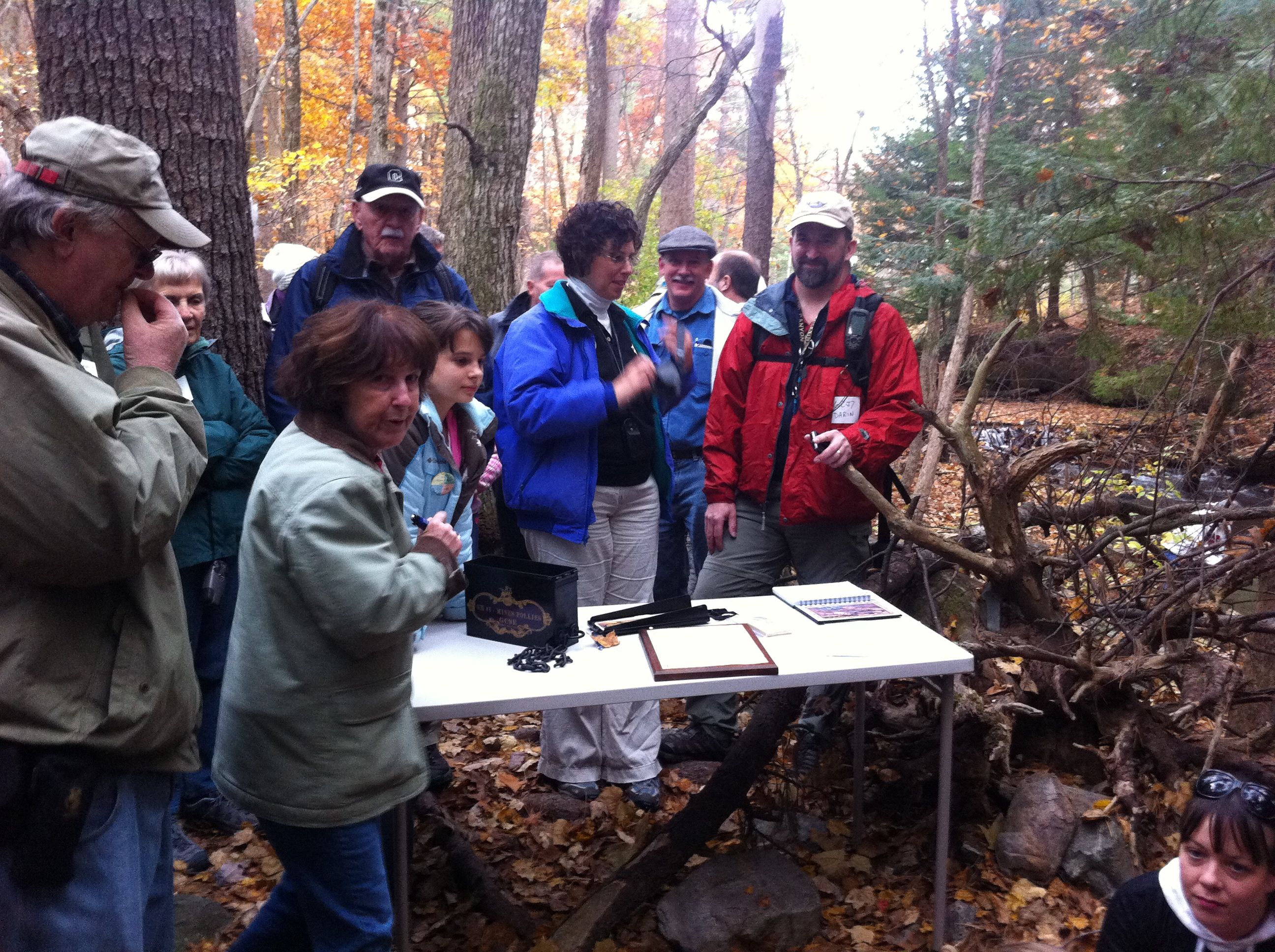
The anniversary celebration at the cache
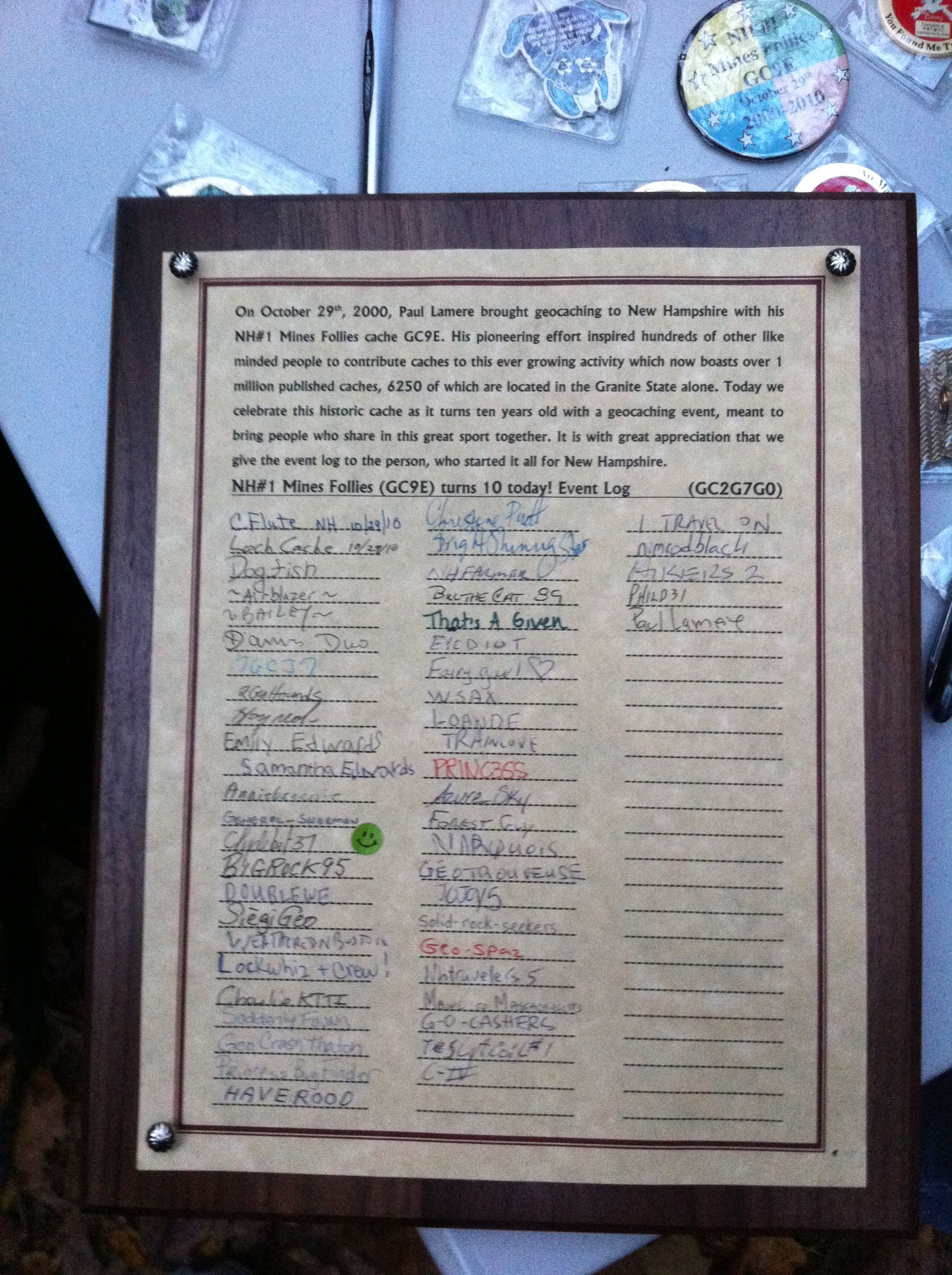
The plaque they gave me
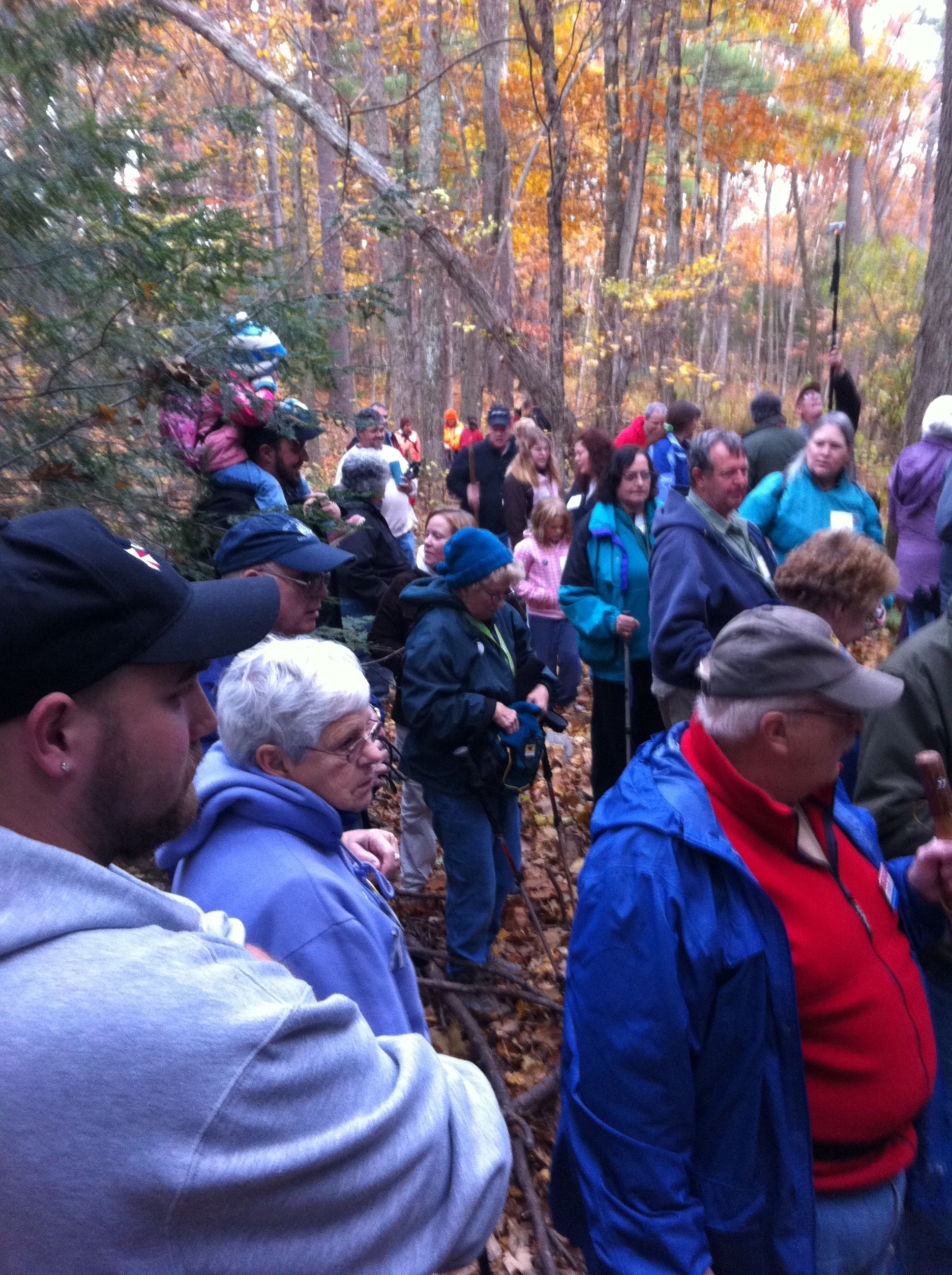
Lots of people in the woods at the cache
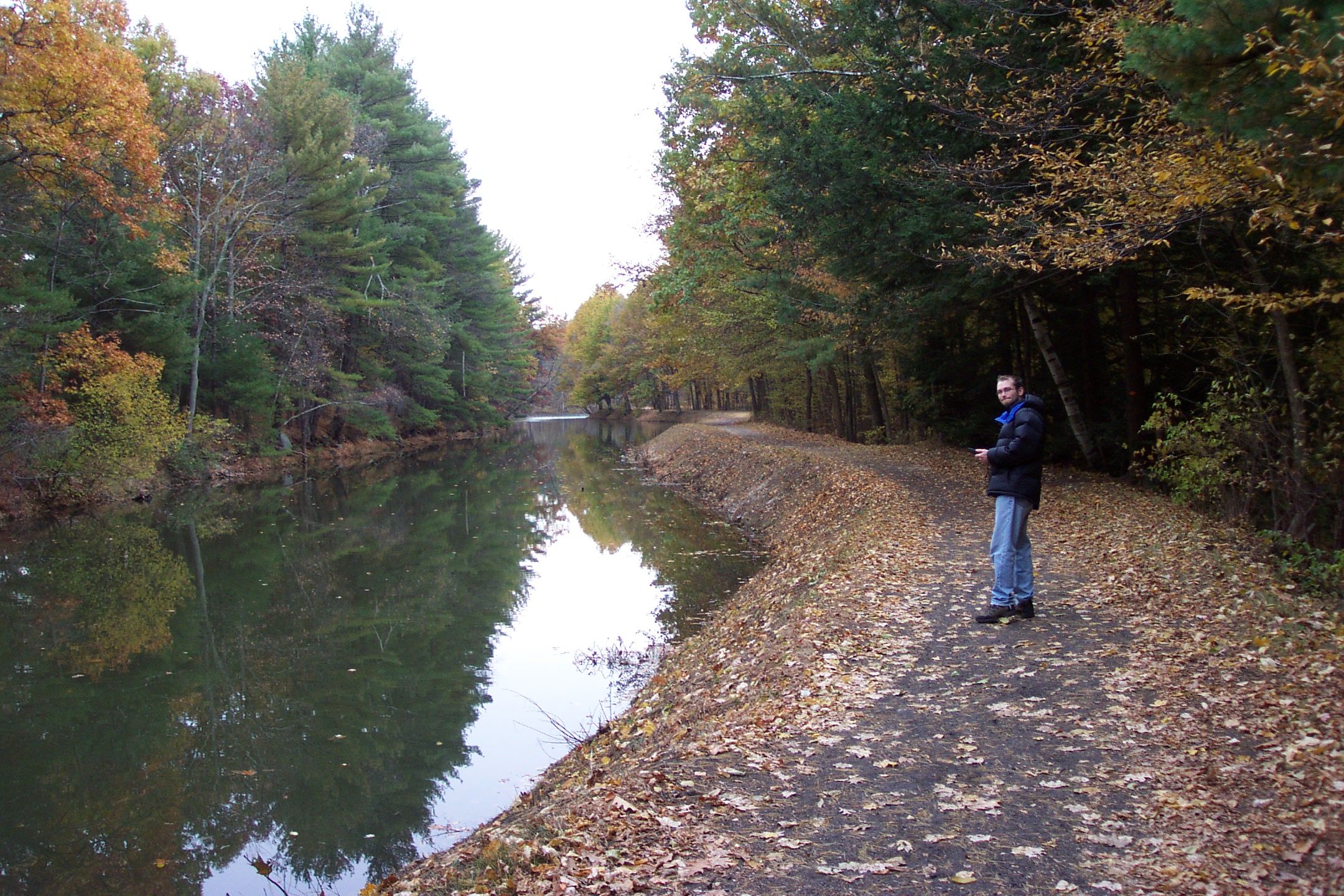
on the way to the cache with an old friend
It was a real fun event – everyone made me feel very special – giving me a plaque, a special rose compass coin and a tee-shirt. Thanks to Nashuan and Bright Shining Stars for making this all happen.
Jennie’s ultimate road trip
Posted by Paul in code, fun, Music, The Echo Nest on October 20, 2010
Last weekend at Music Hack Day Boston, I teamed up with Jennie, my 15-year-old daughter, to build her idea for a music hack which we’ve called Jennie’s Ultimate Road Trip. The hack helps you plan a road trip so that you’ll maximize the number of great concerts you can attend along the way. You give the app your starting and ending city, your starting and ending dates, and the names of some of your favorite artists and Jennie’s Ultimate Road Trip will search through the many events to find the ones that fit your route schedule that you’d like to see and gives you an itinerary and map.
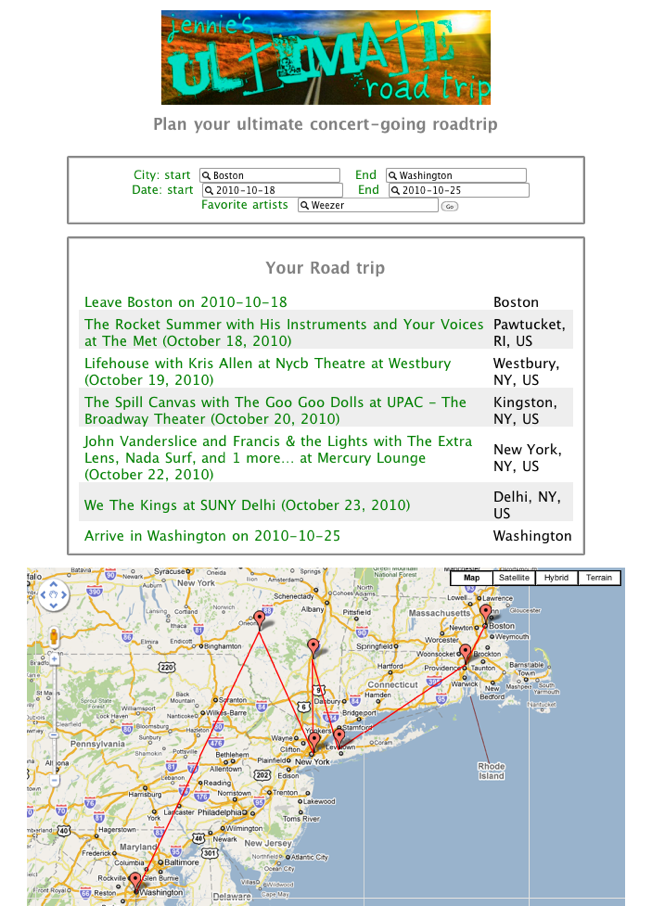
We used the wonderful SongKick API to grab events for all the nearby cities. I was quite surprised at the how many events SongKick would find. For just a single week, in the geographic area between Boston and New York City, SongKick found 1,161 events with 2,168 different artists. More events and more artists makes it easier to find a route that will give a satisfying set of concerts – but it can also make finding a route a bit more computationally challenging too (more on that later). Once we had the set of possible artists that we could visit, we needed to narrow down the list of artists to the ones would be of most interest to the user. To do this we used the new Personal Catalogs feature of the Echo Nest API. We created a personal catalog containing all of the potential artists (so for our trip to NYC from Boston, we’d create a catalog of 2,168 artists). We then used the Echo Nest artist similarity APIs to get recommendations for artists within this catalog. This yielded us a set of 200 artists that best match the user’s taste that would be playing in the area.
The next bit was the tricky bit – first, we subsetted the events to just include events for the recommended set of artists. Then we had to build the optimal route through the events, considering the date and time of the event, the preference the user has for the artist, whether or not we’ve already been to an event for this artist on the trip, how far out of our way the venue is from our ultimate destination and how far the event is from our previous destination. For anyone who saw me looking grouchy on Sunday morning during the hack day it was because it was hard trying to figure out a good cost function that would weigh all of these factors: artist preference, travel time and distance between shows, event history. The computer science folks who read this blog will recognize that this route finding is similar to the ‘travelling salesman problem‘ – but with a twist, instead of finding a route between cities, which don’t tend to move around too much, we have to find a path through a set of artist concerts where every night, the artists are in different places. I call this the ‘travelling rock star’ problem. Ultimately I was pretty happy with how the routing algorithm, it can find a decent route through a thousand events in less than 30 seconds.
Jennie joined me for a few hours at the Music Hack Day – she coded up the HTML for the webform and made the top banner – (it was pretty weird to look over on her computer and see her typing in raw HTML tags with attached CSS attributes – kids these days). We got the demo done in time – and with the power of caching it will generate routes and plot them on a map using the Google API. Unfortunately, if your route doesn’t happen to be in the cache, it can take quite a bit of time to get a route out of the app – gathering events from SongKick, getting the recommendations from the Echo Nest, and finding the optimal route all add up to an app that can take 5 minutes before you get your answer. When I get a bit of time, I’ll take another pass to speed things up. When it is fast enough, I’ll put it online.
It was a fun demo to write. I especially enjoyed working on it with my daughter. And we won the SongKick prize, which was pretty fantastic.
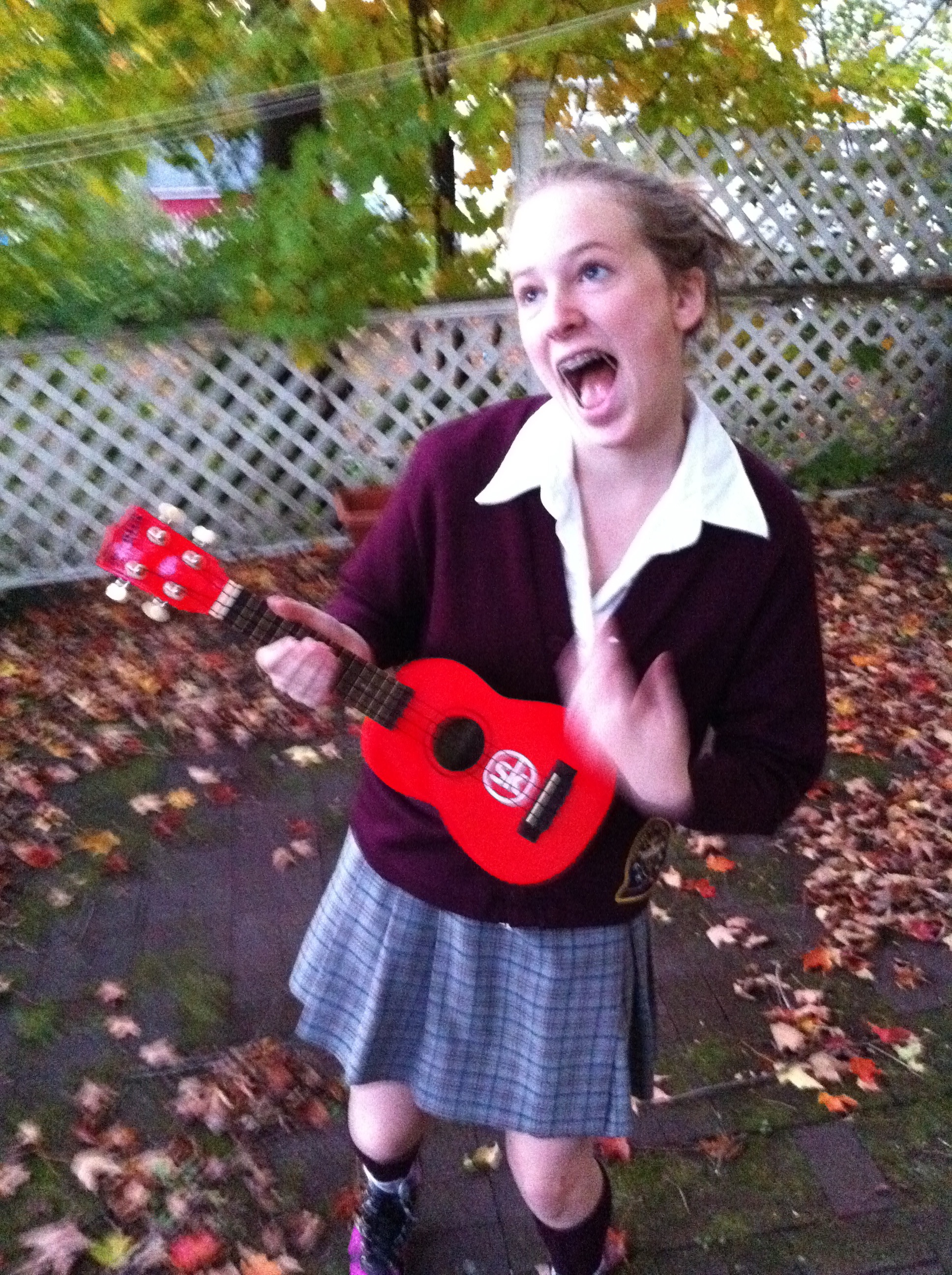
Jennie with the SongKick prize

