Archive for category The Echo Nest
The Echo Nest remix 1.0 is released!
Posted by Paul in code, fun, Music, remix, The Echo Nest, web services on May 12, 2009
Version 1.0 of the Echo Nest remix has been released. Echo Nest Remix is an open source SDK for Python that lets you write programs that manipulate music. For example, here’s a python function that will take all the beats of a song, and reverse their order:
def reverse(inputFilename, outputFilename):
    audioFile = audio.LocalAudioFile(inputFilename)
    chunks = audioFile.analysis.beats
    chunks.reverse()
    reversedAudio = audio.getpieces(audioFile, chunks)
    reversedAudio.encode(outputFilename)
When you apply this to a song by The Beatles you get something that sounds like this:
which is surprisingly recognizable, musical – and yet different from the original.
Quite a few web apps have been written that use remix. One of my favorites is DonkDJ, which will ‘put a donk‘ on any song. Here’s an example: Hung Up by Madonna (with a Donk on it):
This is my jam lets you create mini-mixes to share with people.
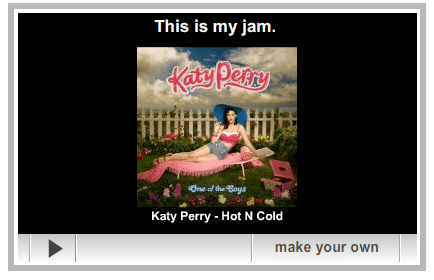
And where would the web be without the ability to add more cowbell to any song.
There’s lots of good documentation already for remix. Adam Lindsay has created a most excellent overview and tutorial for remix. There’s API documentation and there’s documentation for the underlying Echo Nest web services that perform the audio analysis. And of course, the source is available too.
So, if you are looking for that fun summer coding project, or if you need an excuse to learn Python, or perhaps you are a budding computational remixologist download remix, grab an API key from the Echo Nest and start writing some remix code.
Here’s one more example of the fun stuff you can do with remix. Guess the song, and guess the manipulation:
#recsplease – the Blip.fm Recommender bot
Posted by Paul in Music, recommendation, The Echo Nest, web services on May 5, 2009
 Jason has put together a mashup (ah, that term seems so old and dated now) that combines twitter, blip.fm, and the Echo Nest. When you Blip a song, just add the tag #recsplease to the twitter blip and you’ll get a reply with some artists that you might like to listen to.

This is similar to recomme developed by Adam Lindsay but recomme has been down for a few weeks, so clearly there was a twitter-music-recommendation gap that needed to be filled.
Check out Jason’s Blip.fm/twitter recommender bot.
79 Versions of Popcorn, remixed.
Posted by Paul in Music, remix, The Echo Nest on May 1, 2009
 Aaron Meyer’s issued a challenge for someone to remix 79 versions of the song Popcorn. So I fired up one of the remix applications that Tristan and Brian wrote a while back that uses our remix API to stitch all 79 versions of Popcorn together into one 12 minute track – songs are beat matched, tempos are stretched and beats are aligned to form a single seamless (well, almost seamless) version of the Hot Buttered classic. I’m interested to hear what some of the other computational remixologists could do with this challenge. Everyone, stop writing your thesis, and make some popcorn!
Listen:
Download: A Kettle of Echo Nest Popcorn.
If you are interested in creating your own remix, check out the Echo Nest API and the Echo Nest Remix SDK. (Thanks Andy, for the tip!).
Echo Nest hero
When I’m not blogging about hacking online polls – I spend my time at The Echo Nest where I get to do some really cool things with music. Over the weekend, I wrote a program that uses the Echo Nest API to extract musical features to build the core of a guitar-hero like game. Even though this is a quick and dirty program, it performs quite well. Here ‘s a video of it in action.
Hopefully I’ll get a few programming cycles over the next couple of weeks to turn this into a real game where you can play Echo Nest hero with your own tracks on your computer. Of course, I’ll post all the code too so you can follow along and build your own computer game synchronized to music.
Removing accents in artist names
Posted by Paul in code, data, java, Music, The Echo Nest, web services on April 10, 2009
If you write software for music applications, then you understand the difficulties in dealing with matching artist names. There are lots of issues: spelling errors, stop words (‘the beatles’ vs. ‘beatles, the’ vs ‘beatles’), punctuation (is it “Emerson, Lake and Palmer” or “Emerson, Lake & Palmer“), common aliases (ELP, GNR, CSNY, Zep), to name just a few of the issues. One common problem is dealing with international characters. Most Americans don’t know how to type accented characters on their keyboards so when they are looking for Beyoncé they will type ‘beyonce’. If you want your application to find the proper artist for these queries you are going to have deal with these missing accents in the query. One way to do this is to extend the artist name matching to include a check against a version of the artist name where all of the accents have been removed. However, this is not so easy to do – You could certainly build a mapping table of all the possible accented characters, but that is prone to failure. You may neglect some obscure character mapping (like that funny ř in Antonín Dvořák).
Luckily, in Java 1.6 there’s a pretty reliable way to do this. Java 1.6 added a Normalizer class to the java. text package. The Normalize class allows you to apply Unicode Normalization to strings. In particular you can apply Unicode decomposition that will replace any precomposed character into a base character and the combining accent. Once you do this, its a simple string replace to get rid of the accents. Here’s a bit of code to remove accents:
    public static String removeAccents(String text) {
          return Normalizer.normalize(text, Normalizer.Form.NFD)
               .replaceAll("\\p{InCombiningDiacriticalMarks}+", "");
    }
This is nice and straightforward code, and has no effect on strings that have no accents.
Of course ‘removeAccents’ doesn’t solve all of the problems – it certainly won’t help you deal with artist names like ‘KoЯn’ nor will it deal with the wide range of artist name misspellings. If you are trying to deal normalizing aritist names you should read how Columbia researcher Dan Ellis has approached the problem. I suspect that someday, (soon, I hope) there will be a magic music web service that will solve this problem once and for all and you”ll never again have to scratch our head at why you are listening to a song by Peter, Bjork and John, instead of a song by Björk.
The BPM Explorer
Posted by Paul in code, fun, java, processing, startup, tags, The Echo Nest, Uncategorized, visualization, web services on April 9, 2009
Last month I wrote about using the Echo Nest API to analyze tracks to generate plots that you can use to determine whether or not a machine is responsible for setting the beat of a song. I received many requests to analyze tracks by particular artists, far too many for me to do without giving up my day job. To satisfy this pent up demand for click track analysis I’ve written an application called the BPM Explorer that you let you create your own click plots. With this application you can analyze any song in your collection, view its click plot and listen to your music, synchronized with the plot. Here’s what the app looks like:

Check out the application here: The Echo Nest BPM Explorer. It’s written in Processing and deployed with Java Webstart, so it (should) just work.
My primary motiviation for writing this application was to check out the new Echo Nest Java Client to make sure that it was easy to use from Processing. One of my secret plans is to get people in the Processing community interested in using the Echo Nest API. The Processing community is filled with some ultra-creative folks that have have strong artistic, programming and data visualization skills. I’d love to see more song visualizations like this and this that are built using the Echo Nest APIs. Processing is really cool – I was able to write the BPM explorer in just a few hours (it took me longer to remember how to sign jar files for webstart than it did to write the core plotter). Processing strips away all of the boring parts of writing graphic programming (create a frame, lay it out with a gridbag, make it visible, validate, invalidate, repaint, paint arghh!). For processing, you just write a method ‘draw()’ that will be called 30 times a second. I hope I get the chance to write more Processing programs.
Update: I’ve released the BPM Explorer code as open source – as part of the echo-nest-demos project hosted at google-code. You can also browse the read for the BPM Explorer.
New Java Client for the Echo Nest API
Posted by Paul in code, java, The Echo Nest, web services on April 7, 2009
Today we are releasing a Java client library for the Echo Nest developer API. This library gives the Java programmer full access to the Echo Nest developer API. The API includes artist-level methods such as getting artist news, reviews, blogs, audio, video, links, familiarity, hotttnesss, similar artists, and so on. The API also includes access to the renown track analysis API that will allow you to get a detailed musical analysis of any music track. This analysis includes loudness, mode, key, tempo, time signature, detailed beat structure, harmonic content, and timbre information for a track.
To use the API you need to get an Echo Nest developer key (it’s free) from developer.echonest.com. Here are some code samples:
// a quick and dirty audio search engine
   ArtistAPI artistAPI = new ArtistAPI(MY_ECHO_NEST_API_KEY);

   List<Artist> artists = artistAPI.searchArtist("The Decemberists", false);
   for (Artist artist : artists) {
       DocumentList<Audio> audioList = artistAPI.getAudio(artist, 0, 15);
       for (Audio audio : audioList.getDocuments()) {
          System.out.println(audio.toString())
       }
   }
// find similar artists for weezer
   ArtistAPI artistAPI = new ArtistAPI(MY_ECHO_NEST_API_KEY);
   List<Artist> artists = artistAPI.searchArtist("weezer", false);
    for (Artist artist : artists) {
          List<Scored<Artist>> similars = artistAPI.getSimilarArtists(artist, 0, 10);
          for (Scored<Artist> simArtist : similars) {
              System.out.println("   " + simArtist.getItem().getName());
          }
     }

// Find the tempo of a track
    TrackAPI trackAPI = new TrackAPI(MY_ECHO_NEST_API_KEY);
    String id = trackAPI.uploadTrack(new File("/path/to/music/track.mp3"), false);
    AnalysisStatus status = trackAPI.waitForAnalysis(id, 60000);
    if (status == AnalysisStatus.COMPLETE) {
       System.out.println("Tempo in BPM: " + trackAPI.getTempo(id));
    }
There are some nifty bits in the API. The API will cache data for you so frequently requested data (everyone wants the latest news about Cher) will be served up very quickly. The cache can be persisted, and the shelf-life for data in the cache can be set programmatically (the default age is one week). The API will (optionally) schedule requests to ensure that you don’t exceed your call limit. For those that like to look under the hood, you can turn on tracing to see what the method URL calls look like and see what the returned XML looks like.
If you are interested in kicking the tires of the Echo Nest API and you are a Java or Processing programmer, give the API a try.
If you have any questions / comments or problems abut the API post to the Echo Nest Forums.
track upload sample code
Posted by Paul in code, The Echo Nest, web services on April 4, 2009
One of the biggest pain points users have with the Echo Nest developer API is with the track upload method. This method lets you upload a track for analysis (which can be subsequently retrieved by a number of other API method calls such as get_beats, get_key, get_loudness and so on). The track upload, unlike all of the other of The Echo Nest methods requires you to construct a multipart/form-data post request. Since I get a lot of questions about track upload I decided that I needed to actually code my own to get a full understanding of how to do it – so that (1) I could answer detailed questions about the process and (2) point to my code as an example of how to do it. I could have used a library (such as the Jakarta http client library) to do the heavy lifting but I wouldn’t have learned a thing nor would I have some code to point people at. So I wrote some Java code (part of the forthcoming Java Client for the Echo Nest web services) that will do the upload.
You can take a look at this post method in its google-code repository. The tricky bits about the multipart/form-data post is getting the multip-part form boundaries just right. There’s a little dance one has to do with the proper carriage returns and linefeeds, and double-dash prefixes and double-dash suffixes and random boundary strings. Debugging can be a pain in the neck too, because if you get it wrong, typically the only diagnostic one gets is a ‘500 error’ which means something bad happened.
Track upload can also be a pain in the neck because you need to wait 10 or 20 seconds for the track upload to finish and for the track analysis to complete. This time can be quite problematic if you have thousands of tracks to analyze. 20 seconds * one thousand tracks is about 8 hours. No one wants to wait that long to analyze a music collection. However, it is possible to short circuit this analysis. You can skip the upload entirely if we already have performed an analysis on your track of interest. To see if an analysis of a track is already available you can perform a query such as ‘get_duration’ using the MD5 hash of the audio file. If you get a result back then we’ve already done the analysis and you can skip the upload and just use the MD5 hash of your track as the ID for all of your queries. With all of the apps out there using the track analysis API, (for instance, in just a week, donkdj has already analyzed over 30K tracks) our database of pre-cooked analyses is getting quite large – soon I suspect that you won’t need to perform an upload of most tracks (certainly not mainstream tracks). We will already have the data.
Magnatagatune – a new research data set for MIR
Posted by Paul in data, Music, music information retrieval, research, tags, The Echo Nest on April 1, 2009

Edith Law (of TagATune fame) and Olivier Gillet have put together one of the most complete MIR research datasets since uspop2002. The data (with the best name ever) is called magnatagatune. It contains:
- Human annotations collected by Edith Law’s TagATune game.
- The corresponding sound clips from magnatune.com, encoded in 16 kHz, 32kbps, mono mp3. (generously contributed by John Buckman, the founder of every MIR researcher’s favorite label Magnatune)
- A detailed analysis from The Echo Nest of the track’s structure and musical content, including rhythm, pitch and timbre.
- All the source code for generating the dataset distribution
Some detailed stats of the data calculated by Olivier are:
- clips: 25863
- source mp3: 5405
- albums: 446
- artists: 230
- unique tags: 188
- similarity triples: 533
- votes for the similarity judgments: 7650
This dataset is one stop shopping for all sorts of MIR related tasks including:
- Artist Identification
- Genre classification
- Mood Classification
- Instrument identification
- Music Similarity
- Autotagging
- Automatic playlist generation
As part of the dataset The Echo Nest is providing a detailed analysis of each of the 25,000+ clips. This analysis includes a description of all musical events, structures and global attributes, such as key, loudness, time signature, tempo, beats, sections, and harmony. This is the same information that is provided by our track level API that is described here: developer.echonest.com.
Note that Olivier and Edith mention me by name in their release announcement, but really I was just the go between. Tristan (one of the co-founders of The Echo Nest) did the analysis and The Echo Nest compute infrastructure got it done fast (our analysis of the 25,000 tracks took much less time than it did to download the audio).
I expect to see this dataset become one of the oft-cited datasets of MIR researchers.
Here’s the official announcement:
Edith Law, John Buckman, Paul Lamere and myself are proud to announce the release of the Magnatagatune dataset.
This dataset consists of ~25000 29s long music clips, each of them annotated with a combination of 188 tags. The annotations have been collected through Edith’s “TagATune” game (http://www.gwap.com/gwap/gamesPreview/tagatune/). The clips are excerpts of songs published by Magnatune.com – and John from Magnatune has approved the release of the audio clips for research purposes. For those of you who are not happy with the quality of the clips (mono, 16 kHz, 32kbps), we also provide scripts to fetch the mp3s and cut them to recreate the collection. Wait… there’s more! Paul Lamere from The Echo Nest has provided, for each of these songs, an “analysis” XML file containing timbre, rhythm and harmonic-content related features.
The dataset also contains a smaller set of annotations for music similarity: given a triple of songs (A, B, C), how many players have flagged the song A, B or C as most different from the others.
Everything is distributed freely under a Creative Commons Attribution – Noncommercial-Share Alike 3.0 license ; and is available here: http://tagatune.org/Datasets.html
This dataset is ever-growing, as more users play TagATune, more annotations will be collected, and new snapshots of the data will be released in the future. A new version of TagATune will indeed be up by next Monday (April 6). To make this dataset grow even faster, please go to http://www.gwap.com/gwap/gamesPreview/tagatune/ next Monday and start playing.
Enjoy!
The Magnatagatune team
Killer music technology
Posted by Paul in fun, Music, recommendation, The Echo Nest, web services on April 1, 2009
We’ve been head down here at the Echo Nest putting the finishing touches on what I think is a game changer for music discovery. For years, music recommendation companies have been trying to get collaborative filtering technologies to work. These CF systems work pretty well, but sooner or later, you’ll get a bad recommendation. There are just too many ways for a CF recommender to fail. Here at the ‘nest we’ve decided to take a completely different approach. Instead of recommending music based on the wisdom of the crowds or based upon what your friends are listening to, we are going to recommend music just based on whether or not the music is good. This is such an obvious idea – recommend music that is good, and don’t recommend music that is bad – that it is a puzzle as to why this approach hasn’t been taken before. Of course deciding which music is good and which music is bad can be problematic. But the scientists here at The Echo Nest have spent years building machine learning technologies so that we can essentially reproduce the thought process of a Pitchfork music critic. Think of this technology as Pitchfork-in-a-box.
Our implementation is quite simple. We’ve added a single API method ‘get_goodness’ to our set of developer offerings. You give this method an Echo Nest artist ID (that you can obtain via an artist search call) and get_goodness returns a number between zero and one that indicates how good or bad the artist is. Here’s an example call for radiohead:
http://developer.echonest.com/api/get_goodness?api_key=EHY4JJEGIOFA1RCJP&id=music://id.echonest.com/~/AR/ARH6W4X1187B99274F&version=3

The results are:

<response version="3">
   <status>
     <code>0</code>
      <message>Success</message>
   </status>
   <query>
    <parameter name="api_key">EHY4JJEGIOFA1RCJP</parameter>
    <parameter name="id">music://id.echonest.com/~/AR/ARH6W4X1187B99274F</parameter>
  </query>
  <artist>
    <name>Radiohead</name>
    <id>music://id.echonest.com/~/AR/ARH6W4X1187B99274F</id>
    <goodness>0.47</goodness>
    <instant_critic>More enjoyable than Kanye bitching.</instant_critic>
  </artist>
</response>
We also include in the response, a text string that indicates how you should feel about this artist. This is just the tip of the iceberg for our forthcoming automatic music review technology that will generate blog entries, amazon reviews, wikipedia descriptions and press releases automatically, just based upon the audio.
We’ve made a web demo of this technology that will allow you try out the goodness API. Check it out at: demo.echonest.com.
We’ve had lots of late nights in the last few weeks, but now that this baby is launched, time to celebrate (briefly) and then on to the next killer music tech!

