Archive for February, 2010
LyricWiki + Musicbrainz == ‘awesome’
Two of my favorite public resources for music data: LyricWiki and MusicBrainz are now working together: LyricWiki and MusicBrainz integration! Congrats Sean and Robert!
Here comes the antiphon
Posted by Paul in Music, remix, The Echo Nest on February 25, 2010
I’m gearing up for the SXSW panel on remix I’m giving in a couple of weeks. I thought I should veer away from ‘science experiments’ and try to create some remixes that sound musical. Here’s one where I’ve used remix to apply a little bit of a pre-echo to ‘Here Comes the Sun’. It gives it a little bit of a call and answer feel:
The core (choir?) code is thus:
for bar in enumerate(self.bar):
 cur_data  = self.input[bar]
 if last:
     last_data = self.input[last]
     mixed_data = audio.mix(cur_data, last_data, mix=.3)
     out.append(mixed_data)
 else:
    out.append(cur_data)
 last = bar
Echo Nest Client Library for the Android Platform
Posted by Paul in code, Music, The Echo Nest on February 24, 2010
 The Echo Nest is participating in annual mobdev contest for the Mobile Application Development (mobdev) course at Olin College offered by Mark L. Chang. Already, our participation is bearing fruit. Ilari Shafer, one of our course assistants created a version of the Echo Nest Java client library that runs on Android. You can fetch it here: echo-nest-android-java-api [zip].
I spent a few hours yesterday talking to the mobdev class. The students had lots of great questions and lots of really interesting ideas on how to use the Echo Nest APIs to build interesting mobile apps. I can’t wait to see what they build in 10 days.
Organize your online music with ExtensionFM
On Friday I installed ExtensionFM– a chrome extension that helps you manage your online music listening. Dan Kantor, the creator, has a little video that shows you how it works:
The idea behind ExtensionFM is very simple. When I visit a site that has music ExtensionFM notices and squirrels away all of the links to the music into an iTunes like player:
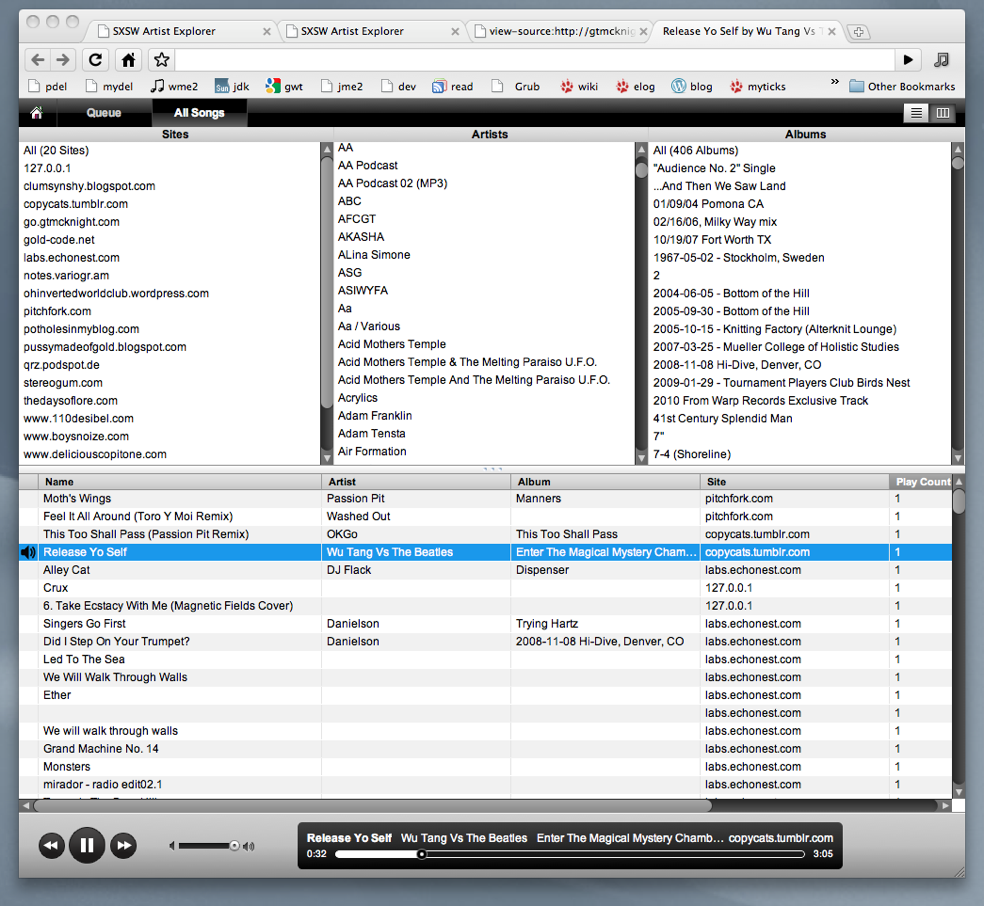
It does all of this work in the background without me having to do anything. After a weekend of browsing, ExtensionFM found music on 20 sites from over 300 artists, over 400 albums – for a total of over 1,000 tracks. ExtensionFM remembers the sites where the music was from and keeps track of when the links die. Note that it doesn’t actually copy music onto your computer, ExtensionFM just makes it easier to play music that is already out there.
There are many nice touches in ExtensioFM. It keeps a play queue, and when you visit a music site you can easily add music to the queue.
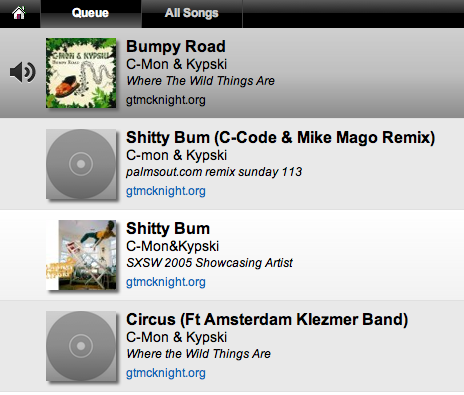
You can edit the play queue easily adding and removing tracks from it.
ExtensionFM also augments a music laden site with music player buttons. So a site that looks like this:
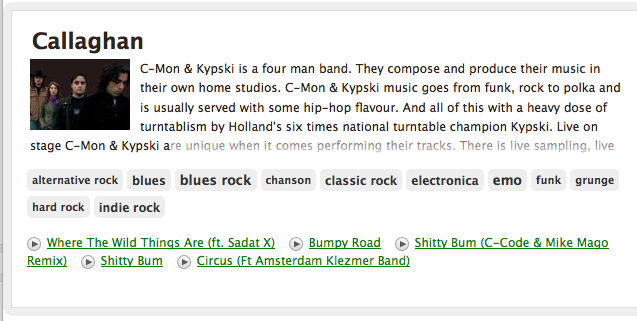
is transformed into something like this:
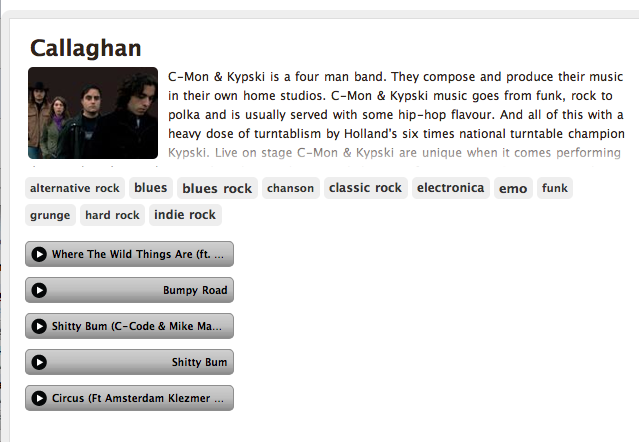
Dan Kantor says he’ll be adding an option soon that will allow the disabling of this re-formatting for those who don’t like their web pages tampered with.
Unfortunately, ExtensionFM doesn’t always find music on a web page. Certain sites (Hype Machine for example) doesn’t expose Mp3 links so ExtensionFM can’t find the music. Dan says that right now ExtensionFM only grabs links that end in .mp3 or .ogg. It also works on Tumblr since they offer a very easy API to get a user’s audio posts. It is going to support Soundcloud embeds soon as well since they also offer an easy API. So the best way for developers to make sure their songs work with ExtensionFM is to make sure that the audio links are exposed in the html or to use Tumblr, or Soundcloud.
ExtensionFM is still in pre-release mode, but if you are lucky enough to get a release code, get the app, install it (it’s very easy to install), and start organizing your online music listening.
LastHistory – Visualizing Last.fm Listening Histories
Posted by Paul in fun, Music, visualization on February 16, 2010
This week Klaas, one of the researchers at Last.fm released to the Last.fm playground the ability to plot data from your personal listening history. (read about it here: Now in the Playground: Scrobbling Timelines).
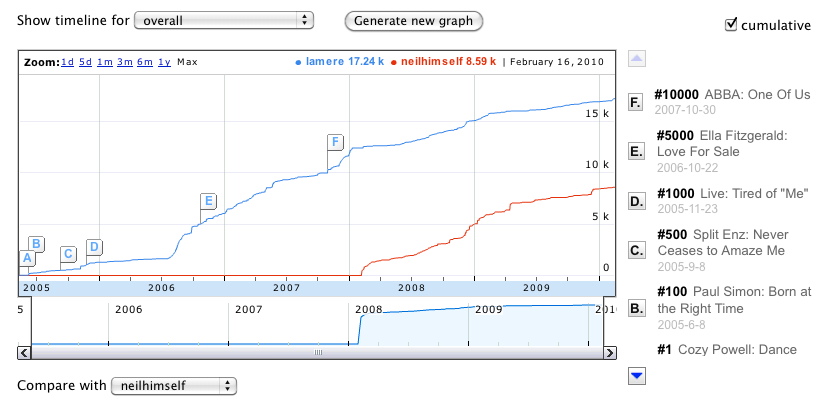 You can look at when you started to listen to particular bands, or even compare your listening to one of your Last.fm friends (here you can see my cumulative listening as compared to my good Last.fm friend Neil Gaiman. It’s a really neat app that highlights the awesome listening data that Last.fm has been collecting for the last 6 or so years.

With the new Last.fm plots you can look at your listening history – but there’s a new app that takes this idea one step further. LastHistory, an application by Frederik Seiffert and Dominikus Baur from the Media Informatics Group of the University of Munich allows you to analyze music listening histories from Last.fm through an interactive visualization and to explore your own past by combining the music you listened to with your own photos and calendar entries. Like Klaas’s scrobbling graphs, LastHistory lets you browse music listening history, but LastHistory goes beyond that – it lets you interact with the visualization, allowing you to use your listening history for music exploration, and playlisting. And since the listening history can be any Last.fm listener, it is a great vehicle for music discovery too. The video makes it all really clear:
The integration with your iPhoto library is genius. While you listen to the music that you played in the car on that road trip to Tennessee in 2oo8 you can see a slide show of your photos from that same trip.
LastHistory runs on a Mac. When you run it for the first time, you tell it your last.fm name. It then goes to Last.fm to collect your listening history and info about all of the tracks. (This can take a few minutes depending on how long you’ve been listening at Last.fm). But even while it is retrieving your data you can start to interact with the data. And interacting with this application is very fun.
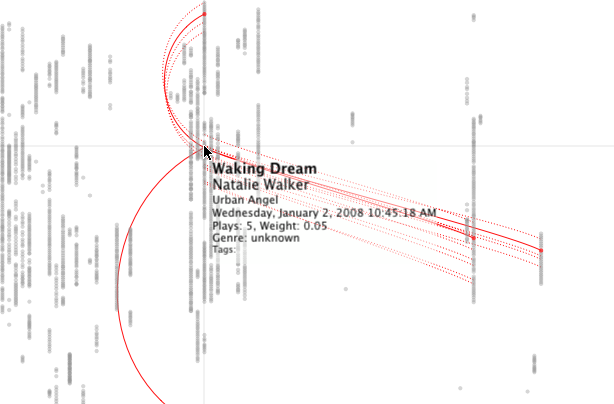 Each dot on the display represents a single song play at a point in the past. Mouse over the point to see the song name and to see other times when you played the song. Click on the song to hear it. The dots are colored by the genre (discovered by using the last.fm tags applied to the song). It is quite fun exploring my own listening history. Here’s the time when I first got the Weezer ‘Red’ Album:
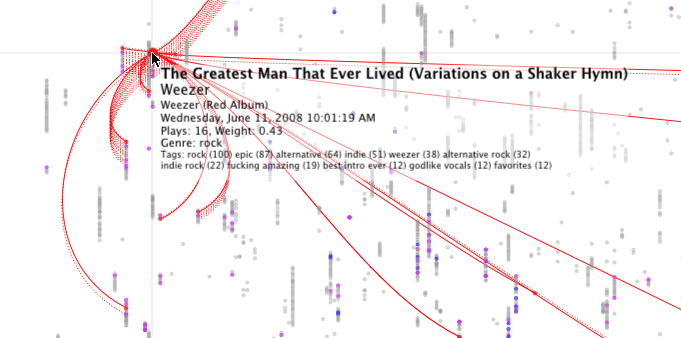
This app is cool in so many ways, I know that I’m going to spend a lot of time playing with this app. But ff you try it out, remember that it is a 1.0 version. I did experience a crash or two, but it seemed to pick up where it left off without trouble. Oh yes, one more thing that moves this app from totally cool into über-cool is that it is all open source. Get the code here: LastHistory on Github. Congrats to Frederik and Dominikus for creating the first novel music exploration app of the decade. Nice job!
Python and Music at PyCon 2010
Posted by Paul in code, Music, The Echo Nest on February 15, 2010
 If you are lucky enough to be heading to PyCon this week and are interested in hacking on music, there are two talks that you should check out:
DJing in Python: Audio processing fundamentals – In this talk Ed Abrams talks about how his experiences in building a real-time audio mixing application in Python. I caught a dry-run of this talk at the local Python SIG – lots of info packed into this 30 minute talk. One of the big takeaways from this talk is the results of Ed’s evaluation of a number of Pythonic audio processing libraries. Sunday 01:15pm, Centennial I
Remixing Music Pythonically – This is a talk by Echo Nest friend and über-developer Adam Lindsay. In this talk Adam talks about the Echo Nest remix library. Adam, a frequent contributor to remix, will offer details on the concise expressiveness offered when editing multimedia driven by content-based features, and some insights on what Pythonic magic did and didn’t work in the development of the modules. Audio and video examples of the fun-yet-odd outputs that are possible will be shown. Sunday 01:55pm, Centennial I
The schedulers at PyCon have done a really cool thing and have put the talks back to back in the same room. Also, keep your eye out for the Hacking on Music OpenSpace
Name That Artist
Posted by Paul in fun, Music, The Echo Nest, web services on February 14, 2010

While watching the Olympics over the weekend, I wrote a little web-app game that uses the new Echo Nest get_images call. The game is dead simple. You have to identify the artists in a series of images. You get to chose a level of difficulty and the style of your favorite music, and if you get a high score, your name and score will appear on the Top Scores board. Instead of using a simple score of percent correct, the score gets adjusted by a number of factors. There’s a time bonus, so if you answer fast you get more points, there’s a difficulty bonus, so if you identify unfamiliar artists you get more points, and if you chose the ‘Hard’ level of difficulty you get also get more points for every correct answer. The absolute highest score possible is 600 but that any score above 200 is rather awesome.
The app is extremely ugly (I’m a horrible designer), but it is fun – and it is interesting to see how similar artists from a single genre appear. Give it a go, post some high scores and let me know how you like it.
Jason’s cool screensaver
Posted by Paul in code, fun, Music, The Echo Nest on February 13, 2010
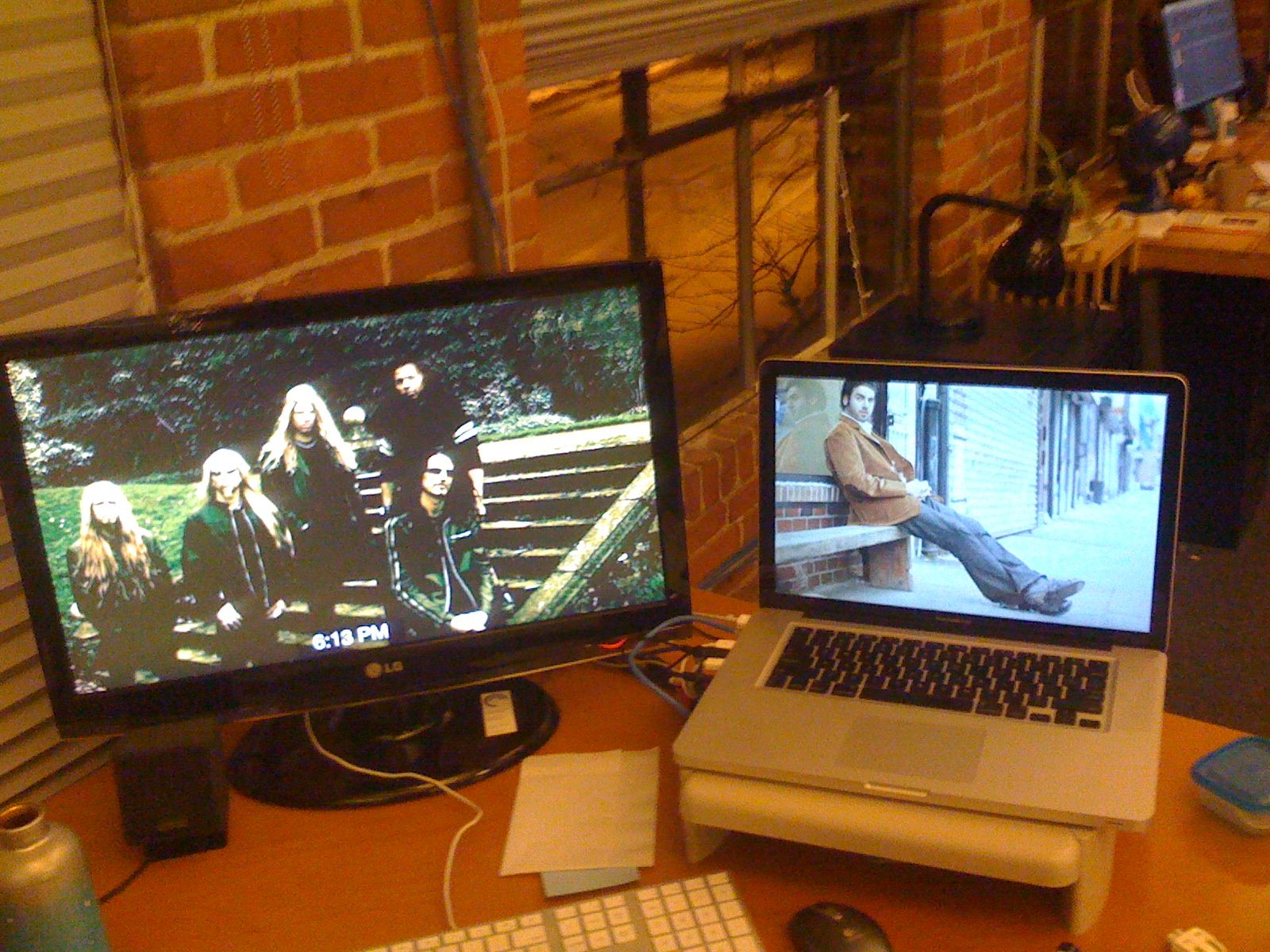
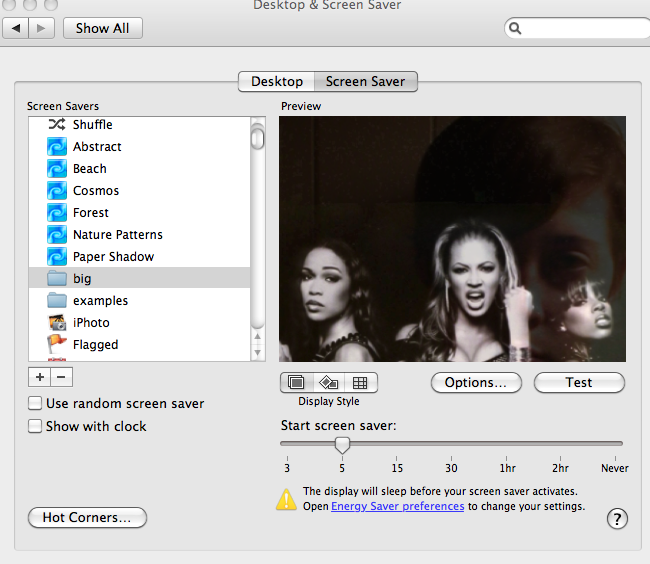
I noticed some really neat images flowing past Jason’s computer over the last week. Whenever Jason was away from his desk, our section of the Echo Nest office would be treated to a very interesting slideshow – mostly of musicians (with an occasional NSFW image (but hey, everything is SFW here at The Echo Nest)). Since Jason is a photographer I first assumed that these were pictures that he took of friends or shows he attended – but Jason is a classical musician and the images flowing by were definitely not of classical musicians – so I was puzzled enough to ask Jason about it. Turns out, Jason did something really cool. He wrote a Python program that gets the top hotttt artists from the Echo Nest, and then collects images for all of those artists and their similars – yielding a huge collection of artist images. He then filters them to include only high res images (thumbnails don’t look great when blown up to screen saver size). He then points is Mac OS Slideshow screensaver at the image folder and voilá – a nifty music-oriented screensaver.
Jason has added his code to the pyechonest examples. So if you are interested in having a nifty screen saver, grab Pyechonest, get an Echo Nest API key if you don’t already have one and run the get_images example. Depending upon how many images you want, it may take a few hours to run. To get 100K images plan to run it over night. Once you’ve done that, point your Pictures screensaver at the image folder and you’re done.
The 6th Beatle
Posted by Paul in Music, recommendation, The Echo Nest on February 12, 2010
 When I test-drive a new music recommender I usually start by getting recommendations based upon ‘The Beatles’ (If you like the Beatles, you make like XX). Most recommenders give results that include artists like John Lennon, Paul McCartney, George Harrison, The Who, The Rolling Stones, Queen, Pink Floyd, Bob Dylan, Wings, The Kinks and Beach Boys. These recommendations are reasonable, but they probably won’t help you find any new music. The problem is that these recommenders rely on the wisdom of the crowds and so an extremely popular artist like The Beatles tends to get paired up with other popular artists – the results being that the recommender doesn’t tell you anything that you don’t already know. If you are trying to use a recommender to discover music that sounds like The Beatles, these recommenders won’t really help you – Queen may be an OK recommendation, but chances are good that you already know about them (and The Rolling Stones and Bob Dylan, etc.) so you are not finding any new music.
At The Echo Nest we don’t base our artist recommendations solely on the wisdom of crowds, instead we draw upon a number of different sources (including a broad and deep crawl of the music web). This helps us avoid the popularity biases that lead to ineffectual recommendations. For example, looking at some of the Echo Nest recommendations based upon the Beatles we find some artists that you may not see with a wisdom of the crowds recommender – artists that actually sound like the Beatles – not just artists that happened to be popular at the same time as the Beatles. Echo Nest recommendations include artists such as The Beau Brummels , The Dukes of Stratosphear, Flamin’ Groovies and an artist named Emitt Rhodes. I had never ever seen Emitt Rhodes occur in any recommendation based on the Beatles, so I was a bit skeptical, but I took a listen and this is what I found:
Update: Don Tillman points to this Beatle-esque track:
Emitt could be the sixth Beatles. I think it’s a pretty cool recommendation
 Music Machinery