A quick hack to explore gender and music
Given that it is a holiday today, I only had a short amount of coding time this morning. Still, I built something that is pretty fun to play with. It is a little tool that lets you explore gender and music. With the tool, you can search for Rdio playlists via keywords and the app will give you the gender breakdown of the matching playlist creators. For example, if you type in ‘exercise’ the tool finds the top 200 playlists with exercise in the title and gives you the gender breakdown like so:
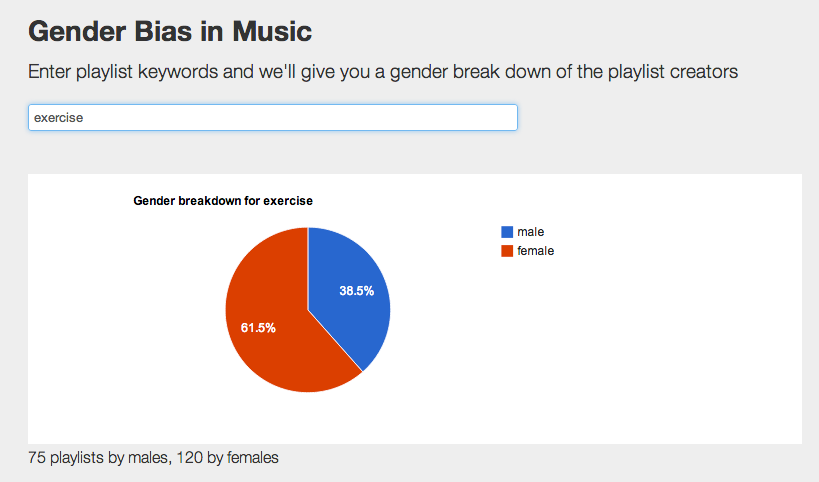
You can use the tool to explore gender biases in music. Some examples:
- 90% of Bieber playlists are by female listeners
- 81% of heavy metal playlists are by male listeners
- 61% of love playlists are by female listeners
- 70% of driving playlists are by male listeners
- 70% of cleaning playlists are by female listeners
- 95% of coding playlists are by male (!) listeners
- 100% of Mamma Mia playlists are by female listeners
- 88% of frat playlists are by male listeners
The tool was built using the superduper Rdio API. Try the tool out here: Gender Bias in Music
Getting the Hotttest Artists in any genre with The Echo Nest API
Posted by Paul in code, The Echo Nest on March 29, 2013
If you spend a few hours listening to broadcast radio it becomes pretty evident who the most popular pop artists are. You can’t go too long before you hear a song by Justin Timberlake, Rihanna, Bruno Mars or P!nk. The hotttest pop artists get lots of airplay. But what about all the other music out there? Who are the hotttest gothic metal artists? Who are the most popular Texas blues artists? Those are the kind of questions we try to answer with today’s Echo Nest demo: The Hotttest Artists
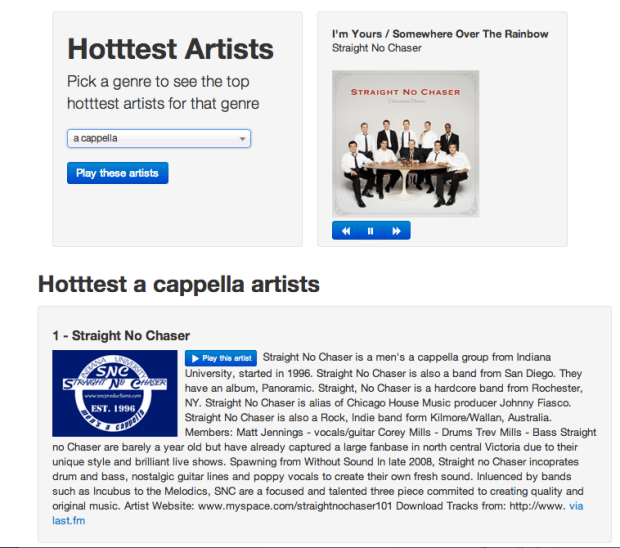
This app lets you select from among over 400 different genres from a cappella to Zydeco and see who are the hotttest artists in that genre. The output includes a brief bio and image of the artist, and of course you can listen to any artist via Rdio. The app is an interesting way to explore all of the different genres out there and sample some different types of music. The source is available on github. The whole thing including all Javascript, html and CSS is less than 500 lines.
Try out the Hotttest Artist app and be sure to check out all of the other Echo Nest demos on our demo page.
Getting Artist News with The Echo Nest
Next up in this week of demos is The Artist News demo. This is a simple demonstration of how to get recent news articles for any of the millions of artists tracked by The Echo Nest. To get artist news, you use the artist/news API call. This call accepts the artist name or ID (an Echo Nest ID or the artist ID from any of our Rosetta partners, including Rdio, Spotify, Rhapsody, 7Digital and many more). You can also set a ‘high relevance’ flag if you want to restrict the results to only news articles that are mainly about the given artist.
The Artist News Demo is quite straightforward. Type in an artist’s name, and you’ll get the most recent news about the artist. Here’s a screenshot:
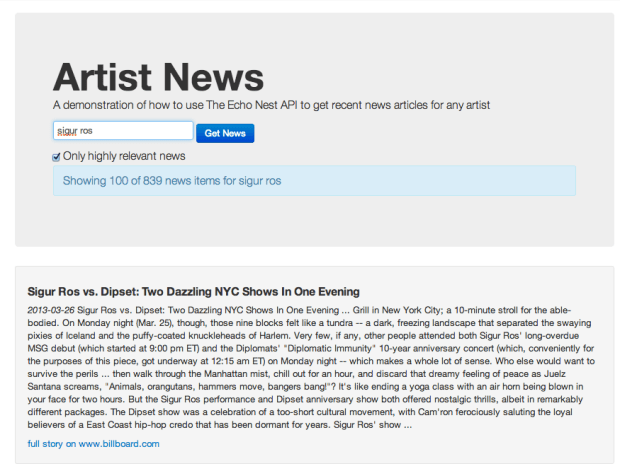
You can try out the app here: Artist News. The source is on github.
Getting Artist Images with the Echo Nest API
Posted by Paul in code, The Echo Nest on March 27, 2013
This week I’ve been writing a few web apps to demonstrate how to do stuff with The Echo Nest API. One app shows how you can use The Echo Nest API to get artist images. The app is nice and simple. Type in the name of an artist and it will show you 100 images of the artist.
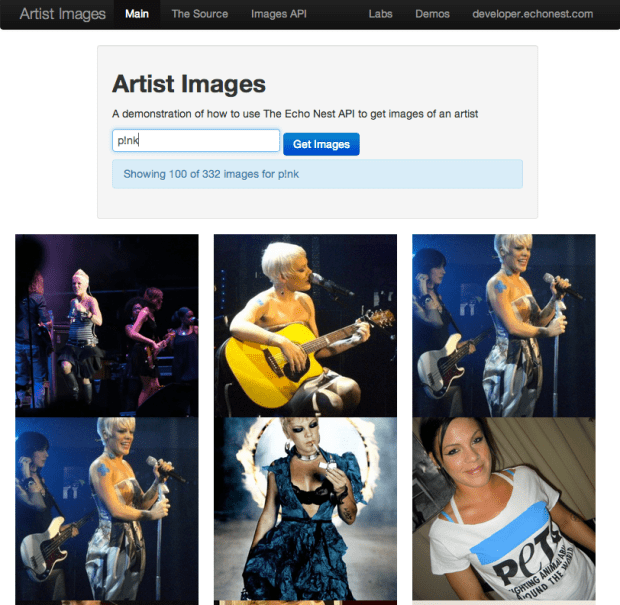
The core code to get the images is here:
function fetchImages(artist) {
    var url = 'http://developer.echonest.com/api/v4/artist/images';

    var args = {
            format:'json',
            api_key: 'MY-API-KEY',
            name: artist,
            results: 100,
    };

    info("Fetching images for " + artist);
    $.getJSON(url, args,
            function(data) {
                $("#results").empty();
                if (! ('images' in data.response)) {
                    error("Can't find any images for " + artist);
                } else {
                    $.each(data.response.images, function(index, item) {
                        var div = formatItem(index, item);
                        $("#results").append(div);
                    });
                }
            },
            function() {
                error("Trouble getting blog posts for " + artist);
            }
        );
}
The full source is on github.
With jQuery’s getJSON call, it is quite straightforward to retrieve the list of images from The Echo Nest for formatting and display.
The most interesting bits for me was learning how to make square images regardless of the aspect ratio of the image, without distorting them. This is done with a little CSS magic. Each image div gets a class like so:
        .image-container {
            width: 240px;
            height: 240px;
            background-size: cover;
            background-image:"http://example.com/url/to/image.png";
            background-repeat: no-repeat;
            background-position: 50% 50%;
            float:left;
        }
Try out the Artist Image demo , marvel at the square images and be sure to visit the Echo Nest Demo page to see all of the other demos I’ve been posting this week.
Using speechiness to make stand-up comedy playlists
Posted by Paul in code, data, The Echo Nest on March 20, 2013
One of the Echo Nest attributes calculated for every song is ‘speechiness’. This is an estimate of the amount of spoken word in a particular track. High values indicate that there’s a good deal of speech in the track, and low values indicate that there is very little speech. This attribute can be used to help create interesting playlists. For example, a music service like Spotify has hundreds of stand-up comedy albums in their collection. If you wanted to use the Echo Nest API to create a playlist of these routines you could create an artist-description playlist with a call like so:
However, this call wouldn’t generate the playlist that you want. Intermixed with stand-up routines would be comedy musical numbers by Tenacious D, The Lonely Island or “Weird Al”. That’s where the ‘speechiness’ attribute comes in. We can add a speechiness filter to our playlist call to give us spoken-word comedy tracks like so:
It is a pretty effective way to generate comedy playlists.
I made a demo app that shows this called The Comedy Playlister. It generates a Spotify playlist of comedy routines.
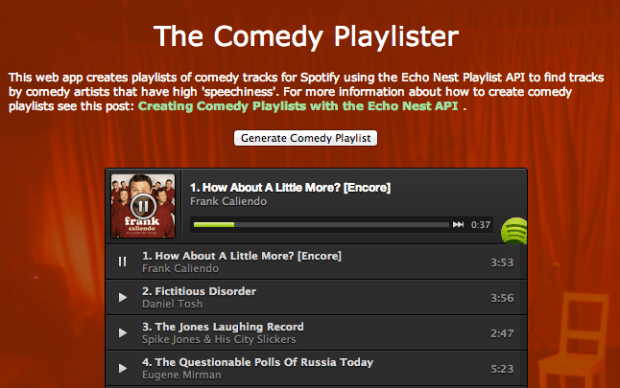
It does a pretty good job of finding comedy. Now I just need some way of filtering out Larry The Cable Guy. The app is on line here: The Comedy Playlister. The source is on github.
ArtistX – the artist explorer
There’s no hackathon this weekend, but that’s no excuse not to write some code. I’ve been wanting to experiment with amcharts, a Javascript charting package so I wrote a web app that shows lots of charts and graphs for artists. The app is ArtistX. It is an artist explorer that lets you look at all of the Echo Nest song parameters for any artist. For instance, you can look at the Energy Distribution of songs by Weezer:
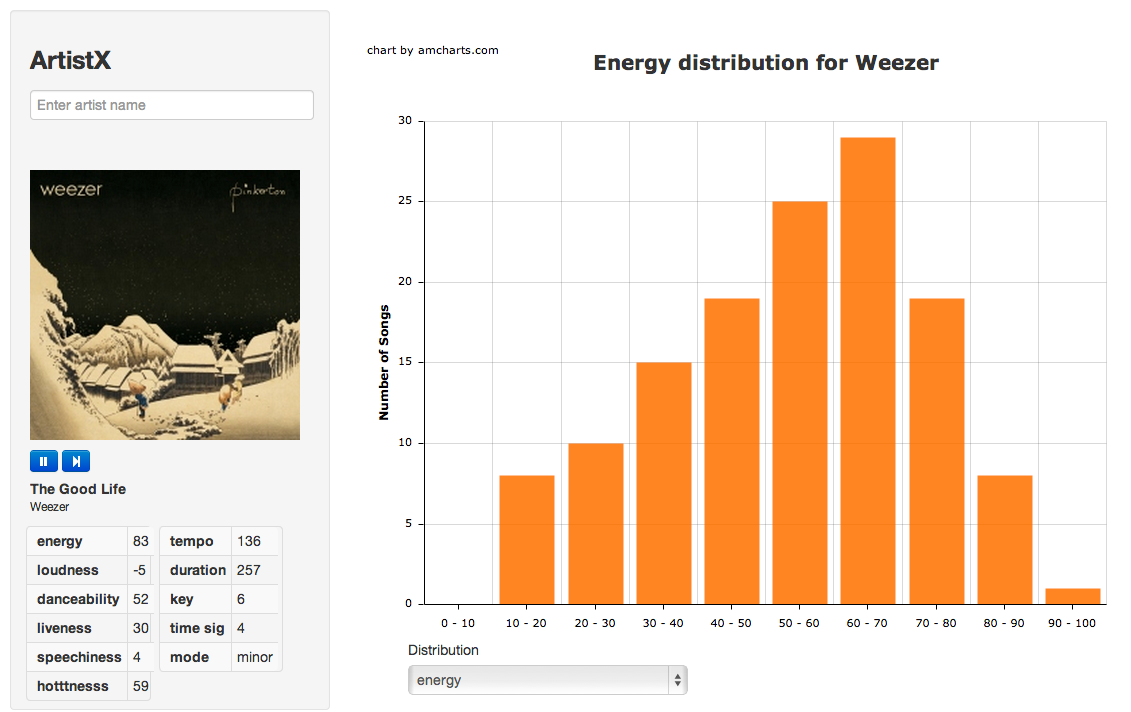
Energy Distribution of Songs By Weezer
You can look at the tempo distribution of songs by The Rolling Stones:
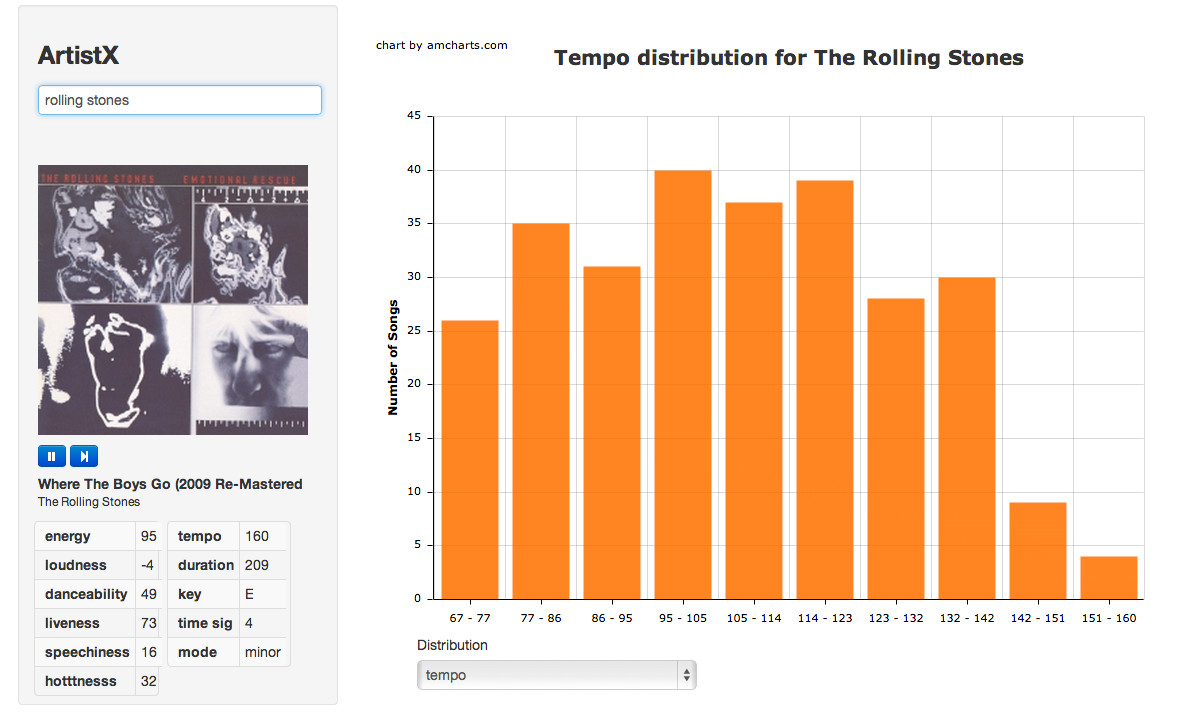
Tempo Distribution for the Rolling Stones
Or you can look at scatter plots that show 4 attributes at once (X, Y, size and color). Here’s a plot of all of Muse’s songs showing the energy, loudness, hotttnesss and liveness:
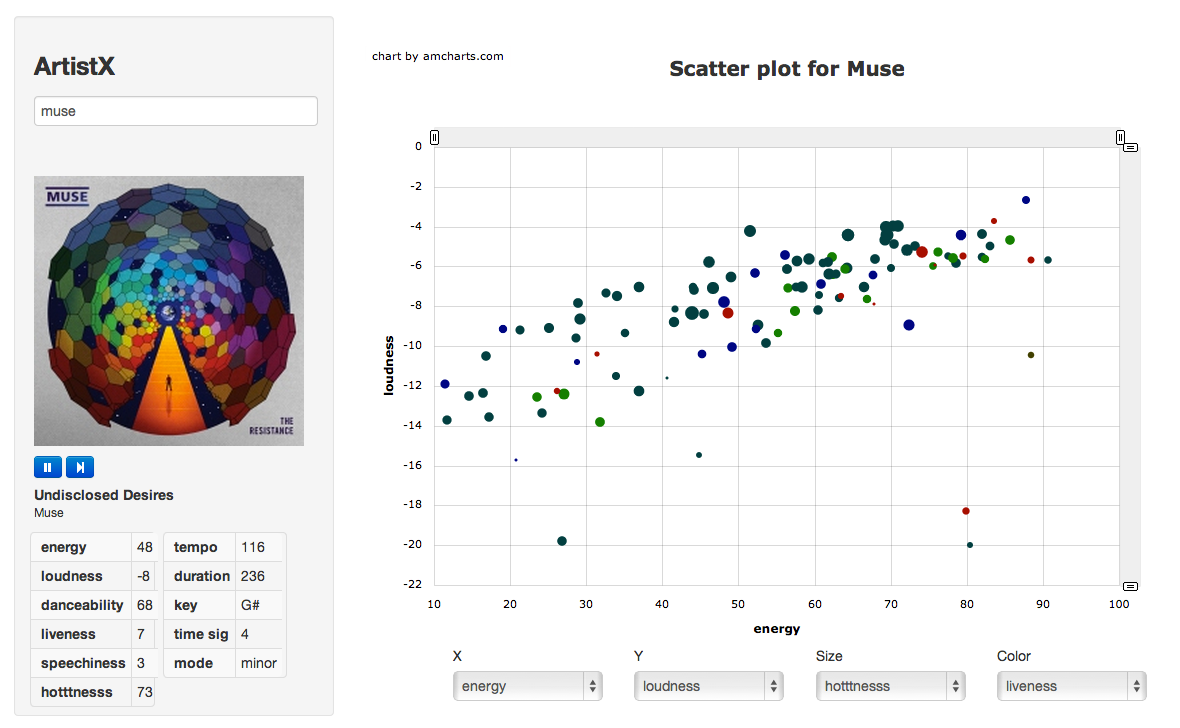
Scatter plot for Muse
You can interact with the plots – click on a bar or point in a plot to listen to songs (via Rdio).
The app lets you explore across 11 different song parameters: energy, loudness, danceability, liveness, speechiness, hotttnesss, tempo, duration, key, time signature and mode. You can use the app to find all sorts of interesting things. Want to listen all the stage patter for an artist? Create scatter plot for the artist with liveness and speechiness as the X, Y parameters. The songs in the upper right-hand corner of the plot will be the ones you are looking for. Try it with an artist like Elvis Presley or Dean Martin.
Give the app a spin here: ArtistX. The source is at github/echonest/ArtistX
The Artist’s Hack
Sunday at SXSW was the Artist’s Hack – where passionate developers from around the world gathered to build cool stuff. Artist’s Hack was organized by Backplane and Spotify and is dedicated to building the future of music, art, video and collaborative though on the web and mobile during SXSW.
The hack was held at Raptor House – a short walk from downtown Austin. There was plenty of bandwidth, good food and beverages for the 8 hour hackathon. APIs were in abundance: Spotify, The Echo Nest, SendGrid, Twilio, Youtube, Klout, Paypal, Gimbal, SeatGeek, Aviary, Etsy, Topspin, Chute, Dropbox, Music Dealers and others were all there in force offering their technology for hackers to use.
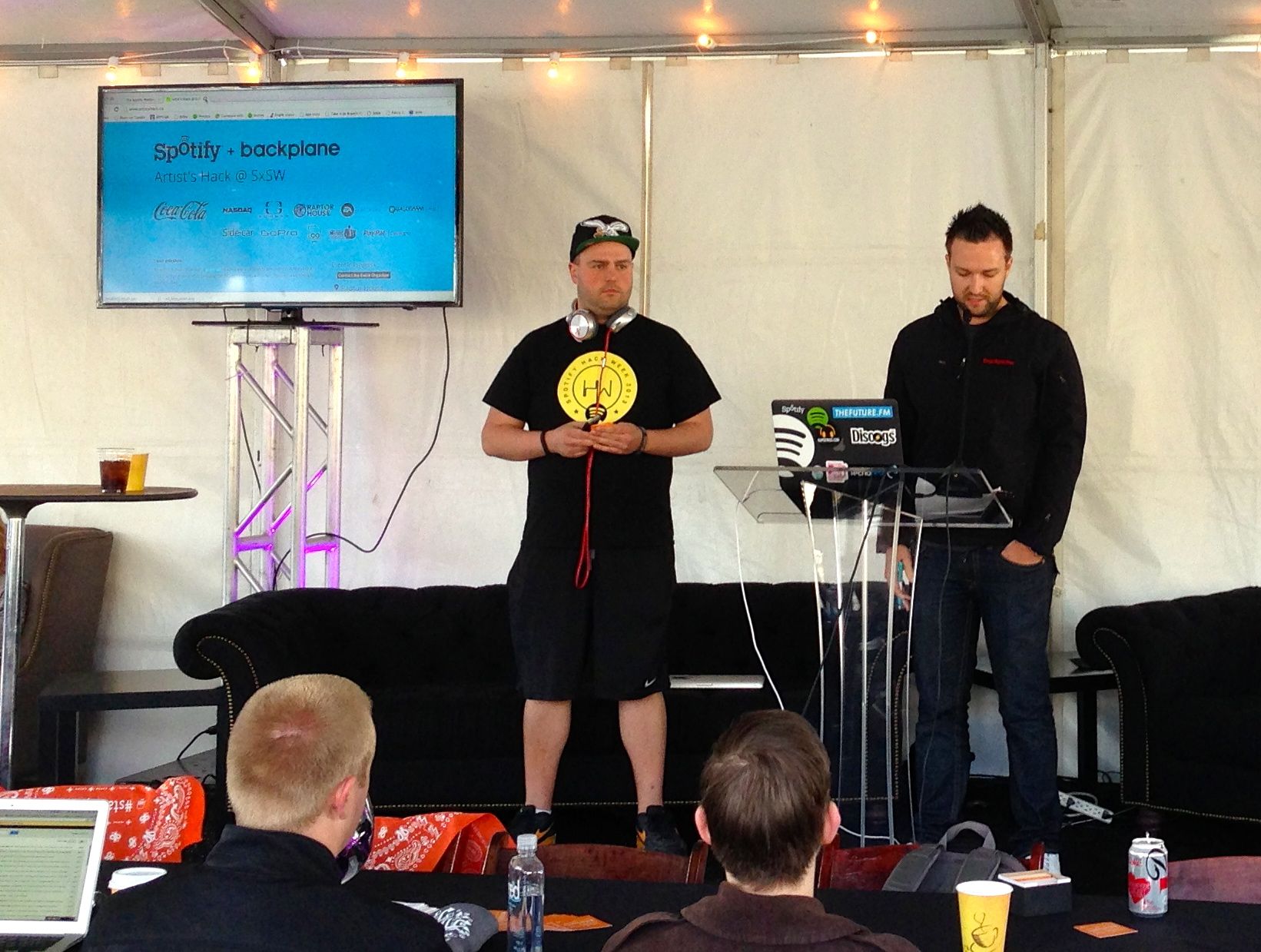
Hackers built around 20 hacks during the event. Some of my favorites are:
- biomuse – creates playlists based upon your biometrics. This was built on top of the biobeats platform. Quite neat stuff. Winner of one of the Echo Nest prizes.
- Jamblot – visualize your song history in a creative way to commemorate any period of your life that affected your music choice. Jamblot draws your song history for you. Winner of one of the Echo Nest prizes.
- Party Together – ambient automatic shared playlists for your party. Winner of one of the Echo Nest prizes.
- We browse in public – Stream all of your browser activity live to others. Chat with others based on their activity.
- Bundio – Monetize dropbox.
My hack is A longer life for post-rock fans. This was my first time using the Twilio API. It was a lot of fun to build. The Twilio API and whole developer experience is awesome. Any company with an API should try to emulate what Twilio does.
One novel aspect of the event was that Cory Booker was one of the judges. Here he is watching Danny Kirschner give the Bundio demo

Cory is a pro – when there was a power outage that delayed some of the demos, Cory conducted an impromptu ‘interview’ with one of the founders of Backplane while the crew scurried to restore the power.
All in all, the Artist’s Hack was great fun, with lots of creative hacks. Well done Spotify and Backplane!
A longer life for post-rock fans
 I like to listen to post-rock. Unfortunately, post-rock bands tend to have very long names like ‘Explosions in the Sky’, ‘God Speed you black emperor’, and ‘This will Destroy You’. I have a long commute and I will find that I am frequently risking my life trying to type a long band name into my music player. I wish Siri supported non-itunes players like Spotify, but until then I need a way to tell Spotify to play music by bands with long names. If I don’t, I will die in a fiery crash on Route 3 in Lowell Mass. A horrible way to go. So this weekend at the Artists Hack I built something to solve this problem. It lets you play music in Spotify without having to type long artist names. Here’s how it works.
I used Twilio to set up a phone number such that if you text it an artist name, it will respond with a spotify link to a song by that artist. You can add the phone number to your contacts as “music player”, You can then use Siri in a dialog like so:
Me: Send a text to Music Player
Siri: What would you like it to say
Me: Explosion in the Sky
Siri: OK, I’ll send it
A few seconds later I get a text message back with a link to a popular track by Explosions in the Sky. I tap the link and Spotify opens and plays the song. It is about as simple a hack as can be, but it solves a real problem for me. Here’s the screenshot:

If you want to use it – send a text with the artist name (and nothing else) to 603 821 4328. The code is on github. Update … much to my surprise this hack won two prizes at the hackathon – the Twilio 1st prize and the overall 3rd prize.
Hacking Blindness
 Meet Mandy. She’s a musician and a multimedia artist. She’s also losing her vision. She is on a quest – to push forward interfaces for non-visual music production to make it easier for those with vision impairments to use modern technology to create music.
We in the music tech community, especially the music hackers among us are in an excellent position to help Mandy take some steps toward reaching her goal. Anyone who has been to a Music Hack Day has seen the wide range of non-traditional music interfaces that we create. We’ve made Music gloves, leap-motion-based mixers and orchestras, invisible violins made with iphones, remixing tools that use makey-makey, music controllers made out of kinects, arduinos, webcams and even neckties and coat racks. We build things that make music. With a little guidance we should be able to build things that will help the visually impaired make music too. Mandy has just started a blog: Hacking Blindness where she is writing about her journey to help develop new and immersive ways for low vision and blind musicians to perform and manipulate. sound. If you are a music techie/hacker and are interested in learning more about this go to Mandy’s blog and join in the discussion. It is just getting started. I hope that in an upcoming Music Hack Day we can have Mandy come and help us understand how we can help her #hackblindness.
The Tufts Hackathon
Posted by Paul in events, Music, tuftshackathon on February 26, 2013
Last weekend, Barbara Duckworth and Jennie Lamere teamed up at the Tufts Hackathon to build a music hack. Here’s Barbara’s report from the hackathon:
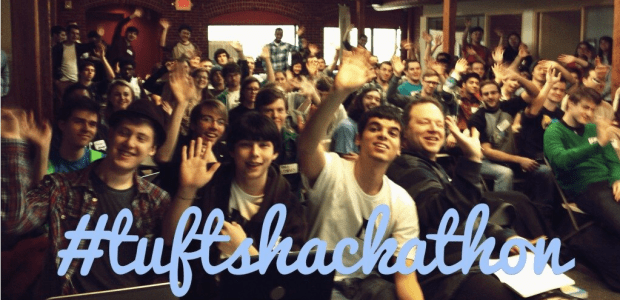
Jen Lamere and Barbara Duckworth presenting:
Cinemusic – created at Tufts Hackathon
For our second hack day, Jen Lamere and I were wildly successful. Going into the Tufts hackathon, we knew that we wanted to create a hack involving music, but we didn’t want the hassle of having to make hardware to go along with it, like in our last hack, HighFive Hero.
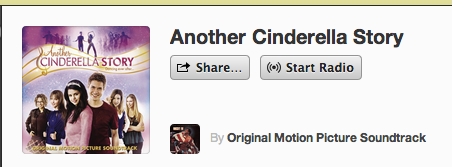
 As we were walking to the building in which the hackathon was held, we decided on making a program that would suggest a movie based on its soundtrack. The user would tell us their favorite artists, and we would find a movie soundtrack that contained similar music, the idea being that if you like the soundtrack, the movie would also be of your tastes. So, lets say you have an unnatural love for Miley Cyrus. Type that in, and our music-to-movie program would tell you to watch Another Cinderella Story, with Selena Gomez on the soundtrack. With Selena also being a Disney Channel star and of similar singing caliber, the suggestion makes sense.
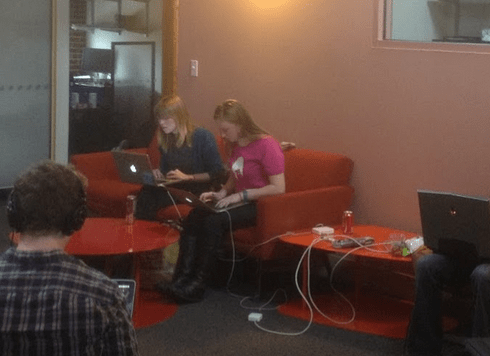
Barbie and Jen hacking away (photo by Ming Chow)
We used The Echo Nest API to search for similar artists, and with the help of Paul Lamere, utilized Spotify’s fantastic tagging system to compile a huge data file of artists and soundtracks, which we then sorted through. We also added a cool last-minute feature using the Spotify API, which would start playing the soundtrack right as the movie suggestion was given. Jen and I hope to iron out any bugs that are currently in our program, and turn it into a web app.

Our (if I do say so myself) pretty awesome hack, combined with our amateur status, won us the rookie award at Tufts Hackathon! Jen and I will both be proudly wearing our new “GitHub swag” and we will hopefully find a way to put the AWS credits to good use. Thank you to everyone at Tufts, for organizing such a fantastic event!
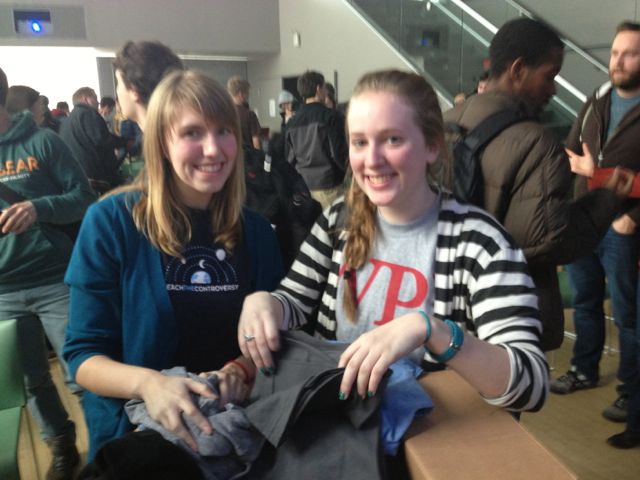
Barbara and Jennie reviewing their swag options


