The Artist’s Hack
Sunday at SXSW was the Artist’s Hack – where passionate developers from around the world gathered to build cool stuff. Artist’s Hack was organized by Backplane and Spotify and is dedicated to building the future of music, art, video and collaborative though on the web and mobile during SXSW.
The hack was held at Raptor House – a short walk from downtown Austin. There was plenty of bandwidth, good food and beverages for the 8 hour hackathon. APIs were in abundance: Spotify, The Echo Nest, SendGrid, Twilio, Youtube, Klout, Paypal, Gimbal, SeatGeek, Aviary, Etsy, Topspin, Chute, Dropbox, Music Dealers and others were all there in force offering their technology for hackers to use.
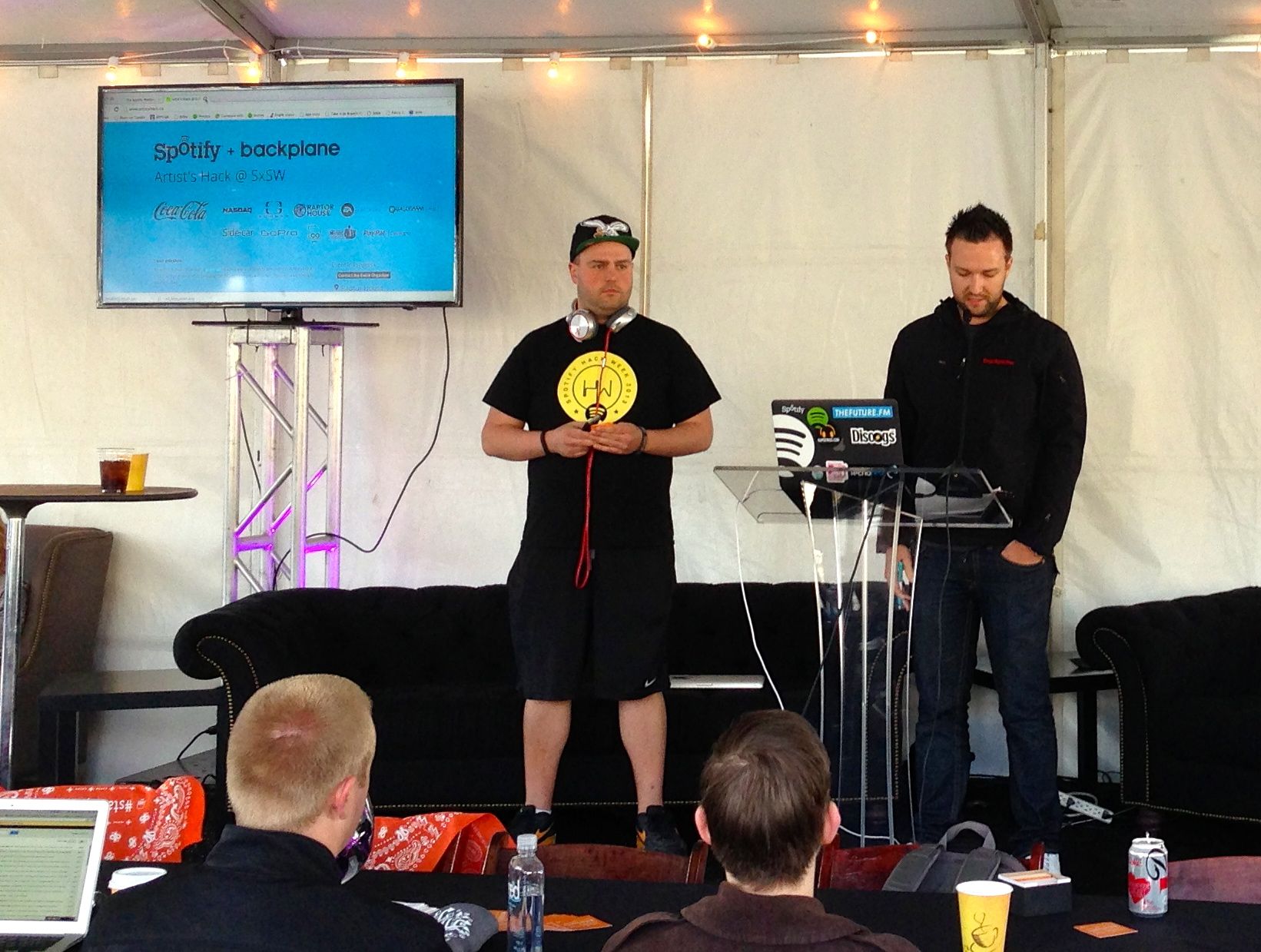
Hackers built around 20 hacks during the event. Some of my favorites are:
- biomuse – creates playlists based upon your biometrics. This was built on top of the biobeats platform. Quite neat stuff. Winner of one of the Echo Nest prizes.
- Jamblot – visualize your song history in a creative way to commemorate any period of your life that affected your music choice. Jamblot draws your song history for you. Winner of one of the Echo Nest prizes.
- Party Together – ambient automatic shared playlists for your party. Winner of one of the Echo Nest prizes.
- We browse in public – Stream all of your browser activity live to others. Chat with others based on their activity.
- Bundio – Monetize dropbox.
My hack is A longer life for post-rock fans. This was my first time using the Twilio API. It was a lot of fun to build. The Twilio API and whole developer experience is awesome. Any company with an API should try to emulate what Twilio does.
One novel aspect of the event was that Cory Booker was one of the judges. Here he is watching Danny Kirschner give the Bundio demo

Cory is a pro – when there was a power outage that delayed some of the demos, Cory conducted an impromptu ‘interview’ with one of the founders of Backplane while the crew scurried to restore the power.
All in all, the Artist’s Hack was great fun, with lots of creative hacks. Well done Spotify and Backplane!
A longer life for post-rock fans
 I like to listen to post-rock. Unfortunately, post-rock bands tend to have very long names like ‘Explosions in the Sky’, ‘God Speed you black emperor’, and ‘This will Destroy You’. I have a long commute and I will find that I am frequently risking my life trying to type a long band name into my music player. I wish Siri supported non-itunes players like Spotify, but until then I need a way to tell Spotify to play music by bands with long names. If I don’t, I will die in a fiery crash on Route 3 in Lowell Mass. A horrible way to go. So this weekend at the Artists Hack I built something to solve this problem. It lets you play music in Spotify without having to type long artist names. Here’s how it works.
I used Twilio to set up a phone number such that if you text it an artist name, it will respond with a spotify link to a song by that artist. You can add the phone number to your contacts as “music player”, You can then use Siri in a dialog like so:
Me: Send a text to Music Player
Siri: What would you like it to say
Me: Explosion in the Sky
Siri: OK, I’ll send it
A few seconds later I get a text message back with a link to a popular track by Explosions in the Sky. I tap the link and Spotify opens and plays the song. It is about as simple a hack as can be, but it solves a real problem for me. Here’s the screenshot:

If you want to use it – send a text with the artist name (and nothing else) to 603 821 4328. The code is on github. Update … much to my surprise this hack won two prizes at the hackathon – the Twilio 1st prize and the overall 3rd prize.
Hacking Blindness
 Meet Mandy. She’s a musician and a multimedia artist. She’s also losing her vision. She is on a quest – to push forward interfaces for non-visual music production to make it easier for those with vision impairments to use modern technology to create music.
We in the music tech community, especially the music hackers among us are in an excellent position to help Mandy take some steps toward reaching her goal. Anyone who has been to a Music Hack Day has seen the wide range of non-traditional music interfaces that we create. We’ve made Music gloves, leap-motion-based mixers and orchestras, invisible violins made with iphones, remixing tools that use makey-makey, music controllers made out of kinects, arduinos, webcams and even neckties and coat racks. We build things that make music. With a little guidance we should be able to build things that will help the visually impaired make music too. Mandy has just started a blog: Hacking Blindness where she is writing about her journey to help develop new and immersive ways for low vision and blind musicians to perform and manipulate. sound. If you are a music techie/hacker and are interested in learning more about this go to Mandy’s blog and join in the discussion. It is just getting started. I hope that in an upcoming Music Hack Day we can have Mandy come and help us understand how we can help her #hackblindness.
The Tufts Hackathon
Posted by Paul in events, Music, tuftshackathon on February 26, 2013
Last weekend, Barbara Duckworth and Jennie Lamere teamed up at the Tufts Hackathon to build a music hack. Here’s Barbara’s report from the hackathon:
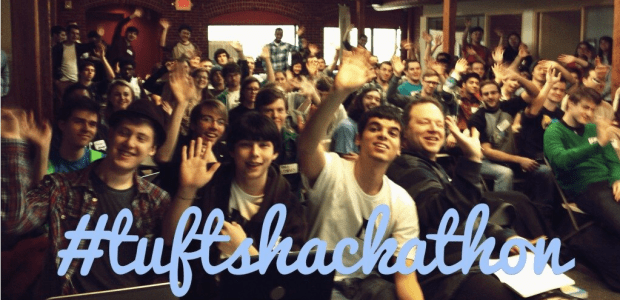
Jen Lamere and Barbara Duckworth presenting:
Cinemusic – created at Tufts Hackathon
For our second hack day, Jen Lamere and I were wildly successful. Going into the Tufts hackathon, we knew that we wanted to create a hack involving music, but we didn’t want the hassle of having to make hardware to go along with it, like in our last hack, HighFive Hero.
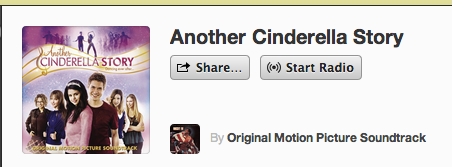
 As we were walking to the building in which the hackathon was held, we decided on making a program that would suggest a movie based on its soundtrack. The user would tell us their favorite artists, and we would find a movie soundtrack that contained similar music, the idea being that if you like the soundtrack, the movie would also be of your tastes. So, lets say you have an unnatural love for Miley Cyrus. Type that in, and our music-to-movie program would tell you to watch Another Cinderella Story, with Selena Gomez on the soundtrack. With Selena also being a Disney Channel star and of similar singing caliber, the suggestion makes sense.
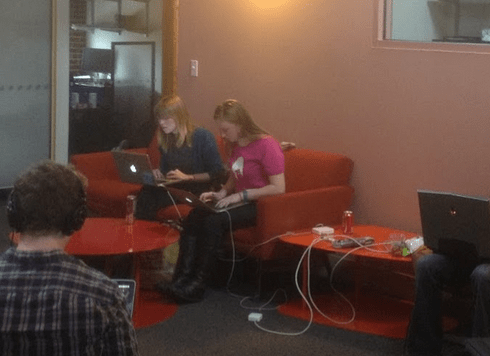
Barbie and Jen hacking away (photo by Ming Chow)
We used The Echo Nest API to search for similar artists, and with the help of Paul Lamere, utilized Spotify’s fantastic tagging system to compile a huge data file of artists and soundtracks, which we then sorted through. We also added a cool last-minute feature using the Spotify API, which would start playing the soundtrack right as the movie suggestion was given. Jen and I hope to iron out any bugs that are currently in our program, and turn it into a web app.

Our (if I do say so myself) pretty awesome hack, combined with our amateur status, won us the rookie award at Tufts Hackathon! Jen and I will both be proudly wearing our new “GitHub swag” and we will hopefully find a way to put the AWS credits to good use. Thank you to everyone at Tufts, for organizing such a fantastic event!
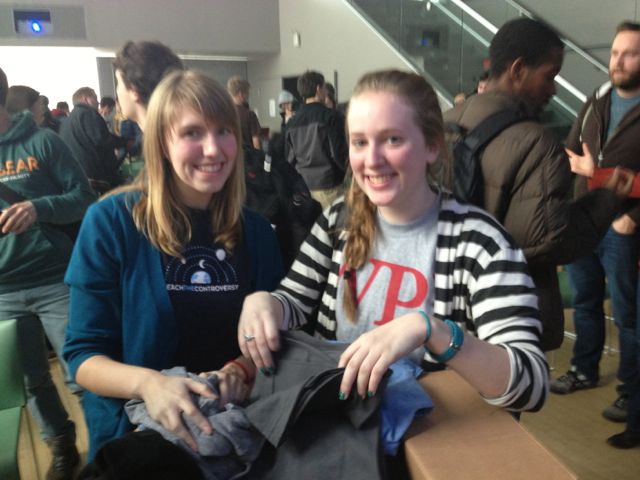
Barbara and Jennie reviewing their swag options
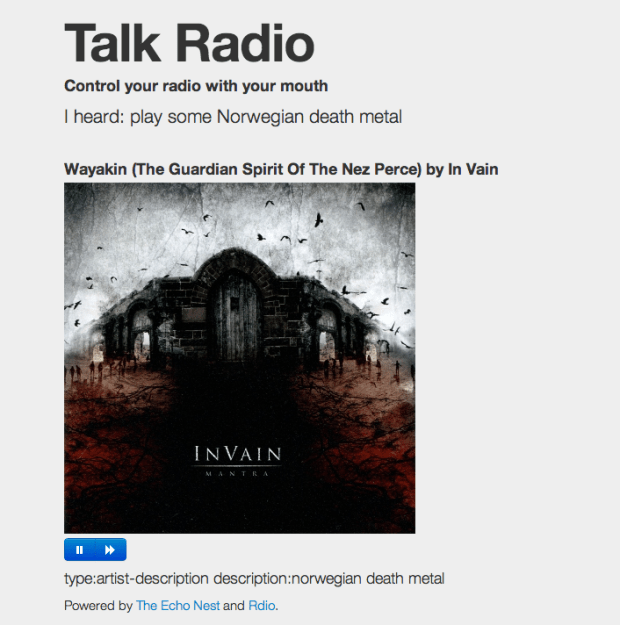
Talk Radio – control Rdio with the new Web Speech API
Control your radio with your mouth
- Play music by Carly Rae Jepsen
- Play music like Weezer
- Play some brutal death metal
- Play some christmas music
- Play slow music by Beyoncé
- Play fast music by Beyoncé
- Play chill music in the style of smooth jazz
- Play some screamo
Pro tip – the artist or genre should always be at the end of your utterance.
The hack is an exploration of how well an off-the-shelf speech large vocabulary speech recognizer would work in the music domain. Music has lots of hard names like deadmau5, p!nk, !!! and many domain-specific terms like ‘screamo’, ‘hip hop’, ‘shoegaze’. I am actually quite surprised at how well this works. The Google speech recognizer does a good job at understanding most of the neologism like ‘screamo’ and ‘shoegaze’, and does an excellent job at recognizing popular artist names like Jay-Z and Beyonce. For unusual artist names, The Echo Nest artist search does a really good job of finding what you meant. So when the speech recognizer returns “play music by chick chick chick”, The Echo Nest artist search can turn the artist search for “chick chick chick” into “!!!” with no problems. Similarly the speech recognizer will return “dead mouse” which The Echo Nest will resolve to ‘deadmau5’.
We can also field more general music queries. If a style query returns no results, it is re-submitted as a general artist-description query. This lets you find more esoteric music “big hair bands”.
Issues
You have to grant the app permission to access the microphone for every utterance. This can be alleviated in the near future after a few API issues are sorted out. Until then, the app is all Cancel or Allow. (And yes, it is incredibly annoying). This is all sorted now.
This hack was built at the Tufts Hackathon 2013. For me, it was a half-a-hackday with lots of time spent supporting The Echo Nest APIs to folks who had never used it before and traveling in the snow. Still, it was fun to use the nifty new Web Speech API that just shipped this week in Chrome Version 25.
How the Bonhamizer works
Posted by Paul in code, fun, The Echo Nest on February 21, 2013
I spent this weekend at Music Hack Day San Franciso. Music Hack Day is an event where people who are passionate about music and technology get together to build cool, music-related stuff. This San Francisco event was the 30th Music Hack Day with around 200 hackers in attendance. Many cool hacks were built. Check out this Projects page on Hacker League for the full list.
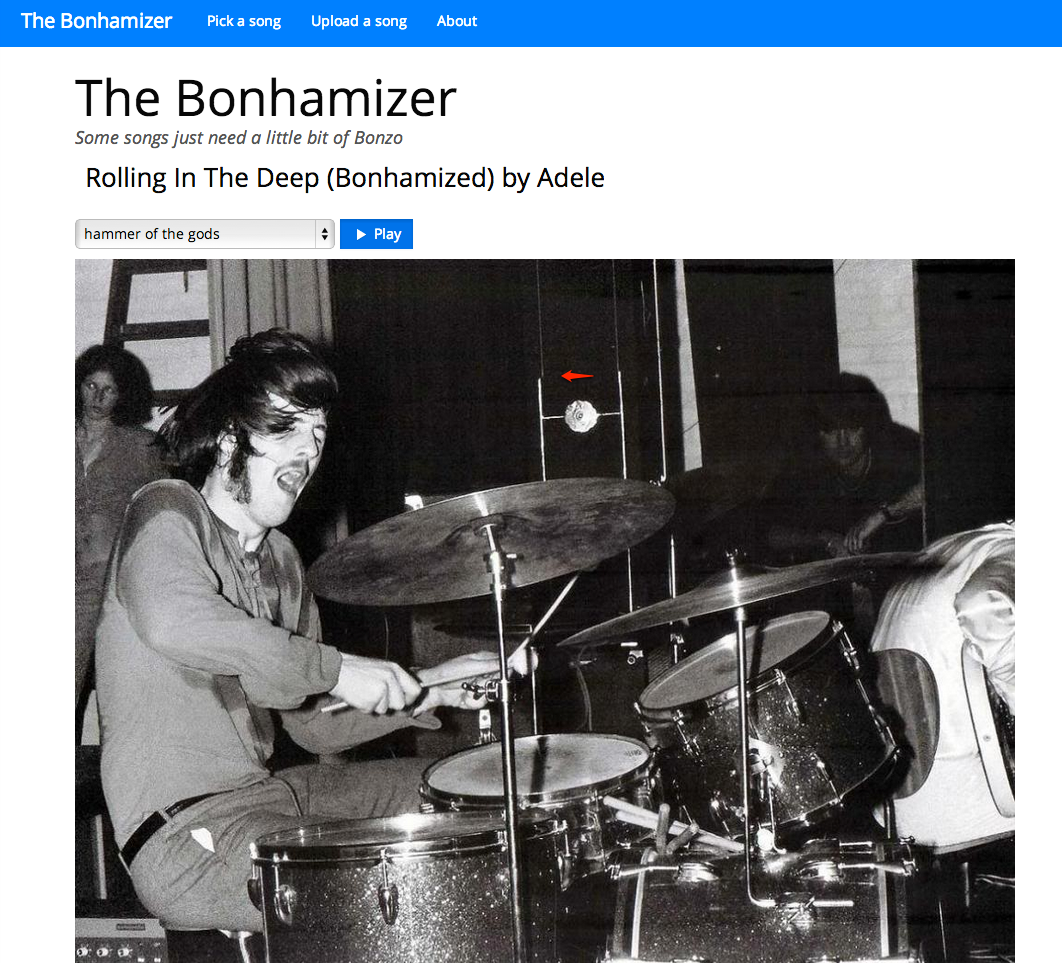
My weekend hack is called The Bonhamizer. It takes just about any song and re-renders it as if John Bonham was playing the drums on the track. For many tracks it works really well (and others not so much). I thought I’d give a bit more detail on how the hack works.
Data Sources
For starters, I needed some good clean recordings of John Bonham playing the drums. Luckily, there’s
set of 23 drum out takes from the “In through the out door” recording session. For instance, there’s
this awesome recording of the drums for “All of my Love”. Not only do you get the sound of Bonhmam
pounding the crap out of the drums, you can hear him grunting and groaning. Super stuff. This particular
recording would become the ‘Hammer of the Gods’ in the Bonhamizer.
From this set of audio, I picked four really solid drum patterns for use in the Bonhamizer.
Of course you can’t just play the drum recording and any arbitrary song recording at the same time and expect the drums to align with the music. To make the drums play well with any song a number of things need to be done (1) Align the tempos of the recordings, (2) Align the beats of the recordings, (3) Play the drums at the right times to enhance the impact of the drums.
To guide this process I used the Echo Nest Analyzer to analyze the song being Bonhamized as well as the Bonham beats. The analyzer provides a detailed map for the beat structure and timing for the song and the beats. In particular, the analyzer provides a detailed map of where each beat starts and stops, the loudness of the audio at each beat, and a measure of the confidence of the beat (which can be interpreted as how likely the logical beat represents a real physical beat in the song).
Aligning the tempos (We don’t need no stinkin’ time stretcher)
Perhaps the biggest challenge of implementing the Bonhamizer is to align the tempo of the song and the Bonham beats. The tempo of the ‘Hammer of the Gods’ Bonham beat is 93 beats per minute. If fun.’s Some Nights is at 107 beats per minute we have to either speed Bonham up or slow fun. down to get the tempos to match.
Since the application is written in Javascript and intended to run entirely in the browser, I don’t have access to server side time stretching/shifting libraries like SoundTouch or Dirac. Any time shifting needs to be done in Javascript. Writing a real-time (or even an ahead-of-time) time-shifter in Javascript is beyond what I could do in a 24 coding session. But with the help of the Echo Nest beat data and the Web Audio API there’s a really hacky (but neat) way to adjust song tempos without too many audio artifacts.
The Echo Nest analysis data includes the complete beat timing info. I know where every beat starts and how long it is. With the Web Audio API I can play any snippet of audio from an MP3, with millisecond timing accuracy. Using this data I can speed a song up by playing a song beat-by-beat, but adjusting the starting time and duration of each beat to correspond to the desired tempo. If I want to speed up the Bonham beats by a dozen beats per minute, I just play each beat about 200 ms shorter than it should be. Likewise, if I need to slow down a song, I can just let each beat play for longer than it should before the next beat plays. Yes, this can lead to horrible audio artifacts, but many of the sins of this hacky tempo adjust will be covered up by those big fat drum hits that will be landing on top of them.
I first used this hacky tempo adjustment in the Girl Talk in a Box hack. Here’s a few examples of songs with large tempo adjustments. In this example, AWOLNation’s SAIL is sped up by 25% you can hear the shortened beats.
And in this example with Sail slowed down by 25% you can hear double strikes for each beat.
I use this hacky tempo adjust to align the tempo of the song and the Bonham beats, but since I imagine that if a band had John Bonham playing the drums they would be driven to play a little faster, so I make sure that I speed on the song a little bit when I can.
Speeding up the drum beats by playing each drum beat a bit shorter than it is supposed to play gives pretty good audio results. However, using the technique to slow beats down can get a bit touchy. If a beat is played for too long, we will leak into the next beat. Audibly this sounds like a drummer’s flam. For the Bonhamizer this weakness is really an advantage. Here’s an example track with the Bonham beats slowed down enough so that you can easily hear the flam.
When to play (and not play) the drums
If the Bonhamizer overlaid every track with Bonham drums from start to finish, it would not be a very good sounding app. Songs have loud parts and soft parts, they have breaks and drops, they have dramatic tempo changes. It is important for the Bonhamizer to adapt to the song. It is much more dramatic for drums to refrain from striking during the quiet a capella solos and then landing like the Hammer of the Gods when the full band comes in as in this fun. track.
There are a couple of pieces of data from the Echo Nest analysis that I can use to help decide when to the drums should play. First, there’s detailed loudness info. For each beat in the song I retrieve information on how loud the beat is. I can use this info to find the loud and the quiet parts of the song and react accordingly. The second piece of information is the beat confidence. Each beat is tagged with a confidence level by the Echo Nest analyzer. This is an indication of how sure the analyzer is that a beat really happened there. If a song has a very strong and steady beat, most of the beat confidences will be high. If a song is frequently changing tempo, or has weak beat onsets then many of the beat confidence levels will be low, especially during the tempo transition periods. We can use both the loudness and the confidence levels to help us decide when the drums should play.
For example, here’s a plot that shows the beat confidence level for the first few hundred beats of Some Nights.
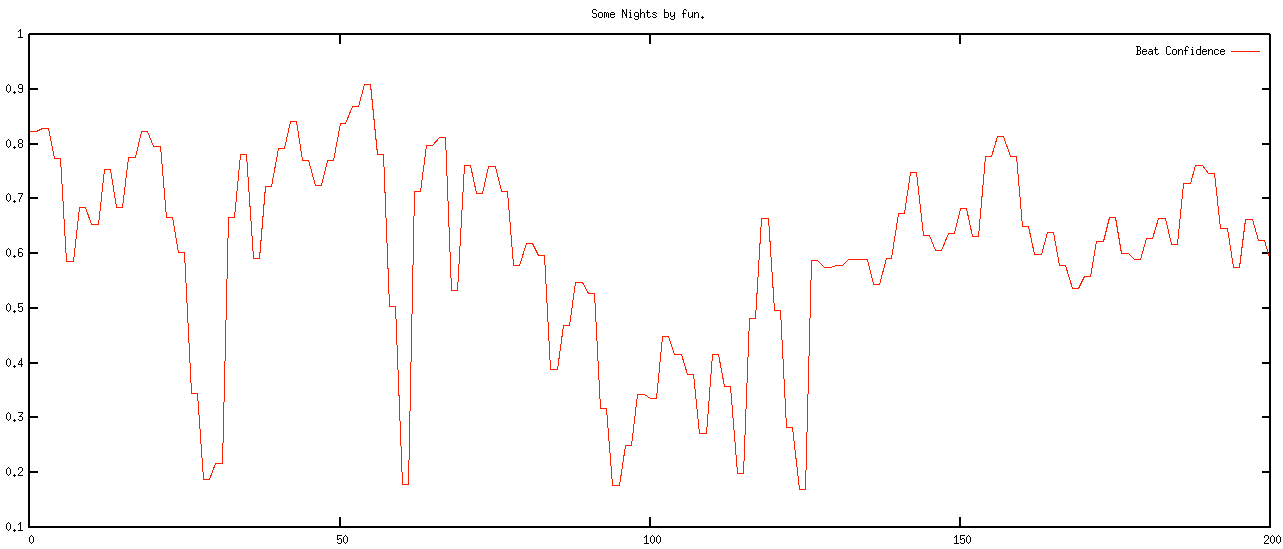
The red curve shows the confidence level of the beats. You can see that the confidence ebbs and flows in the song. Likewise we can look at the normalized loudness levels at the beat level, as shown by the green curve in the plot below:
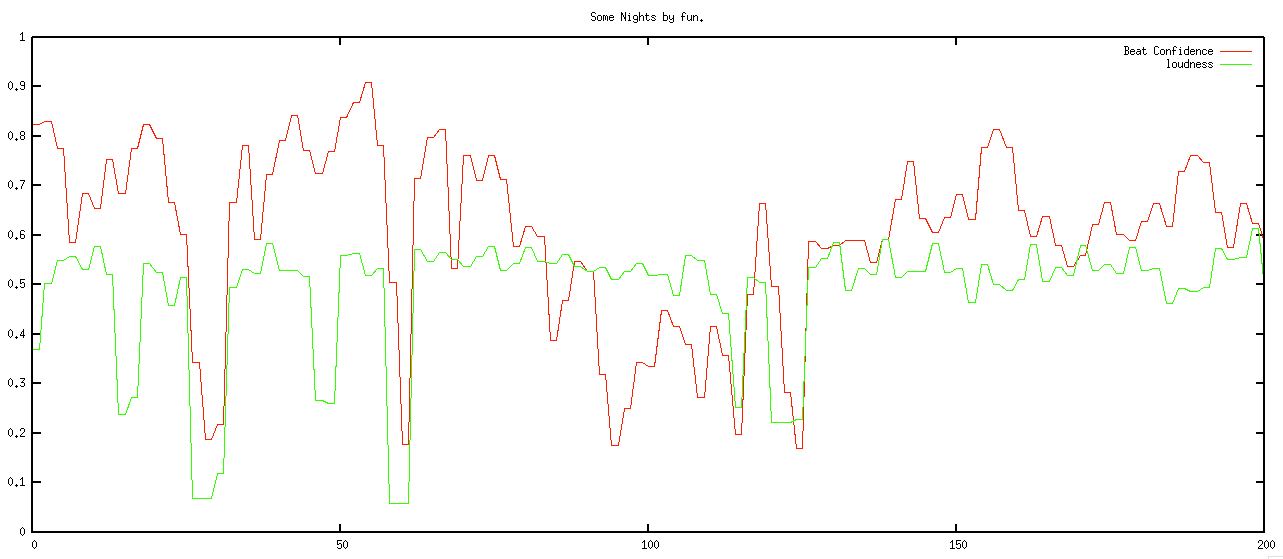
We want to play the drums during the louder and high confidence sections of the song, and not play them otherwise. However, if just simply match the loudness and confidence curves we will have drums that stutter start and stop, yielding a very unnatural sound. Instead, we need to filter these levels so that we get a more natural starting and stopping of the drums. The filter needs to respond quickly to changes – so for instance, if the song suddenly gets loud, we’d like the drums to come in right away, but the filter also needs to reject spurious changes – so if the song is loud and confident for only a few beats, the drums should hold back. To implement this I used a simple forward looking runlength filter. The filter looks for state changes in the confidence and loudness levels. If it sees one and it looks like the new state is going to be stable for the near future, then the new state is accepted, otherwise it is rejected. The code is simple:
This file contains hidden or bidirectional Unicode text that may be interpreted or compiled differently than what appears below. To review, open the file in an editor that reveals hidden Unicode characters.
Learn more about bidirectional Unicode characters
| function runLength(quanta, confidenceThreshold, loudnessThreshold, lookAhead, lookaheadMatch) { | |
| var lastState = false; | |
| for (var i = 0; i < quanta.length; i++) { | |
| quanta[i].needsDrums = false; | |
| } | |
| for (var i = 0; i < quanta.length -1; i+=2) { | |
| var newState = getState(quanta[i], confidenceThreshold, loudnessThreshold); | |
| if (newState != lastState) { | |
| // look ahead | |
| var matchCount = 0 | |
| var curCount = 0; | |
| for (var j = i + 1; j < quanta.length && j <= i + lookAhead; j++) { | |
| var q = quanta[j]; | |
| var nstate = getState(q, confidenceThreshold, loudnessThreshold); | |
| if (nstate == newState) { | |
| matchCount++; | |
| } | |
| curCount++; | |
| } | |
| if (matchCount > lookaheadMatch) { | |
| curState = newState; | |
| } else { | |
| curState = lastState; | |
| } | |
| } else { | |
| curState = newState; | |
| } | |
| quanta[i].needsDrums = curState; | |
| quanta[i+1].needsDrums = curState; | |
| lastState = curState; | |
| } | |
| } | |
| function getState(q, confidenceThreshold, loudnessThreshold) { | |
| var conf = q.confidence; | |
| var volume = q.oseg.loudness_max; | |
| var nstate = conf >= confidenceThreshold && volume > loudnessThreshold; | |
| return nstate; | |
| } |
When the filter is applied we get a nice drum transitions – they start when the music gets louder and the tempo is regular and they stop when its soft or the tempo is changing or irregular:
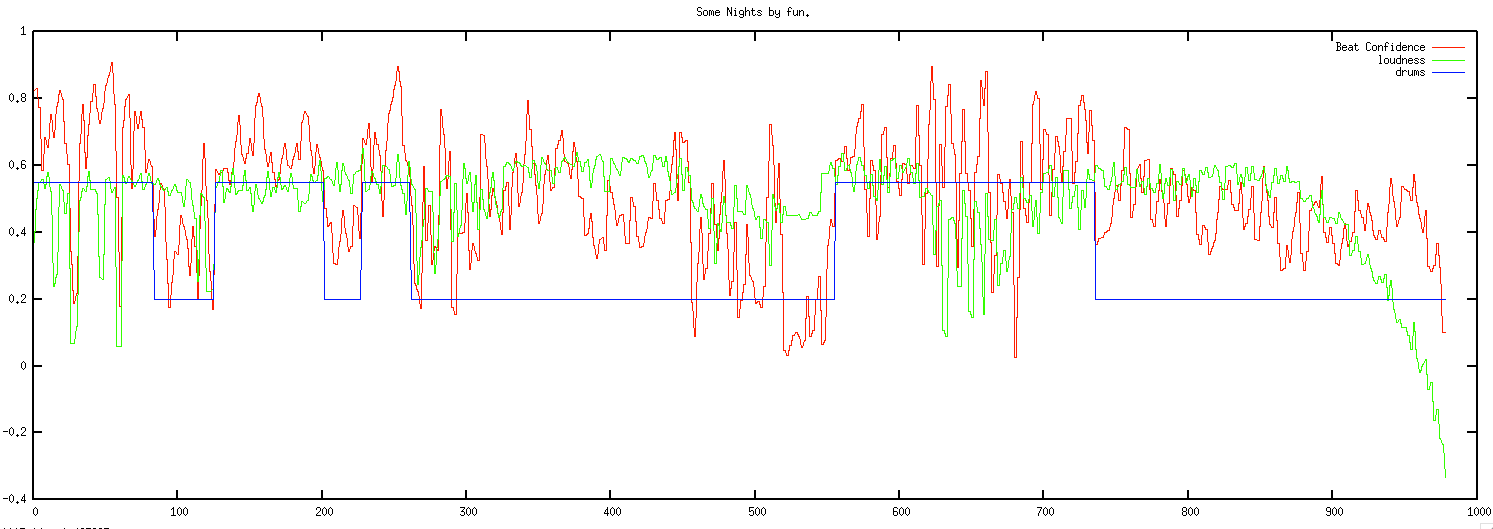
This above plot shows the confidence and loudness levels for the Some Nights by Fun. The blue curve shows when the drums play. Here’s a detailed view of the first 200 beats:
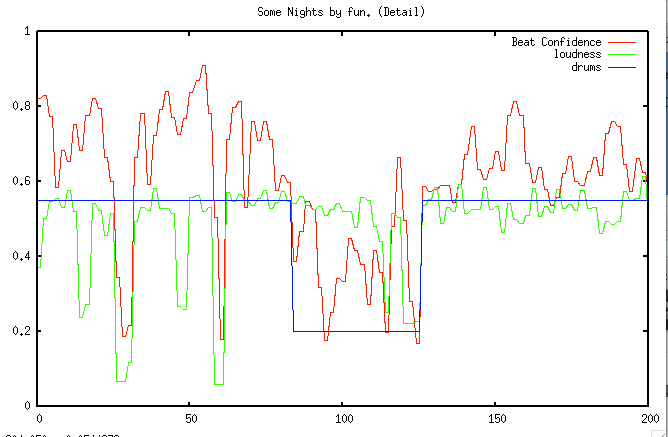
You can see how transient changes in loudness and confidence are ignored, while longer term changes trigger state changes in the drums.
Note that some songs are always too soft or most of the beats are not confident enough to warrent adding drums. If the filter rejects 80% of the song, then we tell the user that ‘Bonzo doesn’t really want to play this song’.
Aligning the song and the beats
At this point we now have tempo matched the song and the drums and have figured out when to and when not to play the drums. There’s just a few things left to do. First thing, we need to make sure that each of the song and drum beats in a bar lines up so the both the song and drums are playing the same beat within a bar (beat 1, beat 2, beat 3, beat 4, beat 1 …). This is easy to do since the Echo Nest analysis provides bar info along with the beat info. We align the beats by finding the bar position of the starting beat in the song and shifting the drum beats so that the bar position of the drum beats align with the song.
A seemingly more challenging issue is to deal with mismatched time signatures. All of the Bonham beats are in 4-4 time, but not all songs are in 4. Luckily, the Echo Nest analysis can tell us the time signature of the song. I use a simple but fairly effective strategy. If a song is in 3/4 time I just drop one of the beats in the Bonham beat pattern to turn the drumming into a matching 3/4 time pattern. It is 4 lines of code:
if (timeSignature == 3) {
    if (drumInfo.cur % 4 == 1) {
        drumInfo.cur+=1;
    }
 }
Here’s an example with Norwegian Wood (which is in 3/4 time). This approach can be used for more exotic time signatures (such as 5/4 or 7/4) as well. For songs in 5/4, an extra Bonham beat can be inserted into each measure. (Note that I never got around to implementing this bit, so songs that are not in 4/4 or 3/4 will not sound very good).
Playing it all
Once we have aligned tempos, filtered the drums and aligned the beats, it is time to play the song. This is all done with the Web Audio API, which makes it possible for us to play the song beat by beat with fine grained control of the timing.
Issues + To DOs
There are certainly a number of issues with the Bonhamizer that I may address some day.
I’d like to be able to pick the best Bonham beat pattern automatically instead of relying on the user to pick the beat. It may be interesting to try to vary the beat patterns within a song too, to make things a bit more interesting. The overall loudness of the songs vs. the drums could be dynamically matched. Right now, the songs and drums play at their natural volume. Most times that’s fine, but sometimes one will overwhelm the other. As noted above, I still need to make it work with more exotic time signatures too.
Reception
The Bonhamizer has been out on the web for about 3 days but in that time about 100K songs have been Bonhamized. There have been positive articles in The Verge, Consequence of Sound, MetalSucks, Bad Ass Digest and Drummer Zone. It is big in Japan. Despite all its flaws, people seem to like the Bonhamizer. That makes me happy. One interesting bit of feedback I received was from Jonathan Foote (father of MIR). He pointed me to Frank Zappa and his experiments with xenochrony The mind boggles. My biggest regret is the name. I really should have called it the autobonhamator. But it is too late now … sigh.
All the code for the Bonhamizer is on github. Feel free to explore it, fork and it make your own Peartifier or Moonimator or Palmerizer.

The Bonhamizer
Here’s my Music Hack Day San Francisco hack: The Bonhamizer. This hack lets you hear what it would be like if John Bonham was in your favorite band.
It works pretty well on many songs, and not so well on others. I hope to smooth out the rough edges in the next few days. Here are some of my favorites:
The code for this hack is on github at github/echonest/bonhamizer
SF Music Hack Day 2013
Mark your calendars. The 4th annual Music Hack Day SF will be held on February 16 and 17 at Tokbox HQ in lovely San Francisco. Music Hack Day is a 24 hour hacking event where folks who are passionate about music and technology get together to build music stuff.

Photo by Thomas Bonte
The SF Music Hack Day is conveniently scheduled the weekend before the SF MusicTech Summit – where a 1,000 leaders at the convergence of music and tech will gather to “do business and discuss, in a proactive, conducive to dealmaking environment”.
Music hack days are fun. If you haven’t been to one and you in the bay area, sign up before all the seats are gone.
MIDEM Hack Day recap
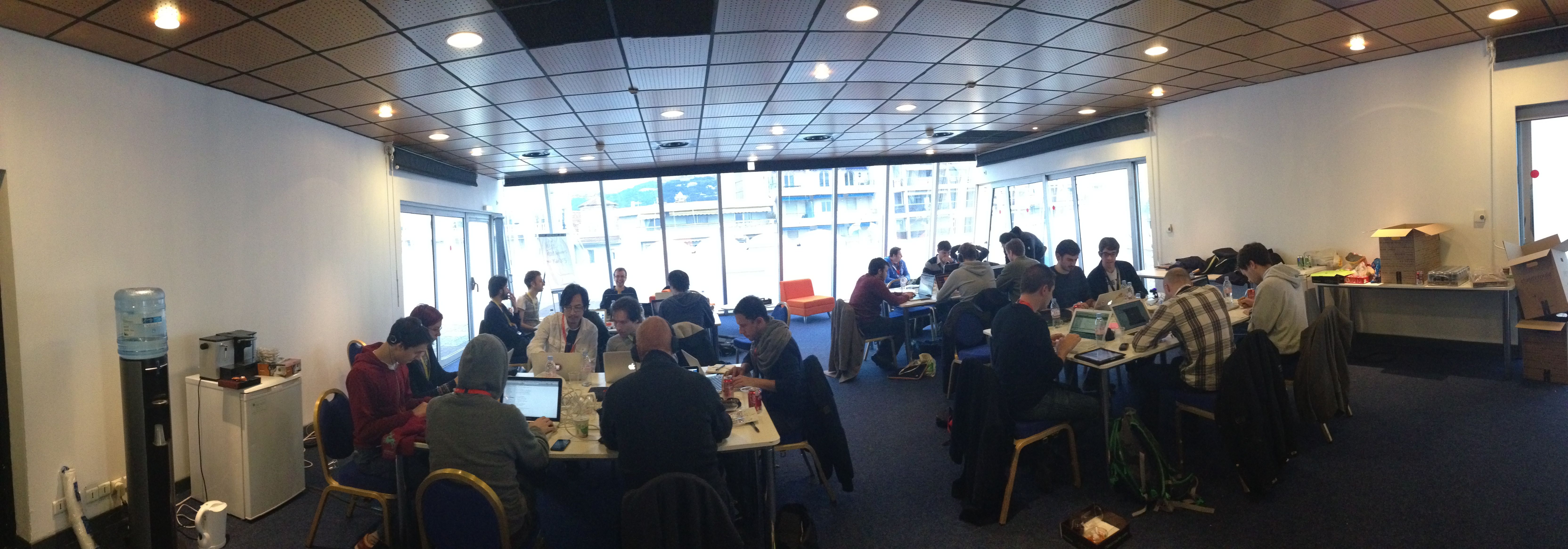
What better way to spend a weekend on the French Riviera then in a conference room filled with food, soda, coffee and fellow coders and designers hacking on music! That’s what I and 26 other hackers did at the MIDEM Music Hack Day. Hackers came from all over the world to attend and participate in this 3rd annual hacking event to show what kind of of creative output can flow from those that are passionate about music and technology.
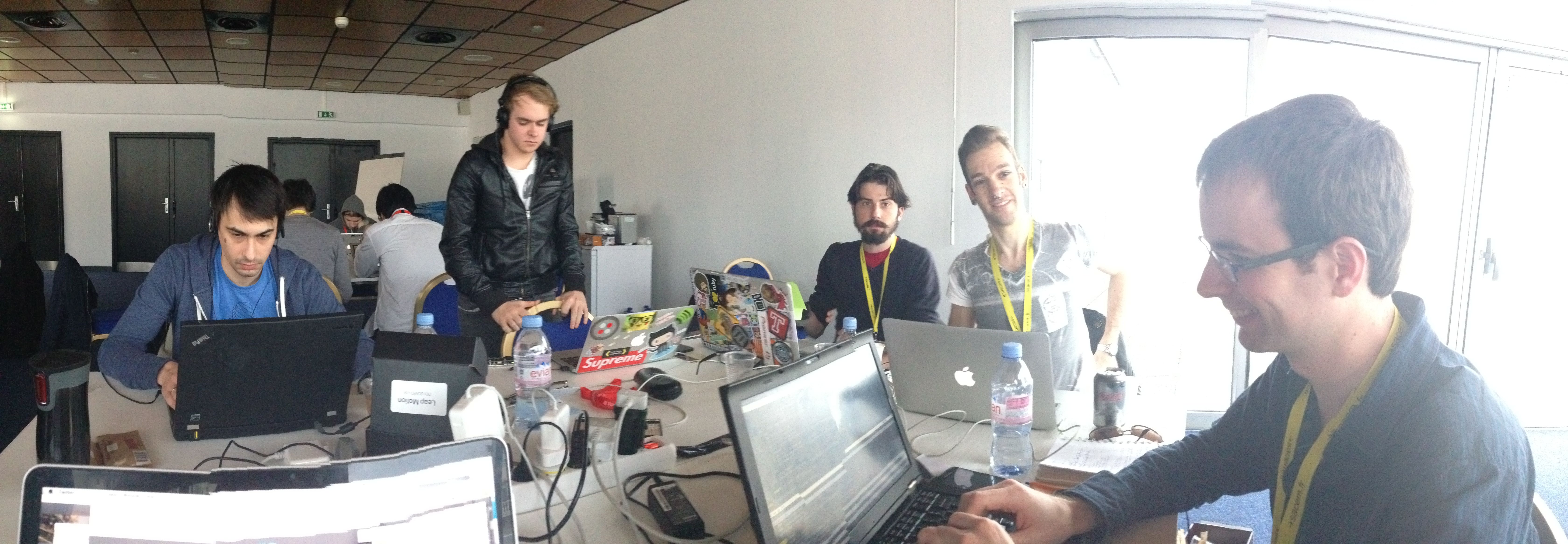
Unlike a typical Music Hack Day, this hack day has very limited space so only those with hardcore hacking cred were invited to attend. Hackers were from a wide range of companies and organizations including SoundCloud, Songkick, Gracenote, Musecore, We Make Awesome Sh.t, 7Digital, Reactify, Seevl, Webdoc, MuseCore, REEA, MTG-UPF, and Mint Digital and The Echo Nest. Several of the hackers were independent. The event was organized by Martyn Davies of Hacks & Bants along with help from the MIDEM organizers.
The hacker space provided for us is at the top of the Palais – which is the heart of MIDEM and Cannes. The hacking space has a terrace that overlooks the city, giving an excellent place to unwind and meditate while trying to figure out how to make something work.

Hacker-eye view of Cannes
The hack day started off with a presentation by Martyn explaining what a Music Hack Day is for the general MIDEM crowd. After which, members of the audience (the Emilys and Amelies) offered some hacking ideas in case any of the hyper-creative hackers attending the Hack Day were not able to come up with their own ideas.

After that, hacking started in force. Coders and designers paired up, hacking designs were sketched and github repositories were pulled and pushed.
The MIDEM Hack Day is longer than your usual Music Hack Day. Instead of the usual 24 hours, hackers have 45 hour to create their stuff. The extra time really makes a difference (especially if you hack like you only have 24 hours).
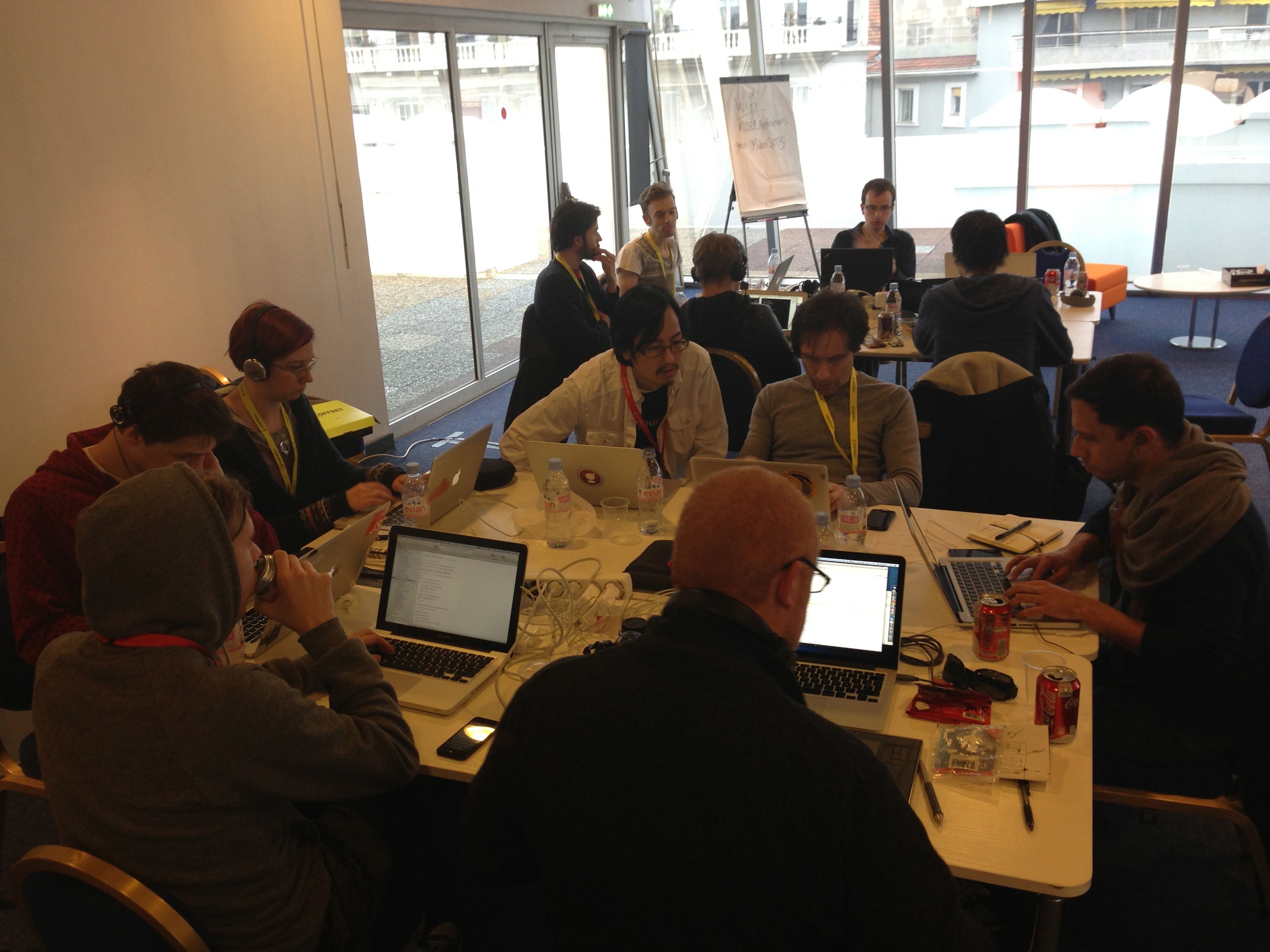
Late afternoon hacking
We had a few visitors during the course of the weekend. Perhaps the most notable was Robert Scoble. We gave him a few demos. My impression (based upon 3 minutes of interaction, so it is quite solid), is that Robert doesn’t care too much about music. (While I was giving him a demo of a very early version of Girl Talk in a Box, Robert reached out and hit the volume down key a few times on my computer. The effrontery of it all!). A number of developers gave Robert demos of their in-progress hacks, including Ben Fields, who at the time, didn’t know he was talking to someone who was Internet-famous.
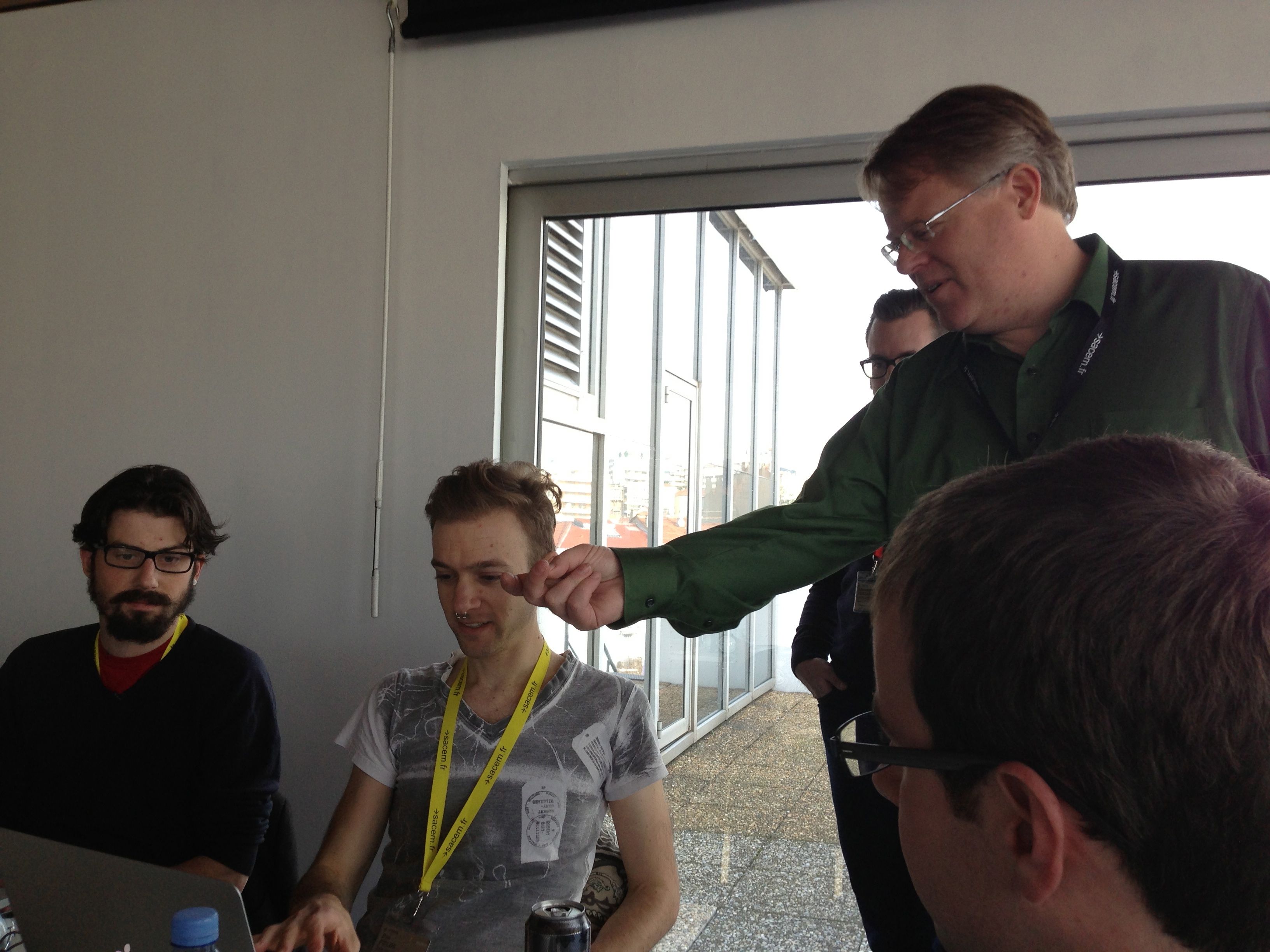
Ben gives a demo to some random guy who later turns out to be Robert Scoble
As day turned to evening, the view from our terrace got more exciting. The NRJ Awards show takes place in the Palais and we had an awesome view of the red carpet. For 5 hours, the sounds of screaming teenagers lining the red carpet added to our hacking soundtrack. Carly Rae, Taylor Swift, One Direction and the great one (Psy) all came down the red carpet below us, adding excitement (and quite a bit of distraction) to the hack.
[youtube http://www.youtube.com/watch?v=OUkLAsphZDM]Yes, Psy did the horsey dance for us. Life is complete.
Finally, after 45 hours of hacking, we were ready to give our demos to the MIDEM audience.
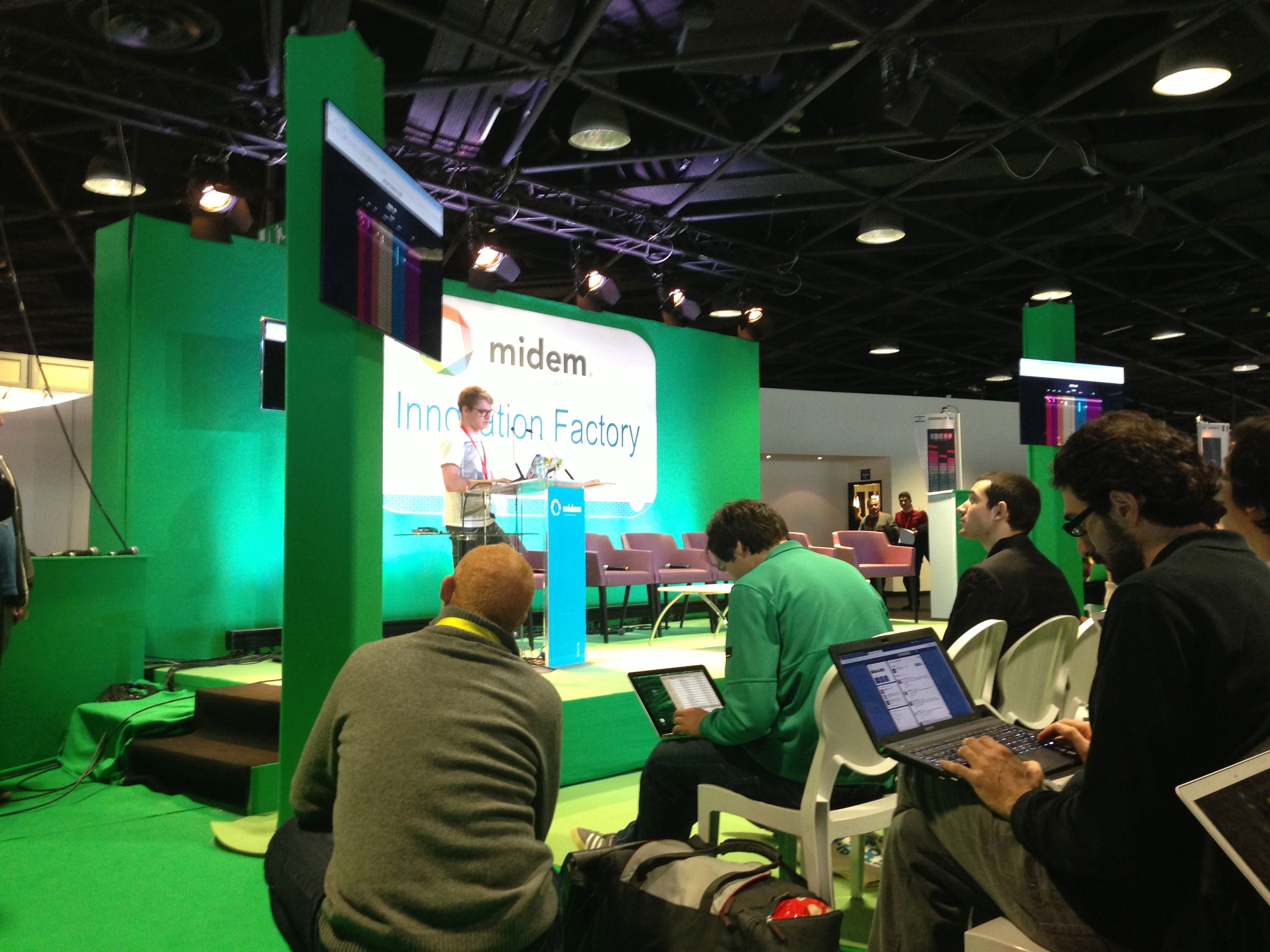
Adam Howard (aka @skattyadz) gives good demo.
There were 18 hacks created during the weekend. Check out the full list of hacks. Some of my favorites were:
- VidSwapper by Ben Fields. – swaps the audio from one video into another, syncronizing with video hit points along the way.
- RockStar by Pierre-loic Doulcet – RockStar let you direct a rockstar Band using Gesture.
- Miri by Aaron Randal – Miri is a personal assistant, controlled by voice, that specialises in answering music-related questions
- Ephemeral Playback by Alastair Porter – Ephemeral Playback takes the idea of slow music and slows it down even further. Only one song is active at a time. After you have listened to it you must share it to another user via twitter. Once you have shared it you can no longer listen to it.
- Music Collective by the Reactify team – A collaborative music game focussing on the phenomenon of how many people, when working together, form a collective ‘hive mind’.
- Leap Mix by Adam Howard – Control audio tracks with your hands.
It was fun demoing my own hack: Girl Talk in a Box – it is not everyday that a 50 something guy gets to pretend he’s Skrillex in front of a room full of music industry insiders.
All in all, it was a great event. Thanks to Martyn and MIDEM for making us hackers feel welcome at this event. MIDEM is an interesting place, where lots of music business happens. It is rather interesting for us hacker-types to see how this other world lives. No doubt, thanks to MIDEM Music Hack Day synergies were leveraged, silos were toppled, and ARPUs were maximized. Looking forward to next year!
 Music Machinery
