The great YAPPA hole in the universe
 I’ve been to dozens of music hackathons and have seen many of hundreds of hacks demoed at those events. I’ve seen all sorts of hacks – music remixing apps, music discovery apps, quirky music story telling apps and so on. Some hacks seem to get re-hacked fairly frequently at a Music Hack Day. You can always count on seeing an app that plots an artist tour on a map, or an app that shows pictures of the artist while you listen to their music. But there’s one app that seems to get re-hacked over and over again. That’s the YAPPA – Yet Another Party Playlisting App. It seems that at every Music Hack Day we see two, three or more versions of this app. Usually with some variations, but the core functionality is that it’s an app that controls the playlist to a party, where the people who come to the party can queue up songs, often via text message (thanks Twilio). The YAPPA will sort out the songs based on some fairness algorithm, perhaps allowing guests to vote on songs to make sure that everyone gets to hear music that they like, and so no one gets to hog the play queue. Sometimes the app shows some stats about the music at the party (i.e. how energetic, danceable or hottt the music was).
Why do we see so much YAPPA at a music hackathon? It’s not like there’s a shortage of commercial apps that do the job. I suspect its because there’s no category killer yet. No one goes and builds a Pandora clone at a Music Hack Day. That’s because Pandora has that category of apps locked down. But there’s no dominate YAPPA out there yet. Most folks who come to Music Hack Days probably have never heard of any of the commercial YAPPAs and are unaware of the great body of YAPPA hacks that have built at Music Hack Days in the last 5 years. There’s a great YAPPA-shaped hole in the universe that needs to be filled. Until it is unequivocally filled by some awesome party playlister , hackers will continue to try to toss their shovelfuls of YAPPA dirt into the hole.
Dogstep
Posted by Paul in code, data, fun, hacking, music hack day, The Echo Nest, visualization on November 4, 2013
For my Malmö Music Hack Day hack I built an app called Dogstep. Dogstep takes any song and re-renders it such that a pack of dogs harmonizes along with the song. It was a lot of fun to build and I was rather pleased with the results. You can try the app out yourself: Dogstep.
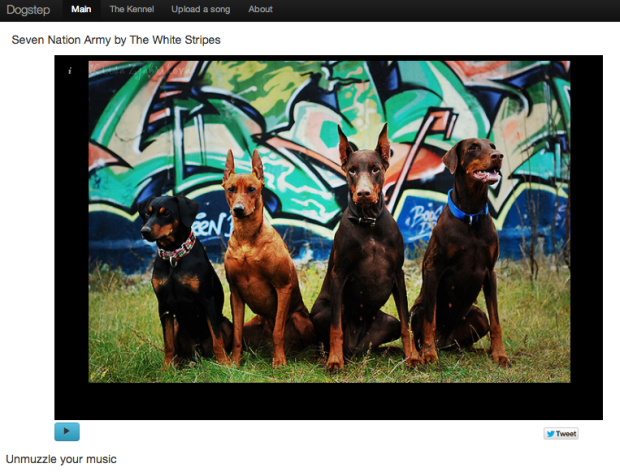
I got to try a few new things on this hack. First, off I needed some good dog sounds. I found all I needed and more at Freesound.org. What a great resource that is! I then needed to process the barks (trim them, pitch shift them, volume-equalize ). For this I used Audacity. It was way easier to use than garageband and it has all the audio filters that I needed (including the awesome Paul’s stretch we can make any howl sound like a banshee from hell).
To create realistic and varying barking, I created a barking state machine, where each state in the machine represents the barking activity for a bar in the song and each state has a set of transitions to other states in the machine governed by a probability that that transition will be taken. When a song is playing, I use the state machine to pick the state for the currently playing bar and emit the barking audio at the right times within the bar. Here’s a visualization of the barking state machine:
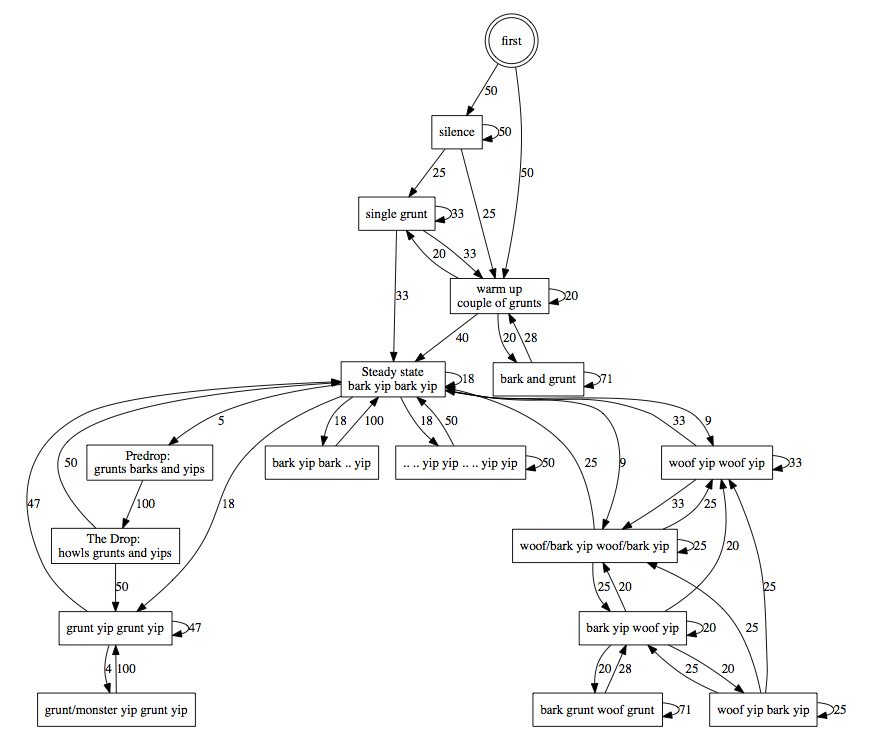
In addition to these barks, I look for the loudest parts in the songs and add a bunch of extra howling at these peak moments. Finally, I use the Stylophone play-along algorithm to have one of the dogs try to sing along with the melody.
Creating this state machine was really fun. There’s still a few bits that I want to do – such as having separate state machines for different parts of the song – i.e. a state machine when the song is very quiet vs. one when the song is loud and energetic. A hack is never really done.
The source for the hack is on github.
Malmö Music Hack Weekend
 This weekend a hundred hackers attended the Malmö Music Hack Weekend hosted by Minc Malmö. It was a great weekend. The inputs to the event were lots of great hackers, great food, flawless wifi, live DJs, bottomless popcorn and lots of very comfortable hacking spots. The outputs were a set of creative music hacks that give us a glimpse of what the future of music will be like.

The Hack Weekend was held here at Minc Malmö
There were a number of really good hacks, built by a great group of hackers.
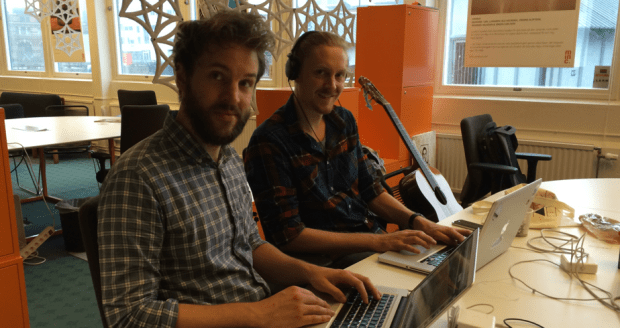
The Beater team
Some of my favorite Echo Nest -based hacks were:
Beater – a context-aware MIDI.js based step sequencer. This awesome hack was The Echo Nest prize winner. It uses The Echo Nest API to identify the beats in a song and then allows you to add your own beat-aligned sequences on top of the song. Quite well done.

Beater
Eliot Van Buskirk of Evolver.fm was on hand covering the event. Be sure to read all of his coverage of the hacks.

Eliot awarding The Echo Nest prize to the Beater team
Mixie – a highly visual dynamic remixing app that allows you to create your mixes by connecting different songs together in a network. Mixie automatically selects different sections of songs and assembles them into a seamless mix. A very well put together hack.

The Mixie Demo
Echotap – a mobile web app that lets you play a song ‘drum-hero’ style. You have to tap or shake your phone in time to the music to hear it. When you stop, the song stops. When you speed up or slow down, so does the song.

Echotap Demo
Owegoo – A new feature for the Owegoo travel platform that helps you plan your next vacation based upon when and where your favorite artists are playing.
SBK – A rethinking of music journalism that goes directly to the music fan. This demo showed how fan-oriented music content such as reviews, articles, playlists, RSS feeds and DJ sets could be integrated into a monetizable online magazine. By Kixet.
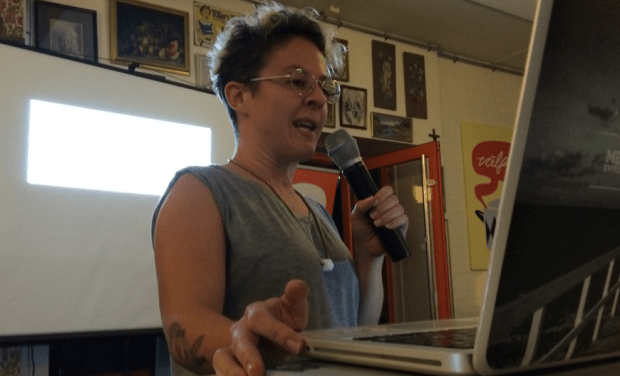
SBK Demo
PartySaver – a party playlist app that displays artist images and song info of the currently playing song on all of the screens in the house.
Dogstep – this was my hack. It takes any song and re-renders it with a pack of barking, snarling, grunting, yipping and whining dogs.
All together about 20 hacks were demoed. Other nifty hacks include:
Careless Whistler – login into a web page by whistling your password
SynCloud – Synchronizes the playback of SoundCloud streams on multiple devices
StopDance – perhaps my favorite hack overall, StopDance is a game where all the players dance along to music. When the music stops, you have to stop dancing. If you don’t you are out. Last one still on the dance floor wins. StopDance automates the whole process, it plays the music, stops it at random times, and most importantly, using a web-cam watches the players and identifies the players who didn’t stop dancing fast enough.
The winner of the grand prize was LiveCloud a live coding music creation tool that allows a programmer-musician to create music by connecting and manipulating the different sound sources and sinks.

The food at the event was top notch. High quality and healthy food!

It was great to meet the folks from Neo4j at the event. They brought a whole lot of energy to the event, and showed off some of the really neat things you can do with a graph database. And they gave me this awesome t-shirt. How cool is that?!
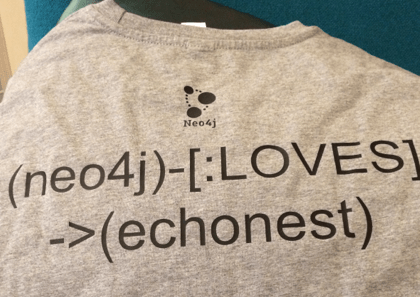
I had a great time at the Malmö Music Hack Weekend. Special thanks to Maisa and Alex for organizing everything. They did a great job running a flawless event. Well done!

Maisa Dabus

Alex Esser
Getty Images and The Echo Nest
Posted by Paul in code, data, The Echo Nest on October 30, 2013
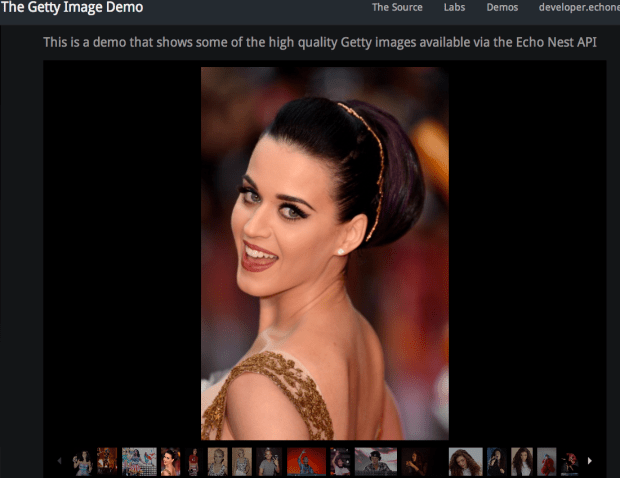
This week, The Echo Nest and Getty Images announced that they were partnering to make thousands of high quality artist images available for developers through The Echo Nest API. Getty Images has spent years building an amazing library of artist images and now, as a result of this partnership, it is easy for developers to use these images in music apps.
I took the new Getty Images API for a spin and built a couple of apps that show how easy it is to build an Echo Nest app that uses the images. First, I built an app that shows images of the top hotttest artists:
Next, since Getty Images has some really awesome images going back to the classic rock era, I adapted my app to show some Getty Images for some of our top classic rock artists:
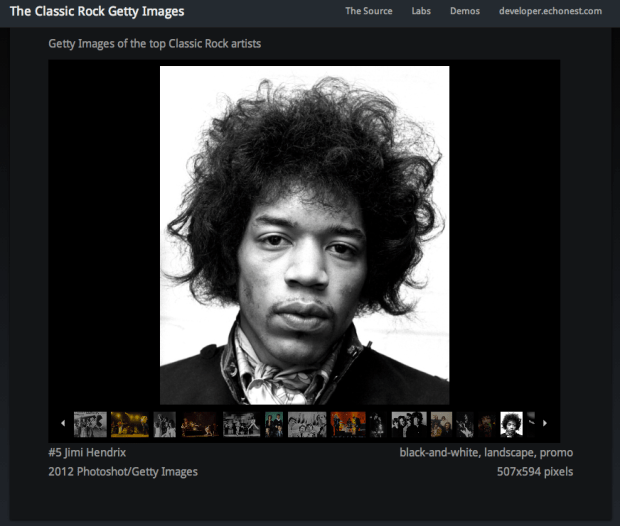
We’ve extended our image API to return additional information with the Getty images. There’s image attribution information, image size information, and some curated image tags that you can use to select the best image for your app. Tags include landscape, portrait, black-and-white, solo, award, performance, color and many more.
The Getty Images are really top notch. It’s a great addition to The Echo Nest API. I’m excited to see how developers will use this asset.
Fixing my Mavericks woes
When Mavericks was released last week, I updated my MacBook Pro (17″ Late 2011 vintage). The install went just fine, and I had no problems except that the UI seemed a bit laggy. Navigation in Vim seemed just a bit slower as did switching workspaces, but no big deal. Xcode was unusably slow, but I thought that was due to the recent Xcode update. All in all I was pleased with the upgrade until …
Friday evening I went over to the #TuftsHACK to talk about The Echo Nest API. This was my first time on Mavericks giving a Keynote presentation with an external display. My Echo Nest API talk has audio, video and lots of links to external web sites like the Infinite Jukebox. I had upgraded to the latest keynote this week, so before the talk I made sure that my slides survived the keynote upgrade. My talk was going just fine until I hit the first web demo. When I switched over to Chrome the browser appeared to be hung and wouldn’t accept any of my input. When I returned to the keynote presentation, I could no longer go to full screen – instead I received an error message telling me that I didn’t have enough VRAM to go full screen and that I should try to adjust the resolution. WTF? It is great fun standing in front of 100 impatient college students trying to debug a 10 minute talk. I ended up rebooting my computer and trying it all again … with the same error. Finally I gave up and limped out showing a few web demos from Thor’s computer. Really though, it was total Demo Fail.
I spent a few hours online this weekend seeing if anyone else was having similar difficulties without luck. When I tried to fire up TF2 (the only game worth playing), I got nothing but an icon in my taskbar showing me that it was really trying to start, but couldn’t. That was the last straw. I buckled down and carefully read Siracusa’s Mavericks review looking for new tech in Mavericks, especially tech related to the video system as suspects for my woes.
One new feature is that Mavericks now treats each attached display as a separate domain for full-screen windows. This lookedpromising in that both Keynote and TF2 are apps that create full-screen windows. This feature can be disabled in Settings -> Mission control:
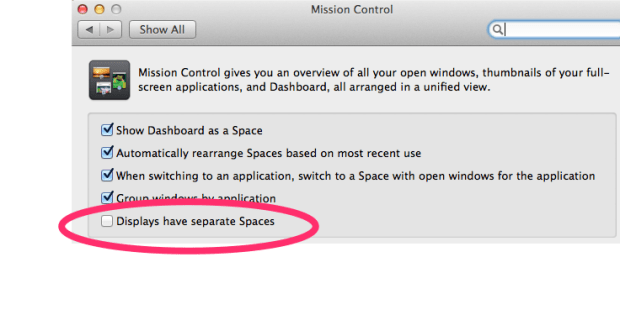
After I did this, I had to logout and re-login – but since then, the laggy-ness is gone, TF2 works like a champ, Xcode is zippy again, and so far, no problems with full screen keynote (but I need to test this more to be sure).
Bottom line – if you are having trouble with full screen display apps, or Xcode performance, or are getting errors about not having enough VRAM, try disabling the ‘displays have separate spaces’ feature in Mavericks.
Passive-aggressive playlisting
Posted by Paul in code, fun, hacking, Music, playlist, The Echo Nest, tuftshackathon on October 27, 2013
On Friday evening at the Tufts hack I made a little Python script that makes playlists with an acrostic messages embedded in them. I enjoyed the hack so much that I spent a few hours turning it into a web app. This means that you don’t have to be a Pythonista to generate your own acrostic playlists.
The app, called Acrostic Playlist Maker, lets you select from a handful of genres and type in your ‘secret’ message.
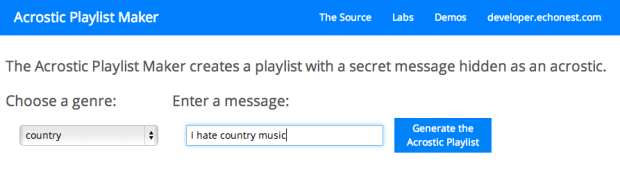
When you hit the button it will generate a playlist where the first letter of each song in the playlist spells out the message.
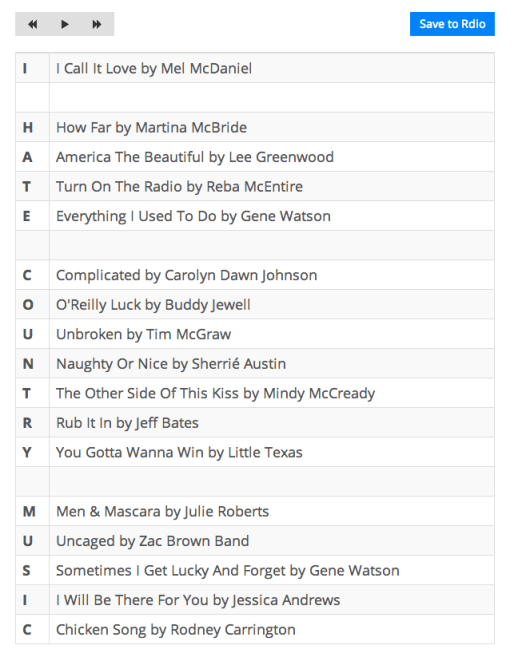
You can listen to the music in the playlist by clicking on any song, and you can save the playlist back to Rdio.
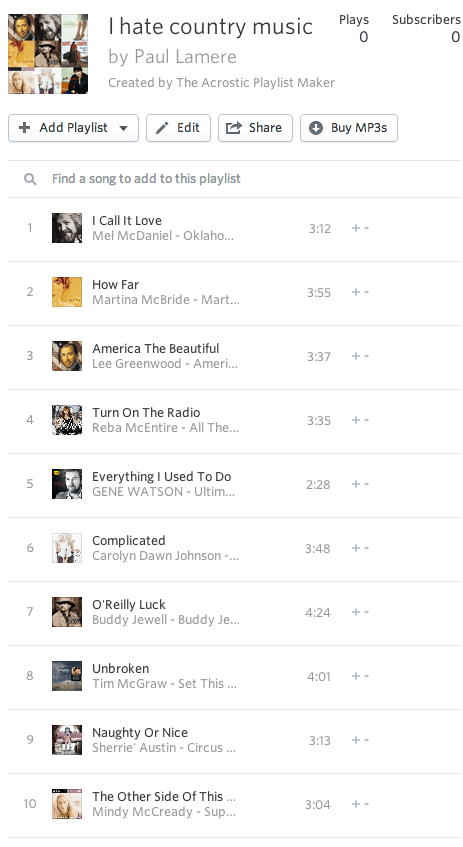
Anyone who works in music tech has probably been called upon to ‘do the music’ at some social event. Now with the Acrostic Playlist Maker you can can make those playlists, while secretly expressing how you really feel.
Making acrostic playlists
I’m at the Tufts Hackathon showing off the Echo Nest API for the very smart students. I’m not going to be here for the whole hackathon, so I don’t have time for a proper hack, but I thought I should write something. Since I just pushed out a new Python library for The Echo Nest this week (Pyen), I thought I’d write a simple python hack that uses it.
The hack is an acrostic playlist maker. You give it a genre and a secret message and it will create a playlist where the secret message is embedded in the playlist as an acrostic. Here’s an example:
% python acrostic.py ‘dubstep’ ‘Skrillex Rules’
Setting Sun by Caspa
Kemancheh by Moving Ninja
Rainy Dayz by Kromestar
I Need Air by Magnetic Man
Little More Oil Featuring Sister Nancy by DJ /rupture
Low Pressure Zone by Clubroot
El Rythmo de Este Sound by Coki
Xingfu Lu by Kode9
Rutten by Skream
Under Water High Rise (feat. DJ Kiva) by DJ /rupture
Lift Me Up by Rusko
Embryo by Clubroot
Summer Rain by 2000F
Here are some more examples:
Like Me by Girlicious
I Have Nothing by Whitney Houston
Survivor by Destiny’s Child
True Love by P!nk
Ever Ever After by Jordan Pruitt
Never Gonna Happen by Colette Carr
Try by P!nk
Opposites Attract by Paula Abdul
Falling by Brooke Hogan
I’M Gonna Miss You Forever by Aaron Carter
Fixing My Hair by Priscilla Renea
That’s How I Beat Shaq by Aaron Carter
Hurt by Christina Aguilera
Halo by Beyoncé
A Little Party Never Killed Nobody (All We Got) by Fergie
Raise Your Glass by P!nk
Mirrors by Justin Timberlake
Only Girl (In The World) by Rihanna
Nothing In This World Will Ever Break My Heart Again by Hayden Panettiere
You’re Not The One by Sky Ferreira
Here’s a heavy metal playlist:
Mothra by Anvil
A Dying God Coming Into Human Flesh by Celtic Frost
Refuse/Resist by Sepultura
Blue Sky by Wolfsbane
Lord Of The Flies by Rage
Excalibur by Grave Digger
Cry My Name by Bloodbath
Attitude by Sepultura
King Of The Kill by Annihilator
Eaten (2008 Digital Remaster) by Bloodbath
Alison Hell by Annihilator
Last Man Standing by HammerFall
Steelhammer by U.D.O.
Outnumbering The Day by Bloodbath
The Last In Line by Dio
Hades Rising by Bloodbath
Evil by Mercyful Fate
Give Me Your Soul by King Diamond
Anthem by Iced Earth
Metal On Metal by Anvil
Enemies Of Reality (re-mixed & re-mastered) by Nevermore
Some experimental music
Don’t Eat The Yellow Snow by Frank Zappa
On Suicide by Art Bears
No.1 Against the Rush by Liars
Optical Black by Thighpaulsandra
Third Stream Boogaloo by Derek Bailey
Lock Your Door by Lydia Lunch
In A Manner Of Speaking by Tuxedomoon
So Far by Faust
The Seer Returns by Swans
Electric To Me Turn by Bruce Haack
Numb Erone by The Residents
Triumph by This Heat
Oh Yeah by Can
Krautrock (2006 Digital Remaster) by Faust
Always Returning (2005 Digital Remaster) by Brian Eno
Twilight Furniture by This Heat
Your Hidden Dreams by White Noise
Persuasion by Throbbing Gristle
Evan’s Drive To Mombasa by Lounge Lizards
Remember Waht’s In There by Lounge Lizards
Radio Prague by This Heat
Yellow Brick Road by Captain Beefheart
Here’s the code:
[gist https://gist.github.com/plamere/7163346 /]
Well, that’s my mini-hack. 73 lines of Python and one blog post.
The Logos of Music 2.0 vs Logos of Music APIs 2013
Way back in 2006 Jadam Kahn (aka @rocketsurgeon) created this collage of Music 2.0 logos.

Compare that to the Music APIs of 2013 logos:
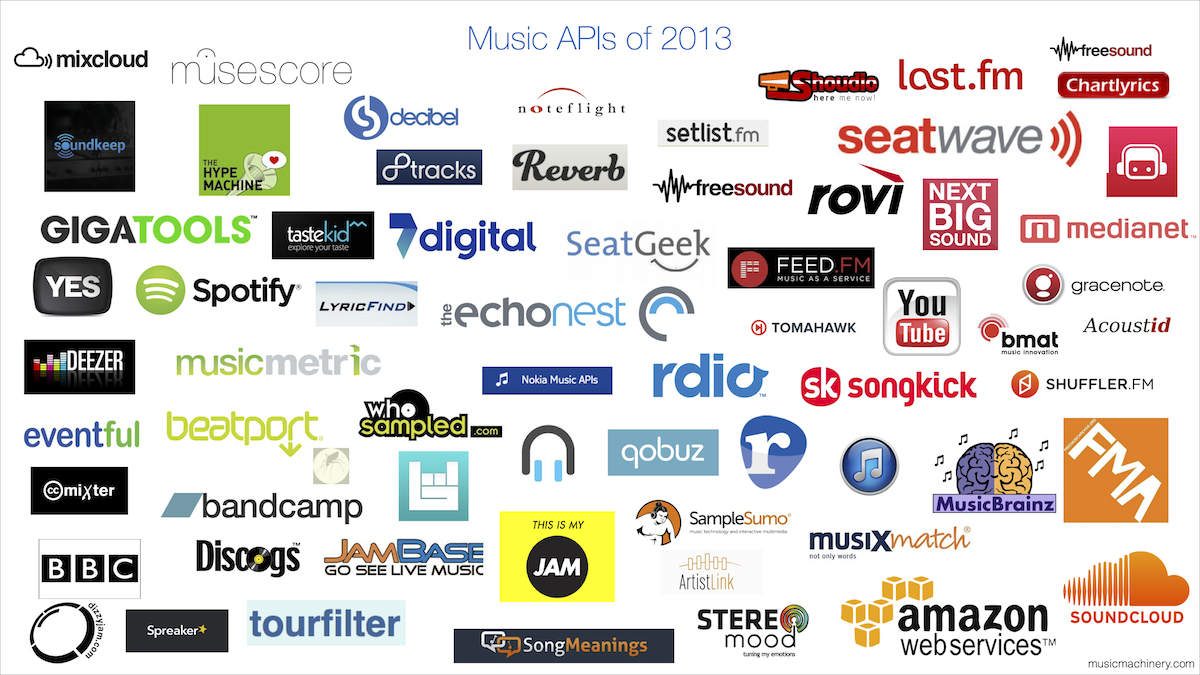
There’s almost no overlap. Even the iTunes icon changed color. Thank goodness for the steady hand of MusicBrainz keeping things together for so long.
The Ultimate List of Music APIs
Posted by Paul in code, Music, The Echo Nest, web services on October 24, 2013
I’ve started to build the ultimate list of music APIs. My goal for the list is for it to be a one-stop spot to find the best music apis. Currently 65 APIs are listed across 10 categories. Check out the list here: Music APIs

Music Hack Day NYC
Posted by Paul in code, events, fun, hacking, Music, music hack day, The Echo Nest on October 21, 2013
Music Hack Day NYC has just wrapped up, and what a great weekend it was!. Hosted at Spotify’s spiffy new headquarters in midtown, Music Hack Day NYC was the place to be if you are passionate music, technology and building stuff. During all night Friday and all day Saturday, hundreds of hackers used music APIs from companies like The Echo Nest, Soundcloud, Gracenote, Rdio and of course Spotify, to build next generation music apps.
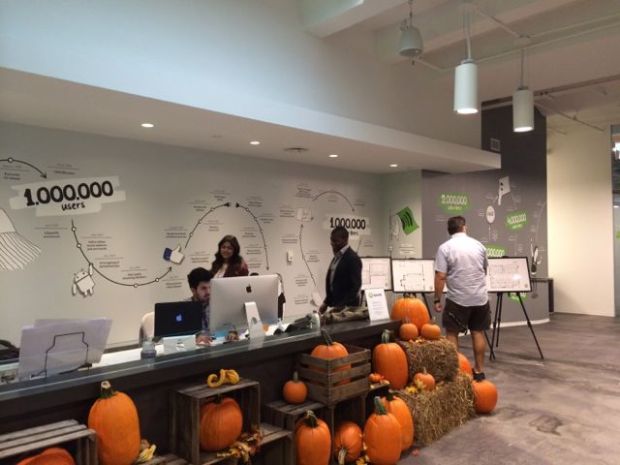
It was a really fun event. The Spotify headquarters are perfect for hacking. Flawless and apparently limitless wifi/bandwidth, awesome A/V setup, and great sound for an unending social hacking playlist.
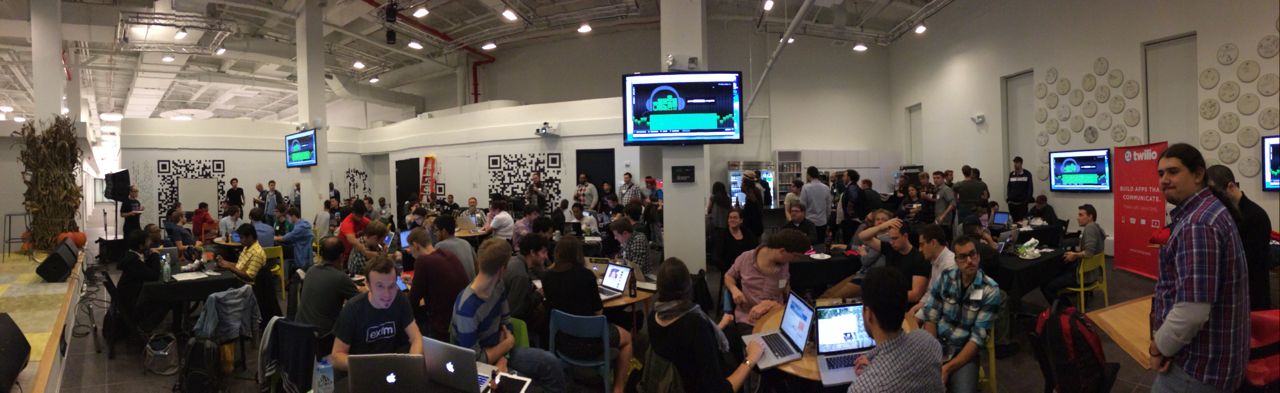
Over the course of about 20 hours of hacking, 36 hacks were built and demoed. There was quite a range of inventive hacks. Some of my favorites:
EERFY
The crowd favorite was Oscar Celma’s extremely clever EERFY – He solved the Music Industry Problem in 24 hours by turning it upside down with EERFY:
halfstep
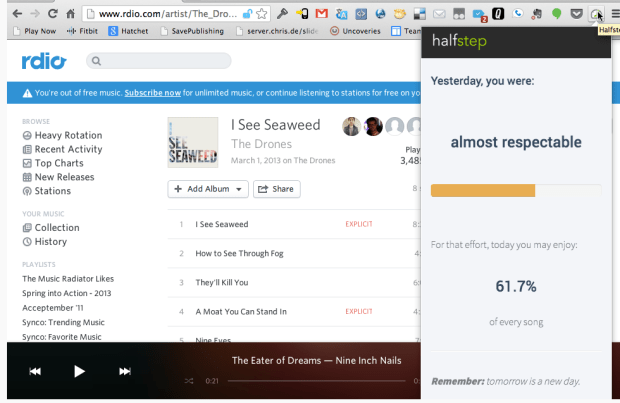
Another favorite was Leo and Jason’s halfstep – a chrome extension that motivates you to move more. How? If you only moved 20% of your movement goal yesterday, then halfstep will also let you listen to first 20% of any songs today. Check out the screencast of their hack.
PartyOutlook
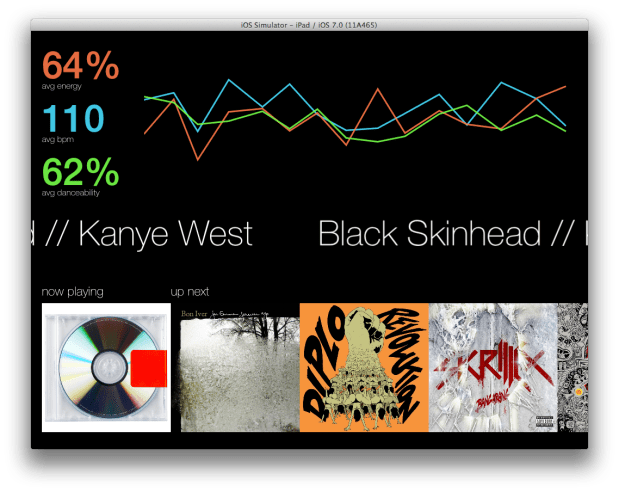
There were lots of great Echo Nest hacks including the Echo Nest prize winner partyOutlook by Matt Egan. PartyOutlook is a CocoaLibSpotify powered iPad jukebox that accepts tracks via the Twillio API and displays real-time information about the life of the party using Echo Nest song data. Allows an administrator to pause and play music, as well as skip tracks.
TuneTravelr
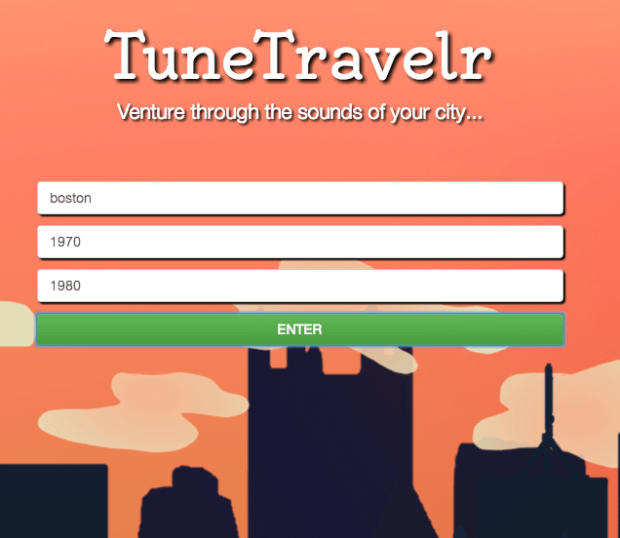
Another really neat Echo Nest hack was TuneTravelr created by Chris Evans and Joshua Boggs. Tune Travelr is a web app that takes cities and locales a well as a time period and returns a playlist of songs that were hot at the time. It uses the Echo Nest data to leverage some analytic querying, before pipping the results into Rdio’s web API for playback.
MoodVenue
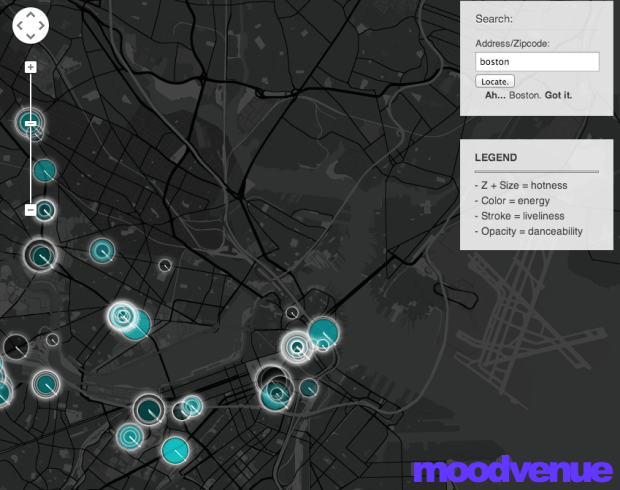
MoodVenue used The Echo Nest API to help find out what’s going on tonight based on your mood and location.
Repetition faceoff
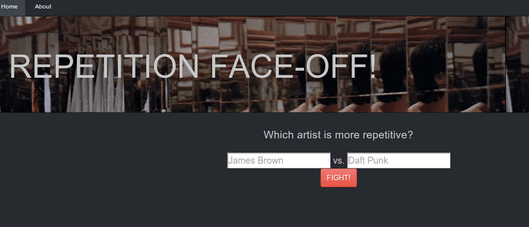
Artists fight to the death, using only the sheer repetitive force of their music! By Brian McFee. Brian used the Echo Nest analysis data to build a custom metric for repetition for any song and used that to score songs by the artist for the face-off.
Cheese Tray
A novel use of The Echo Nest API was Cheese Tray – A Spotify app that takes selects randomly from among your Spotify playlists and analyzes it. It then adds to that playlist a song that best represents the average attributes of the playlist, as given by The Echo Nest API. Then, via SMS through the Twilio service, it sends a command to your Android device that changes its background to the album artwork for that average song.

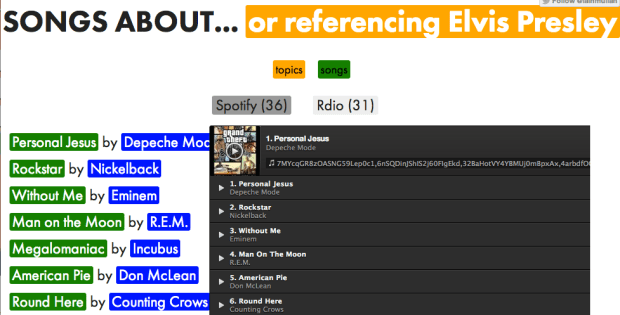
Songs About
Uses wikipedia articles titled ‘List of songs about…” to generate Spotify/Rdio playlists about different subjects/places. Songs about used The Echo Nest’s Rosetta Stone to get the song IDs for playing in Spotify and Rdio.
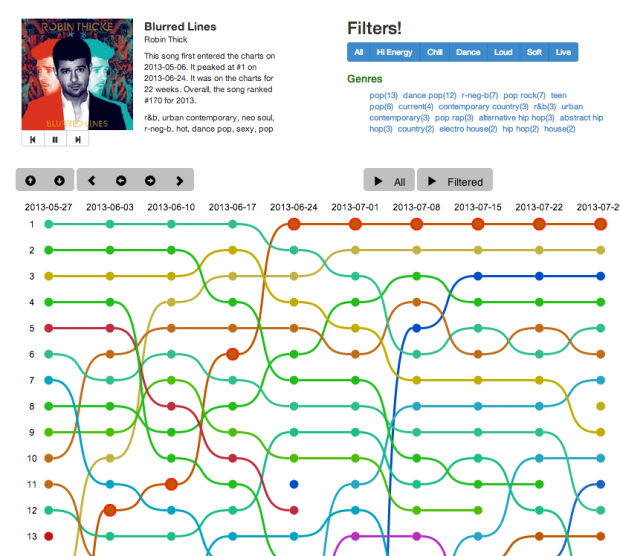
Awesome Chart Explorer
This is my hack. A visualization that lets you explore and listen to 50 years of Billboard charts.
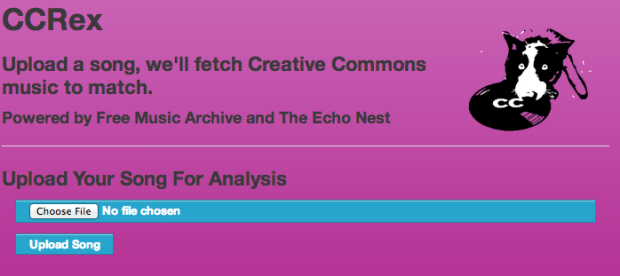
ccRex
Upload a song, ccRex’ll fetch Creative Commons music to match using Echo Nest song attributes to determine the best match.
Other nifty Echo Nest hacks:
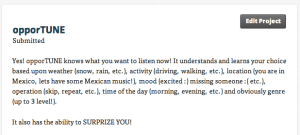
- opporTUNE – context dependent playlisting based upon weather, activity, location, time of day and your favorite genres
- crowdPlay – an SMS enabled party playlister

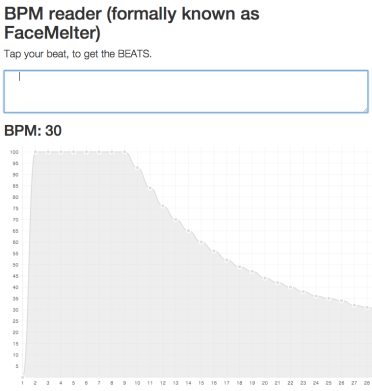
- BPM Reader – an app that updates a playlist in real-time based on user keyboard input correlated to BPM. Tap in your beat, and generate a playlist of songs with that rhythm.
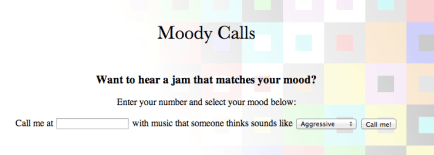
- Moody calls – Get a phone call with a song that matches your mood
- Spotify V. Rdio -Pitting the two music platforms against each other using your listening history
.

- Perl client for the Echo Nest – Ajax built a library that provides support for nearly all of The Echo Nest API features.

All in all, it was a great event with lots of awesome, innovative hacks and lots of smart people. A good time was had by all. Thanks to Spotify and @mager for organizing the event. Well Done!


