Archive for February, 2010
Two kinds of Cock Rock
I like the rooster better.
Sync/Lost
Posted by Paul in fun, java, Music, visualization on February 11, 2010
This looks like it’d be fun to play with:
Introducing Project Rosetta Stone
Posted by Paul in code, Music, The Echo Nest, web services on February 10, 2010
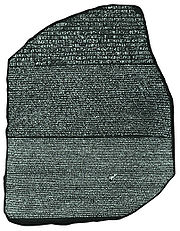 Here at The Echo Nest we want to make the world easier for music app developers. We want to solve as many of the problems that developers face when writing music apps so that the developers can focus on building cool stuff instead of worrying about the basic plumbing . One of the problems faced by music application developers is the issue of ID translation. You may have a collection of music that is in one ID space (Musicbrainz for instance) but you want to use a music service (such as the Echo Nest’s Artist Similarity API) that uses a completely different ID space. Before you can use the service you have to translate your Musicbrainz IDs into Echo Nest IDs, make the similarity call and then, since the artist similarity call returns Echo Nest IDs, you have to then map the IDs back into the Musicbrainz space. The mapping from one id space to another takes time (perhaps even requiring another API method call to ‘search_artists’) and is a potential source of error — mapping artist names can be tricky – for example there are artists like Duran Duran Duran, Various Artists (the electronic musician), DJ Donna Summer, and Nirvana (the 60’s UK band) that will trip up even sophisticated name resolvers.
We hope to eliminate some of the trouble with mapping IDs with Project Rosetta Stone. Project Rosetta Stone is an update to the Echo Nest APIs to support non-Echo-Nest identifiers. The goal for Project Rosetta Stone is to allow a developer to use any music id from any music API with the Echo Nest web services. For instance, if you have a Musicbrainz ID for weezer, you can call any of the Echo Nest artist methods with the Musicbrainz ID and get results. Additionally, methods that return IDs can be told to return them in different ID spaces. So, for example, you can call artist.get_similar and specify that you want the similar artist results to include Musicbrainz artist IDs.
Dealing with the many different music ID formats One of the issues we have to deal with when trying to support many ID spaces is that the IDs come in many shapes and sizes. Some IDs like Echo Nest and Musicbrainz are self-identifying URLs, (self-identifying means that you can tell what the ID space is and the type of the item being identified (whether it is an artist track, release, playlist etc.)) and some IDs (like Spotify) use self-identifying URNs. However, many ID spaces are non-self identifying – for instance a Napster Artist ID is just a simple integer. Note also that many of the ID spaces have multiple renderings of IDs. Echo Nest has short form IDs (AR7BGWD1187FB59CCB and TR123412876434), Spotify has URL-form IDs (http://open.spotify.com/artist/6S58b0fr8TkWrEHOH4tRVu) and Musicbrainz IDs are often represented with just the UUID fragment (bd0303a-f026-416f-a2d2-1d6ad65ffd68) – and note that the use of Spotify and Napster in these examples are just to demonstrate the wide range of ID format.
We want to make the all of the ID types be self-identifying. IDs that are already self-identifying can be used without change. However, non-self-identifying ID types need to be transformed into a URN-style syntax of the form: vendor:type:vendor-specific-id. So for example, and a Napster track ID would be of the form: ‘napster:track:12345678’
What do we support now? In this first release of Rosetta Stone we are supporting URN-style Musicbrainz ids (probably one of the most requested enhancements to the Echo Nest APIs has been to include support for Musicbrainz). This means that any Echo Nest API method that accepts or returns an Echo Nest ID can also take a Musicbrainz ID. For example to get recent audio found on the web for Weezer, you could make the call with the URN form of the musicbrainz ID for weezer:
http://developer.echonest.com/api/get_audio
         ?api_key=5ZAOMB3BUR8QUN4PE
         &id=musicbrainz:artist:6fe07aa5-fec0-4eca-a456-f29bff451b04
         &rows=2&version=3 - (try it)
For a call such as artist.get_similar, if we are using Musicbrainz IDs for input, it is likely that you’ll want your results in the form of Musicbrainz ids. To do this, just add the bucket=id:musicbrainz parameter to indicate that you want Musicbrainz IDs included in the results:
http://developer.echonest.com/api/get_similar
               ?api_key=5ZAOMB3BUR8QUN4PE
               &id=musicbrainz:artist:6fe07aa5-fec0-4eca-a456-f29bff451b04
               &rows=10&version=3
               &bucket=id:musicbrainz  (try it)

<similar>
    <artist>
          <name>Death Cab for Cutie</name>
          <id>music://id.echonest.com/~/AR/ARSPUJF1187B9A14B8</id>
          <id type="musicbrainz">musicbrainz:artist:0039c7ae-e1a7-4a7d-9b49-0cbc716821a6</id>
          <rank>1</rank>
    </artist>
<!– more omitted –>
</similar>
Limiting results to a particular ID space – sometimes you are working within a particular ID space and you only want to include items that are in that space. To support this, Rosetta Stone adds an idlimit parameter to some of the calls. If this is set to ‘Y’ then results are constrained to be within the given ID space. This means that if you want to guarantee that only Musicbrainz artists are returned from the get_top_hottt_artists call you can do so like this:
http://developer.echonest.com/api/get_top_hottt_artists
       ?api_key=5ZAOMB3BUR8QUN4PE
       &rows=20
       &version=3
       &bucket=id:musicbrainz
       &idlimit=Y
What’s Next? In this initial release of Rosetta Stone we’ve built the infrastructure for fast ID mapping. We are currently supporting mapping between Echo Nest Artist IDs and Musicbrainz IDs. We will be adding support for mapping at the track level soon – and keep an eye out for the addition of commercial ID spaces that will allow easy mapping being Echo Nest IDs and those associated with commercial music service providers.
In the near future we’ll be rolling out support to the various clients (pyechonest and the Java client API) to support Rosetta Stone.
As always, we love any feedback and suggestions to make writing music apps easier. So email me (paul@echonest.com) or leave a comment here.
Revisiting the click track
Posted by Paul in Music, The Echo Nest on February 8, 2010
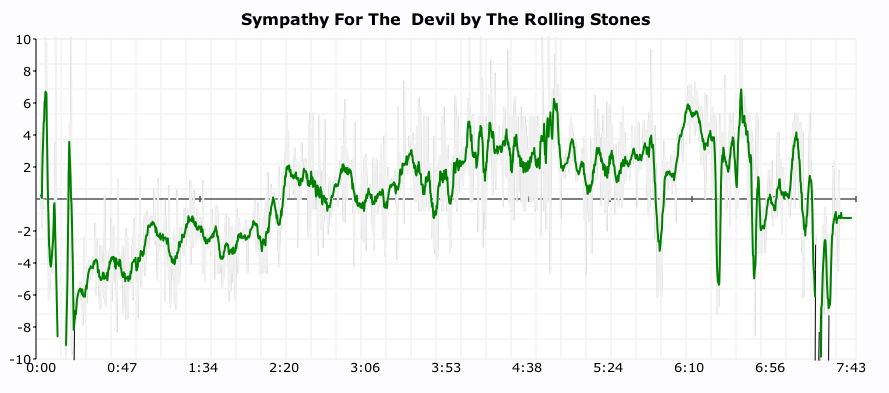
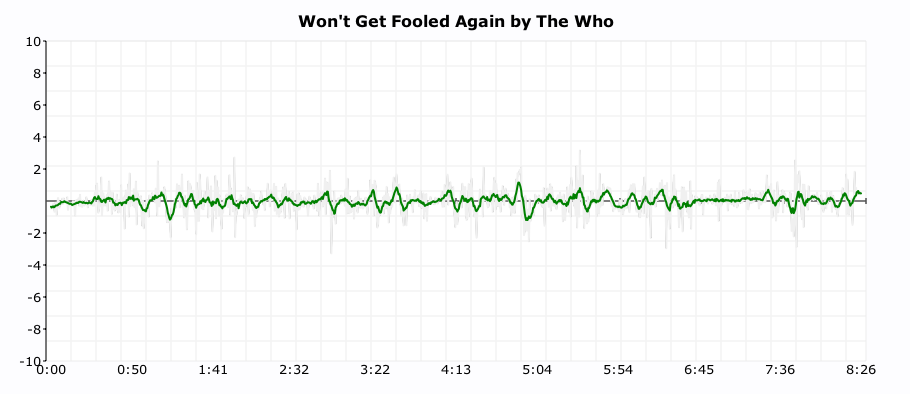
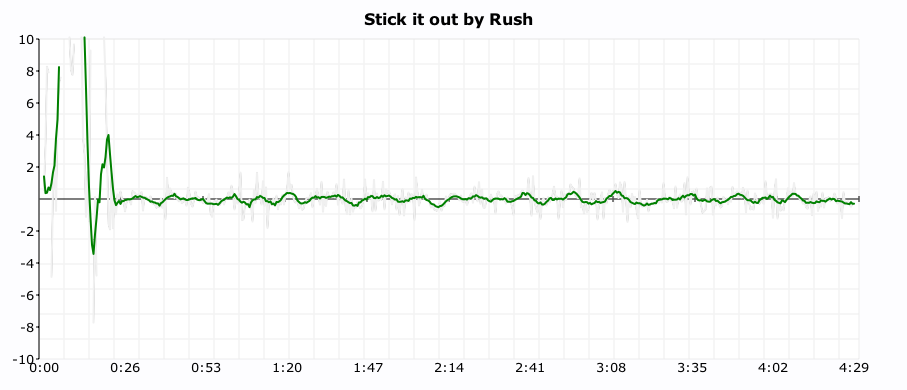
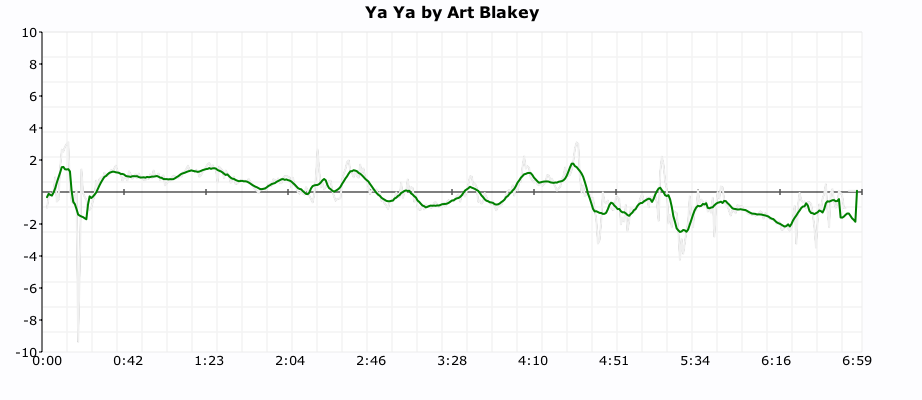
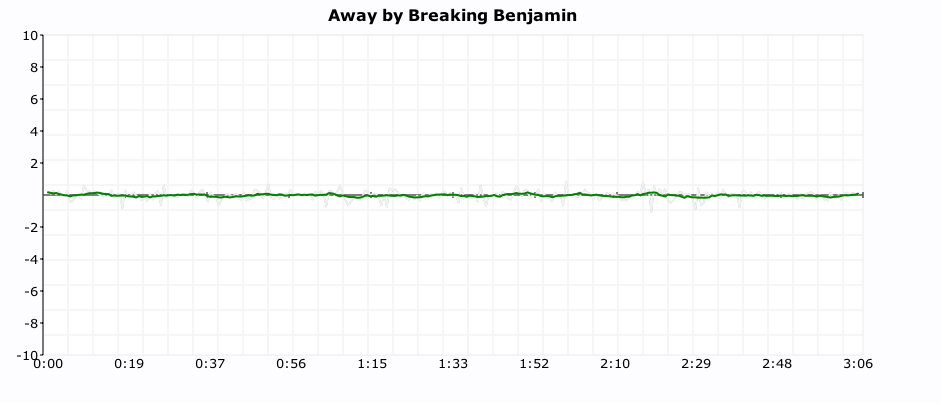
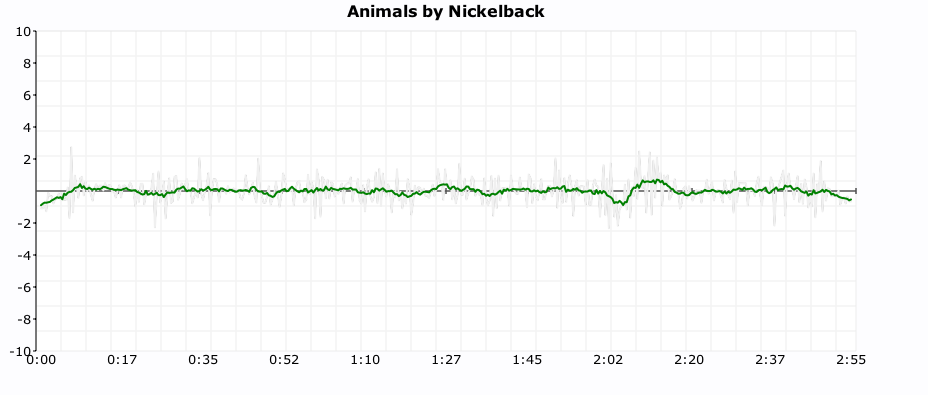
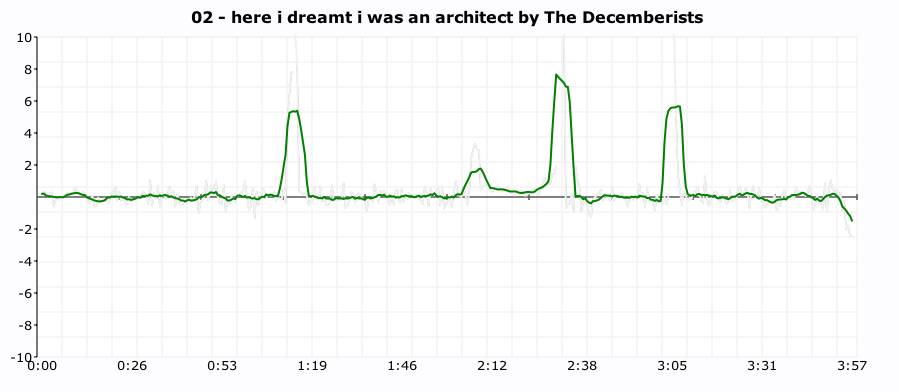
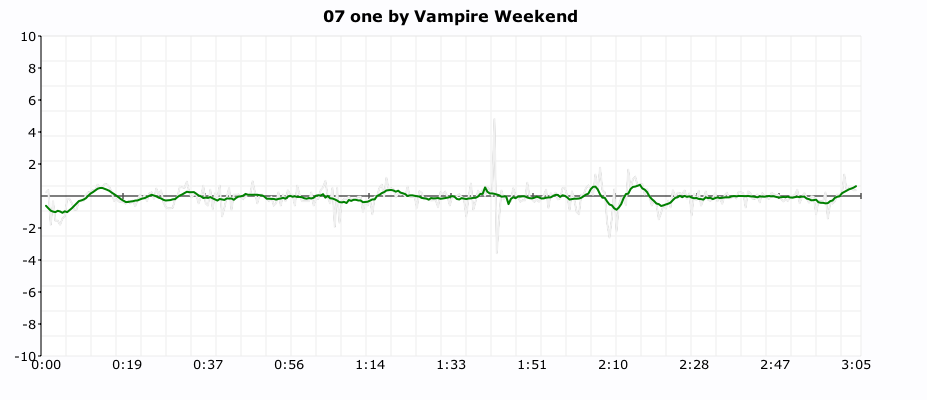
One of my more popular posts from last year was ‘In Search of the Click track‘ where I posted some plots showing the tempo deviations from the average tempo for a number of songs. From these plots it was pretty easy to see which songs had a human setting the beat and which songs had a machine setting the beat (be it a click track, drum machine or an engineer fitting the song to a tempo grid). I got lots of feedback along with many requests to generate click plots for particular drummers. It was a bit of work to generate a click plot (find the audio, upload it to the analyzer, get the results, normalize the data, generate the plot, convert it to an image and finally post it to the web) so I didn’t create too many more.
Last week Brian released the alpha version of a nifty new set of APIs that give access to the analysis data for millions of tracks. Over the weekend, I wrote a web application that takes advantage of the new APIs to make it easy to get a click plot for just about any track. Just type in the name of the artist and track and you’ll get the click plot – you don’t have to find the audio or upload it or wrestle with python or gnuplot. The web app is here:
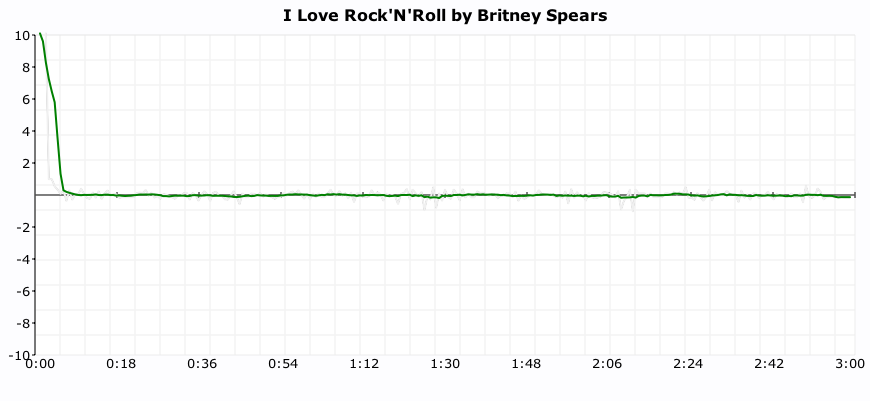
Here are some examples of the output. First up is a plot of “I love rock’n’ roll’ by Britney Spears. The plot shows the tempo deviations from the average song tempo over the course of the song. The plot shows that there’s virtually no deviation at all. Britney is using a machine to set the beat.
Now compare Britney’s plot to the click plot for the song ‘So Lonely’ by the Police:
 Here we see lots of tempo variation. There are four main humps each corresponding to each chorus where Police drummer Stewart Copeland accelerates the beat. Over the course of the song there is an increase in the average tempo that build tension and excitement. In this song the tempo is maintained by a thinking, feeling human, whereas Britney is using a coldhearted, sterile machine to set the tempo for her song.
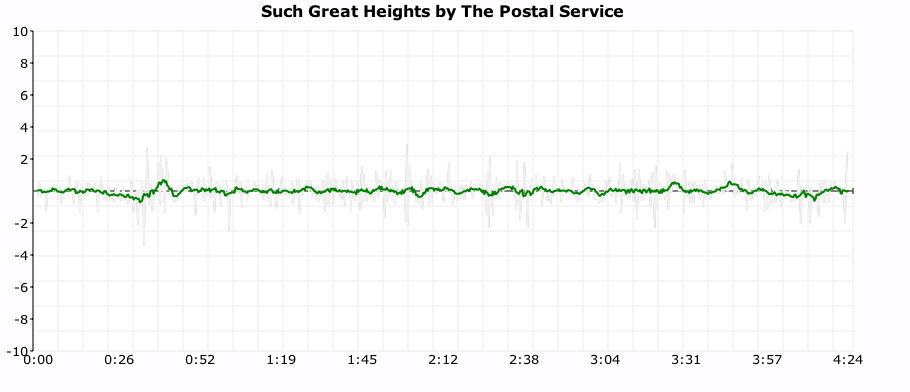
For some types of music, machine generated tempos are appropriate. Electronica, synthpop and techno benefit from an ultra-precise tempo. Some examples are Kraftwerk and The Postal Service:

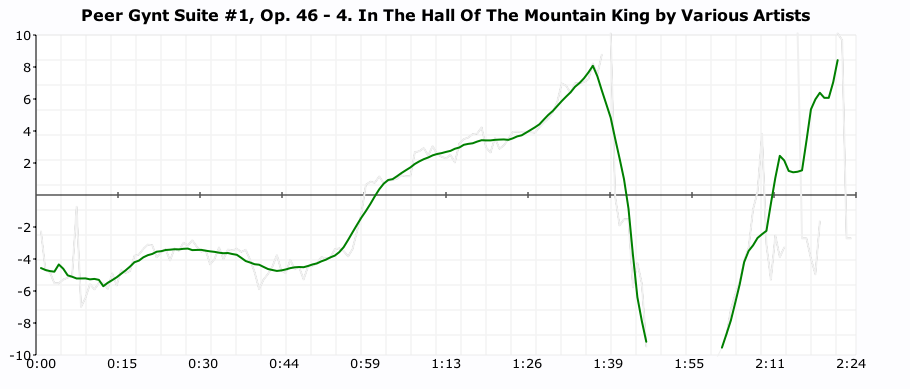
 But for many songs, the tempo variations add much to the song. The gradual speed up in Jefferson Airplane’s White Rabbit:

and the crescendo in ‘In the Hall of the Mountain King’:
 And in the Rolling Stone’s Sympathy for the Devil
It is also fun to use the click plots to see how steady drummers are (and to see which ones use clicktracks). Some of my discoveries:
Keith Moon used a click track on ‘Won’t Get Fooled Again’:
 (You can see him wearing headphones in this video)
It looks like Neil Peart uses a click track on Stick it out:
Art Blakey can really lay it down without a click track (he really looks like a machine here):
 As does Ginger Baker (or does he use a click?):
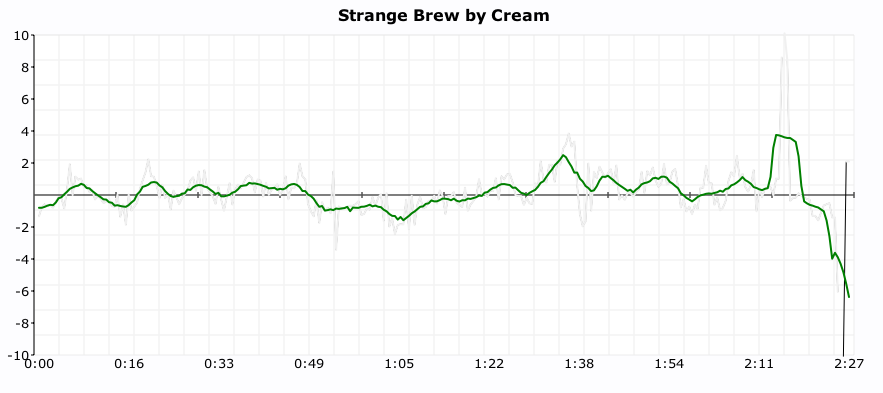
It seems that all of the nümetal bands use clicks:
Breaking Benjamin
Seether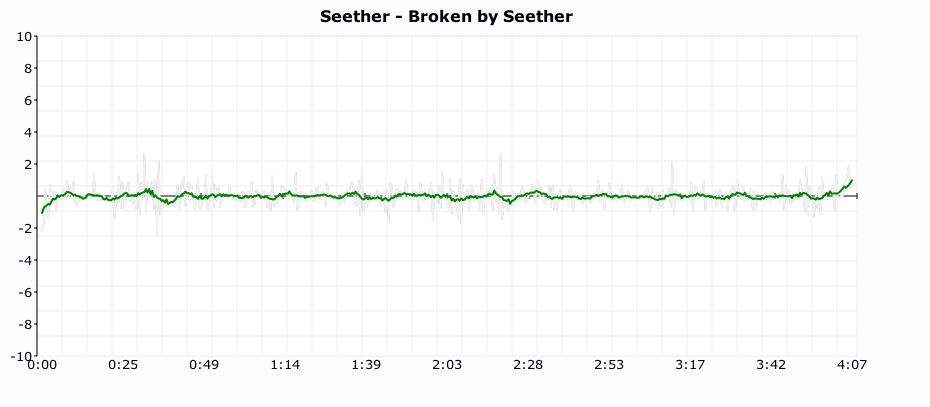
Nickelback
 As do some of the indie bands:
The Decemberists
 Vampire Weekend
 MGMT
MGMT

I find it interesting to look at the various click plots. It gives me a bit more insight into the band and the drummer. However, some types of music such as progressive rock – with its frequent time signature and tempo changes are really hard to plot – which is too bad since many of the best drummers play prog rock.
In addition the plots I attempted a couple of objective metrics that can be used to measure the machine like quality of drummer. The Machine Score is a measure of how often the beat is within a 2 BPM window of the average tempo of the song. Higher numbers indicate that the drummer is more like a machine. This metric is a bit troublesome for songs that change tempo, a song that changes tempo often may have a lower machine score than it should. The Longest run of machine like drumming is the count of the longest stretch of continuous beats that are within 1BPM of the average tempo of the song. Long runs (over a couple hundred beats) tend to indicate that a machine is in charge of the beat. Both these metrics are somewhat helpful in determining whether or not the drumming is live, but I still find that the best determinate is to look at the plot. More work is needed here.
The new click plotter was a fun weekend project. I got to use rgraph – an HTML5 canvas graph library (thanks to Ryan for suggesting client-side plotting), along with cherrypy, pound and, of course, the Brian’s new web services. The whole thing is just 500 lines of code.
I hope you enjoy generating your own click plots. If you find some interesting ones post a link here and I’ll add them to the Gallery of Drummers.
Roundup of Echo Nest hacks at Stockholm Music Hack Day
Posted by Paul in events, Music, The Echo Nest on February 1, 2010

Tristan at the Stockholm Hackday
The first music hack day of the new decade is in the can. There were lots of great hacks produced over the weekend. Here are some of the hacks that used the Echo Nest APIs”
- Proxim.fm – PresentRadio is a QT4 application using the open source Last.fm libraries, it has metadata views and muchos dataporn provided by Echonest. It looks out for local bluetooth devices and will seamlessly switch to the new station when new people arrive/leave without interrupting the track.
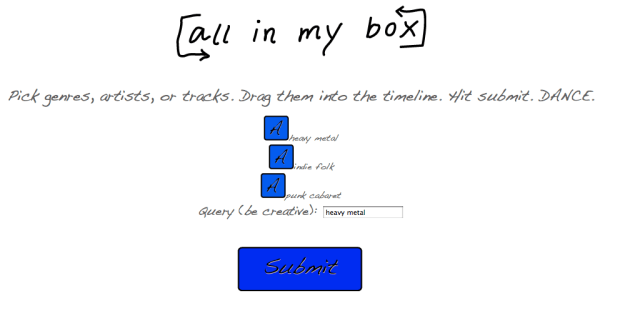
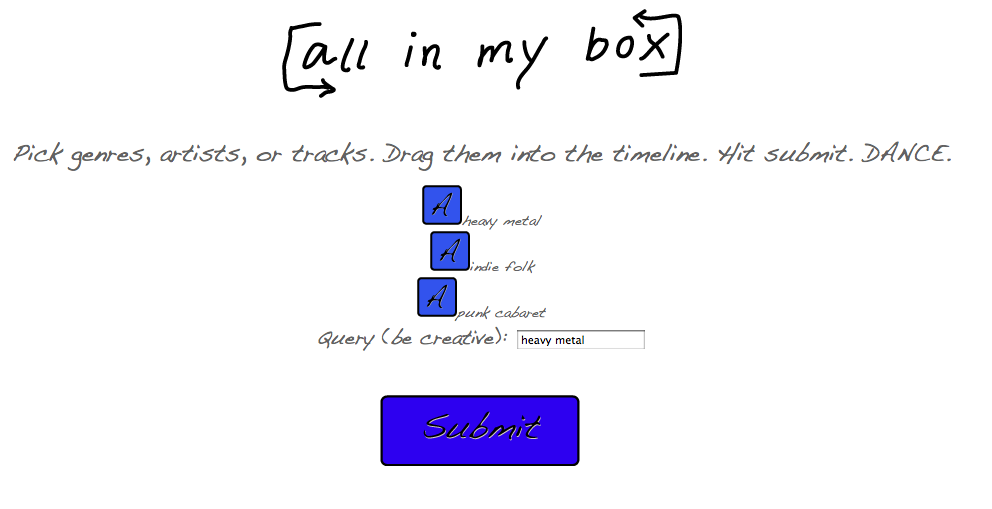
- All In My Box – Allows non-djs to whip up sweet 1 hour mixes in seconds (err, minutes, considering the time to actually beat-match the songs on the server). The drag and drop interface allows users to choose genres and artists and drop them onto a timeline. We use the Echo Nest api to get tracks from the selected genres and artists and stitch them together to create a mix that flows from artist to genre and back again. Echo Nest Prize Winner
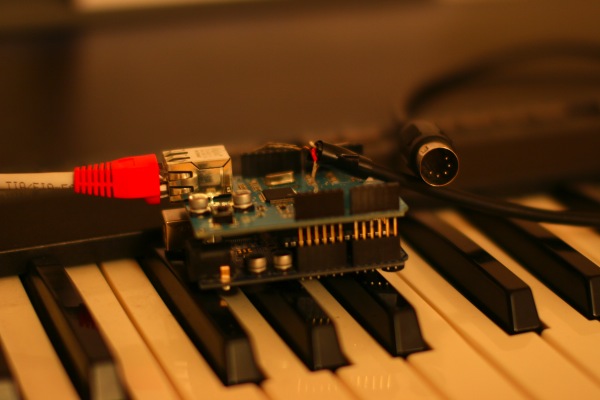
- Echo Nest Midi Player – The Echo Nest Midi Player is a small box you plug into your music instrument (with midi protocol), and on the internet. In real time it plays tracks analysed on the Echo Nest. Echo Nest Prize Winner
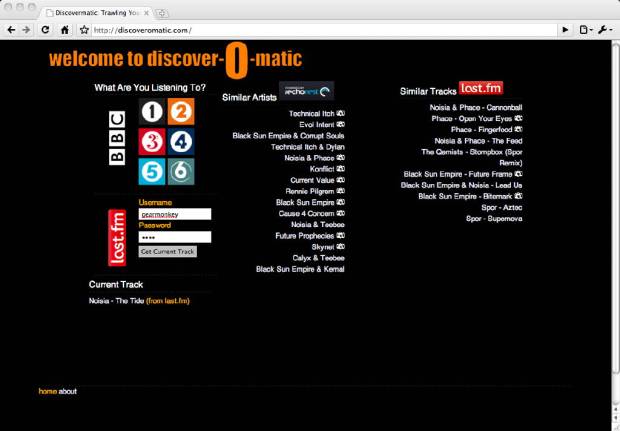
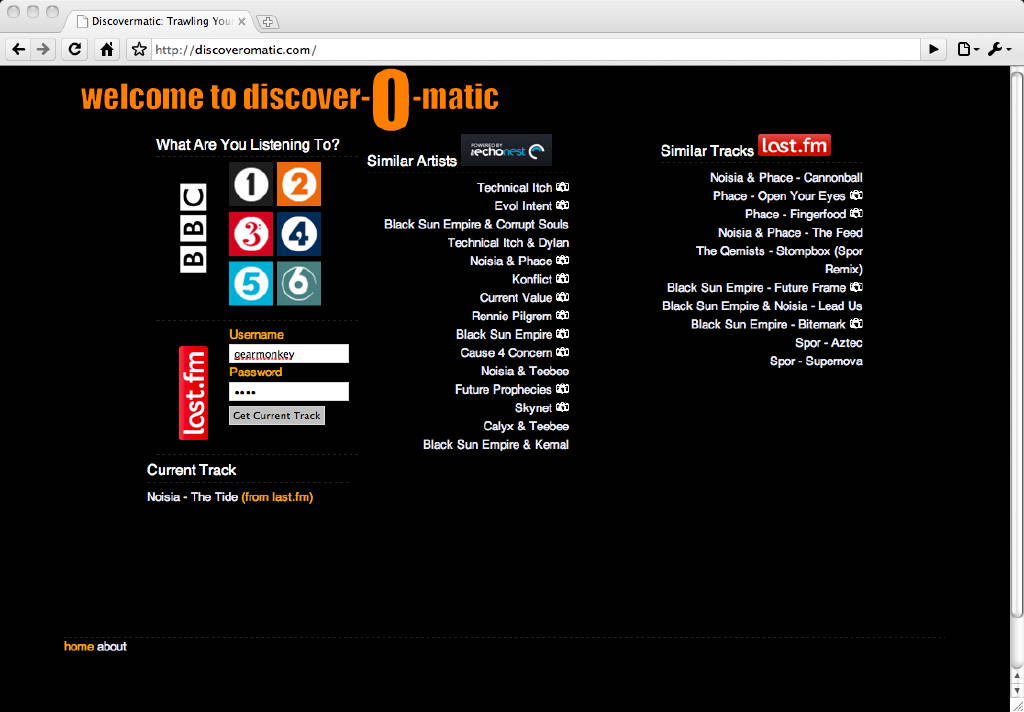
- discoveOMatic – discoverOmatic allows you to discover new artists and tracks while listening to the radio or even your own collection. Simply select the radio station you’re currently listening to (currently on BBC brands supported) and we’ll do the rest. If you’re listening to music through other means and scrobbling to last.fm we can provide recommendation based on your currently playing or most recently scrobbled track as well. Discover the great music while listening to what you like with the discoverOmatic!
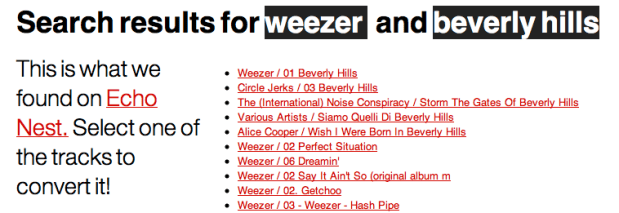
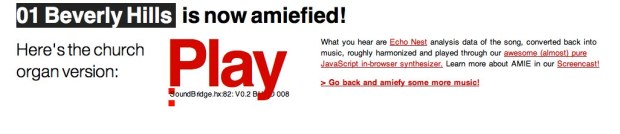
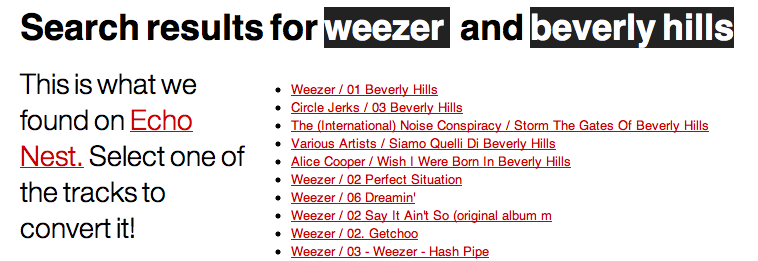
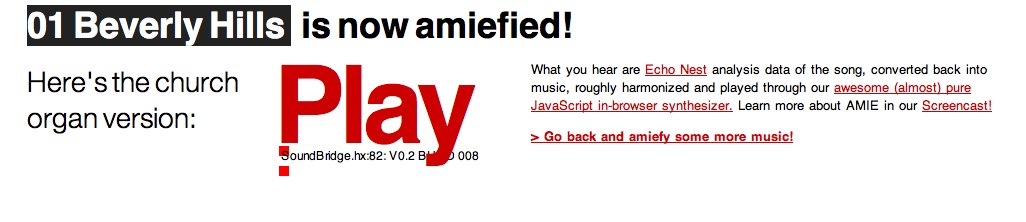
- All Music Is Equal – Take any piece of music and turn it into a “music pupil plays church organ, using a slightly stumbling metronome” version!
Screencast:
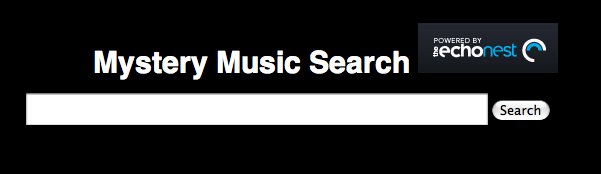
- Mystery Music Search – Mystery Music Search gives you the results for whatever the person before you searched for. Heavily inspired by mysterygoogle.com, and using the new Echonest search_tracks api. Echo Nest Prize Winner
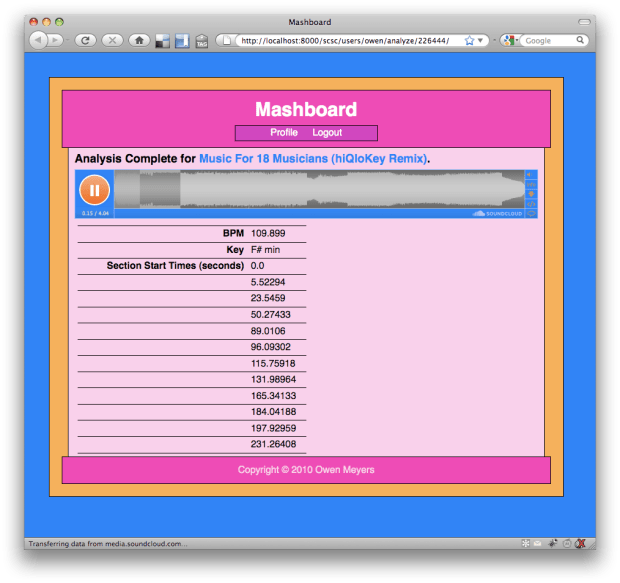
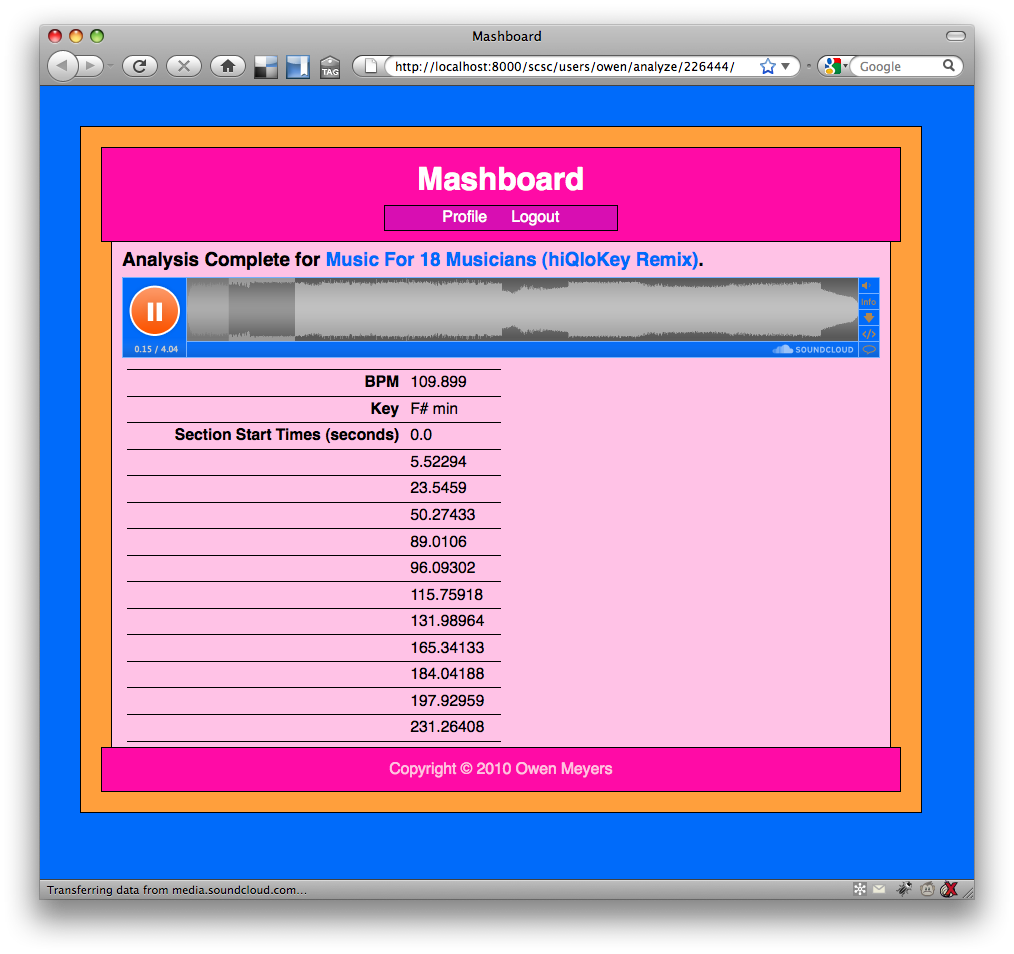
- Mashboard – Mashboard is a simple dashboard for your SoundCloud tracks. You can analyze the tracks using the EchoNest analysis API, returning Key/Mode, BPM, and song section information that is written to the appropriate metadata fields in the SoundCloud track. What’s more, you can scrobble your tracks to your Last.fm profile while listening on your Mashboard profile page. Last, but certainly not least, you can trade your SoundCloud tracks on TuneRights by making and accepting offers from other users, managing the shareholders of your tracks, and bidding on other tracks in the TuneRights system. Echo Nest Prize Winner
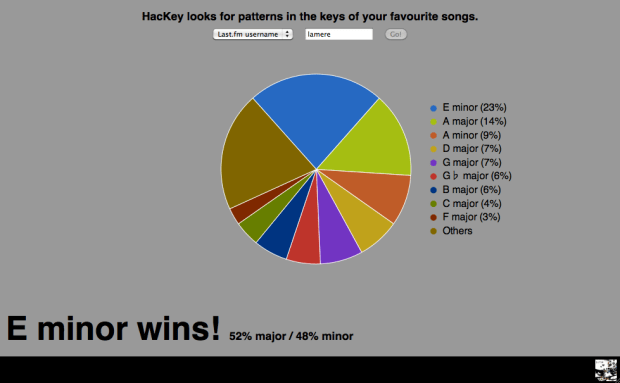
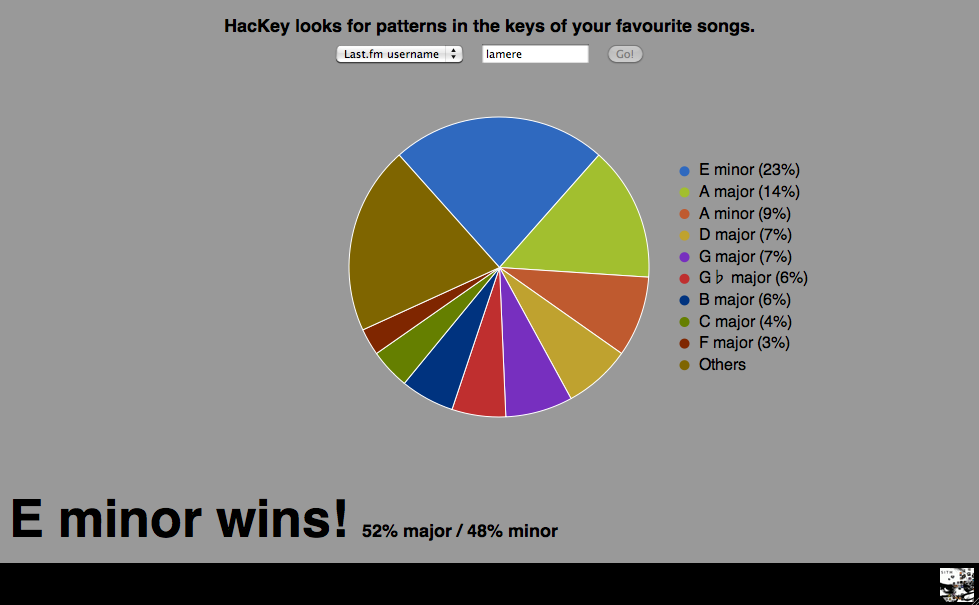
- HacKey – This hack looks gives you a chart that shows you the keys of your most listened to songs in your last.fm profile. (Read more about HacKey in this post).
Echo Nest Prize Winner
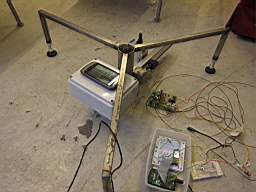
- AlbexOne – A mechanical device that creates unique visual patterns of the songs you are listening to! – Echo Nest Prize Winner
Congrats to all the winners and thanks to all for making cool stuff with the Echo Nest!
 Music Machinery