Archive for category Music
Infinite Gangnam Style for iPhone
One of the most frequent complaints I’ve heard about Infinite Gangnam Style is that it is hard to take it with you. Due to the image swapping pseudo-video in the desktop version, it doesn’t run very well on iOS devices. This means you can’t listen to Gangnam Style 24/7. Clearly, since Infinite Gangnam Style is supposed to let you listen to Gangnam Style forever, this would not do. So, I’ve made an iPhone specific version called Gangn∞m Style:

This version plays on your iPhone device through Mobile Safari, letting you listen to a never-ending, every changing version of Gangnam Style wherever you are and whenever you want. So now there’s no excuse to ever stop listening to the greatest pop song of the millenium.
Some tech details: The hardest bit was figuring out how to prevent the iPhone from going to sleep after a minute or so of playing. There’s no direct way to disable sleep mode in the browser, but there’s a little hack. I created a 5 second long silent mp3, and then force that silence to loop forever with a bit of html:
<audio src="silence.mp3" preload autoplay loop></audio>
This keeps Safari live and prevents the iPhone from deciding it wants to go to sleep. Of course this will wear down your battery, but that is one of the risks inherent in infinite listening.
I used jQTouch to give a nifty iOS look and feel in the browser, and of course I used the Echo Nest analyzer to figure out where all the beats were in the song, and to build the beat by beat similarity graph that I use to make the song play forever.
Go check out Gangn∞m Style and let me know what you think.
Infinite Gangnam Style

This weekend at Music Hack Day Reykjavik I built a music hack called Infinite Gangnam Style. This hack takes the viral hit by Psy and creates a never ending, ever changing version of the song. Here’s a video of it:
The app works by taking the audio and analyzing it with The Echo Nest analyzer to break it up into its individual beats. Next, an analysis pass is run on all the beats finding each beat’s nearest similar sounding neighbors that fall within a similarity threshold. Then, the song is played beat-by-beat – but with the added twist that any time we play a particular beat there’s a chance that we will transition instead to one of the beat’s similar sounding neighbors. For a pop song like Gangnam Style there’s lots of repetition so there’s plenty of good transition points. The result is that we can loop through the song forever with the song always morphing.
Since the Gangnam Style video is a key part of the song, I’ve included a dynamically remixed video in the web app too. (The mixing is done just be image swapping, there’s no way to dynamically control a video player as far as I know, which is why this app will load about 2000 images ;).
Check out Infinite Gangnam Style and the rest of the Music Hack Day Reykjavik Hacks. Update: Check out the iPhone version
This hack was inspired by Tristan’s “James Brown Forever ” hack.
Strangest political music news stories
If you look through the Top 50 Most Political Artists you’ll find some rather unusual election-related news items. Here are some of the most extreme:
- Megadeth frontman accuses Obama of murdering people to promote gun safety
- Devo to unleash song about Mitt Romney’s dog
- LMFAO’s Sky Blu Says Mitt Romney ‘Vulcan-Gripped’ Him On Airplane
- Glenn Beck writes open letter to Muse
- Secret Service Looking Into Ted Nugent’s Violent Obama Threat
- Nicki Minaj Receives Death Threats Over Mitt Romney Rap Line
There’s some weird stuff going on out there.
Top 50 Most Political Artists
Musicians are not shy about expressing their political opinions nor are politicians shy about courting favor of the musical elite. As we approach the U.S. Presidential election I thought it would be interesting to see which artists have the most political capital. To do this, I looked through all the recent news and blog posts (using The Echo Nest API) about each of the top 1,000 most popular artists and scored each artist based upon the number of election-related stories found for each artist. I’ve taken the results of this search and summarized the results in this app:
The Top 50 Most Political Artists
Here’s a screenshot:
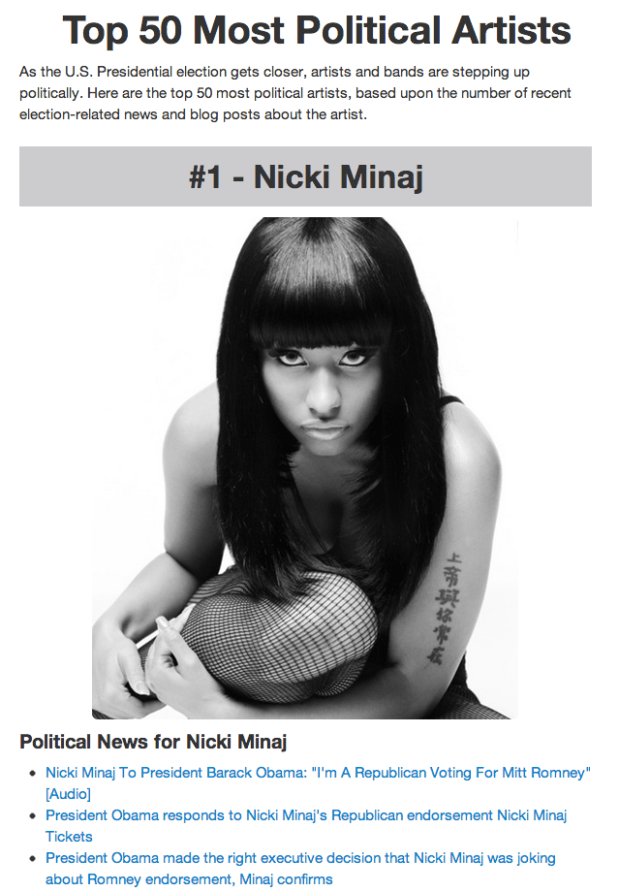
Not surprisingly popular artists make lots of news, and when a popular artists says or does something political it tends to make news, especially when what they say goes against expectations. For example, when Nicki Minaj said she was going to vote for Mitt Romney it created a storm of hundreds of news articles and blog posts (and even a response from President Obama).
Check out the list of top 50 political artists. Some common themes: Musicians get pissed off if you use their music in your campaign and they don’t agree with you, President Obama gets lots of love (and fundraising help) from popular artists, and sounding like a crazy artist gets you lots of attention.

Also, check out this related post on how we are using musical taste to predict your politics.
Music Tech Meetup in Dublin
A bunch of music tech folk will be in Dublin Ireland next week to attend ACM Recommender Systems 2012. We’ll be heading over to the Bull & Castle, beside Christ Church, Dublin City on September 13 at 18:30 to join <Pub> Standands Dublin, to hang out and chat about hacking music. Pub Standards is a post-conference drink-up without the conference. There’s no format, talks or presentations. It’s just geeks + beer. If you are in the area and are interested in hanging out, feel free to come on down and have a beer. 
What’s your musical stereotype?
Posted by Paul in fun, Music, The Echo Nest on July 12, 2012
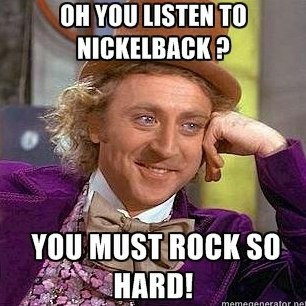 You can usually learn something about a person by looking at what music they listen to. Someone who listens to the Sex Pistols and the Ramones is likely to be from a very different demographic than someone whose favorite artist is Julie Andrews. Of course there are always exceptions to the rule – there are probably a few playlists out there in the world that have both “Anarchy in the UK” and “My Favorite things” but I’m quite sure you won’t be finding a mosh pit at a Julie Andrews concert any time soon.
As we collect more data about what people listen to we begin to learn more about the demographics of listening. Who really listens to Country music? Are they really mostly right-leaning southerners? Are all Hanson fans now 30 years old? To learn how we can answer some of these questions be sure to read Echo Nest founder Brian Whitman’s latest post on Variogr.am about the kinds of predictions we can make about people based upon what they listen to.
This week, The Echo Nest is releasing some new API features that make it easy for developers to build apps that take advantage of this listening data. One new API is Taste Profile Similarity. This API lets you take a seed taste profile (a taste profile is how The Echo Nest represents an individual’s music taste) and find other taste profiles that are similar to that seed. To demonstrate one type of application you can build with this new similarity API, we’ve created a web app called “What’s your stereotype?” This application will look at your music taste (based on your Facebook likes, or your jams from This is my Jam), and tell you which Internet meme best fits your listening style.

Yes, the app will pigeonhole you into a narrow, and probably demeaning demographic. You will probably be offended. Here’s my musical stereotype:
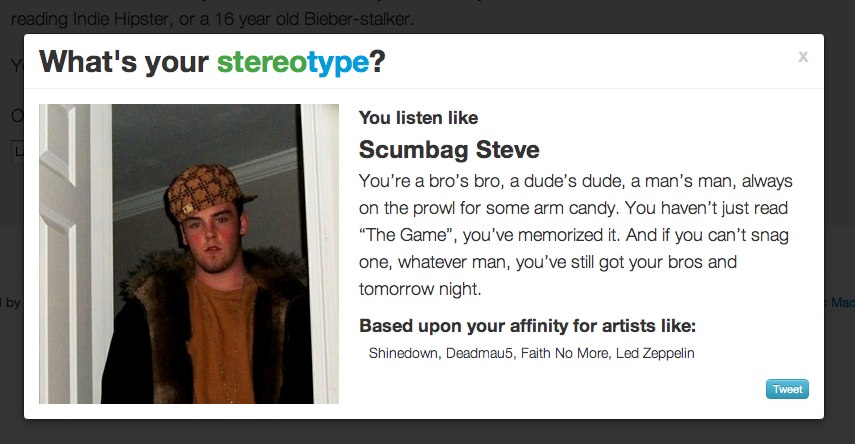
If you want to have your own music tastes pigeonholed like this can try the app yourself at What’s your stereotype? Just remember, you will probably be offended.
To create this app, we identified a whole bunch of Internet memes and personas and made some predictions about the type of music each of these personas would listen to. We then look at the music taste similarity between you and each of the personas – the closest matching one becomes your musical stereotype.
The hardest part about building this app was identifying all of the appropriate Internet memes, predicting the music taste for each meme, collecting images, links and attribution, and most challenging of all, writing the witticisms that accompany each meme. Leading this effort was Matthew Santiago, our chief data quality guy here at The Echo Nest. Matthew organized the meme-dream team to collect and massage all this data. Our highly creative meme-dream team includes Michelle, Nell, Charlie, Alyse, Ryan, Sonja, Nicola, Sam, Roisin, Julie, Sara and Alex.
This app demonstrates what we can do with just a little bit of data about your music tastes. Using the techniques that Brian describes coupled with all the deep data we are gathering around listening habits will help us get a much deeper understanding of your music tastes. This understanding will be key to helping us craft the best music listening experience for you. So, go check out the What’s your stereotype? . I hope you’ll have as much fun with the app as we had in building it.
A brief History of Rock N’Roll in 100 Riffs
Alex Chadwick plays 100 guitar riffs in chronological order. It is a fun challenge to cover the caption and try to name them all just from the sound.
[vimeo http://vimeo.com/43426940]
Hear Here Version 0.3
More weekend programming on ‘Hear Here’ the mobile version of the Road Trip mixtape. I’ve added a familiarity filter so you can chose whether you want to listen to only the most recognizable artists in a region, or you want to listen to everything. Screenshots:
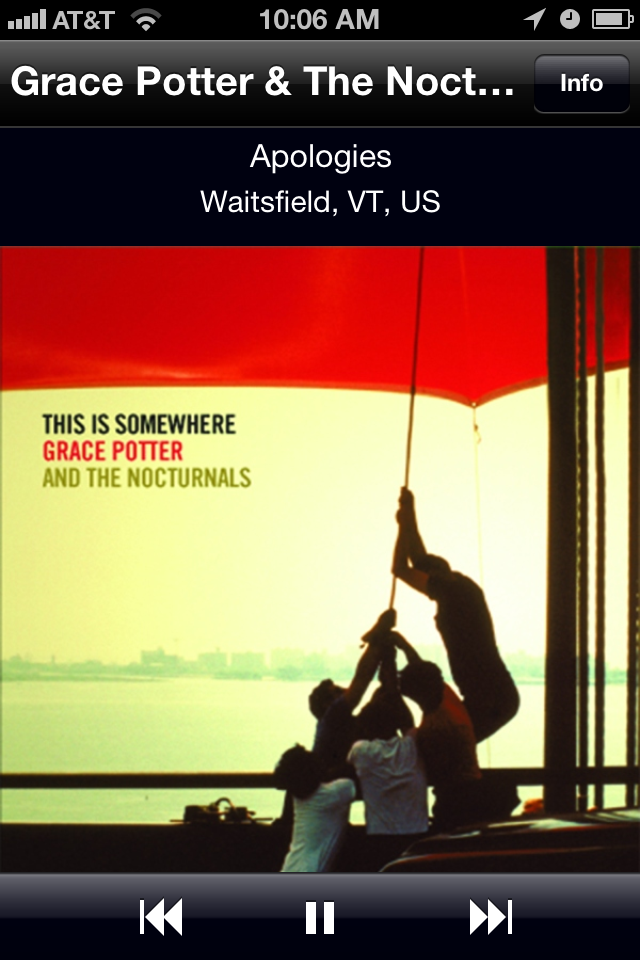
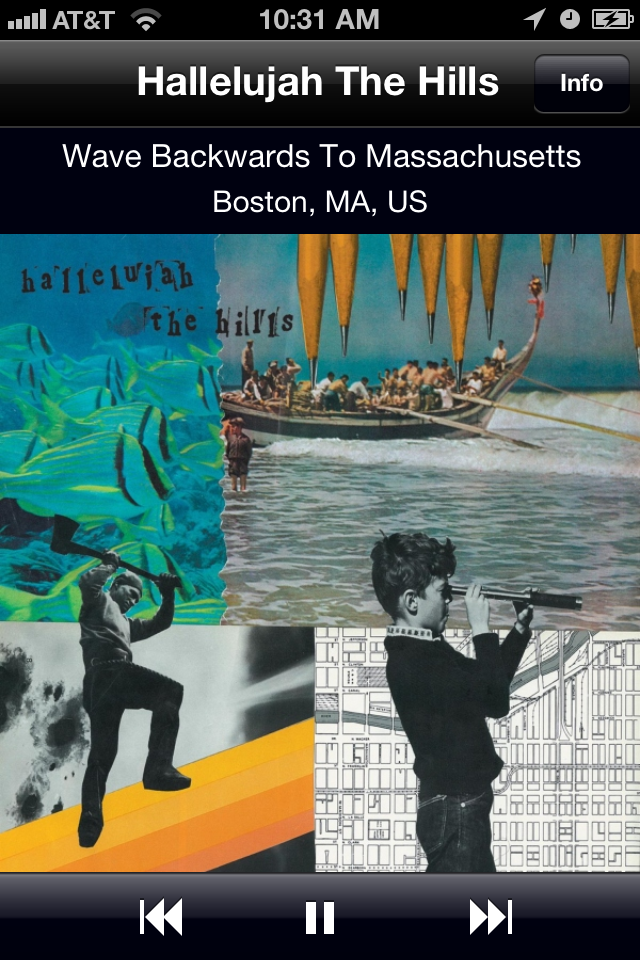
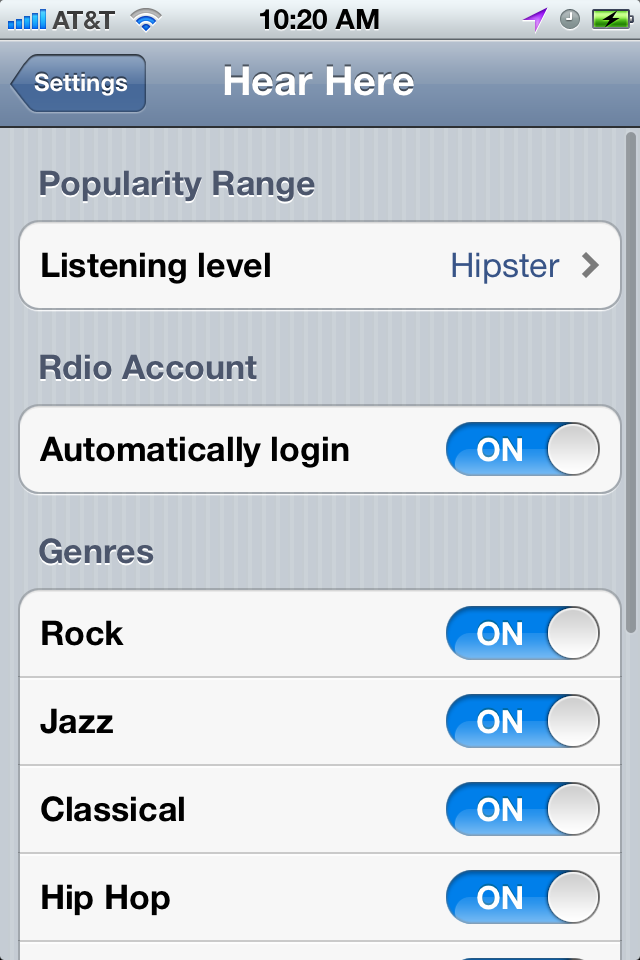
I’ve taken the app on a few road tests. There were a few crashes (of the app kind, not the car kind, luckily). Stability and responsiveness with unreliable networking is a fun challenge. I’m taking a 1000 mile roadtrip in a week or two, hopefully will have it 100% ready by then.
Music Hacker’s Hall Of Fame
My Music Hacker’s Hall of Fame award has arrived all the way from Sydney Australia. It is just awesome!

The award was created by the acclaimed Aussie artist David Spencer. Thanks to Dave Mckinney and the rest of the Filter Squad team (creator of my favorite music discovery app), for making this happen!
Roadtrip Mixtape
Posted by Paul in code, data, Music, The Echo Nest on June 17, 2012
Over the last few years I’ve made a number of 1,000+ mile road trips as I shuttle kids to colleges in far away places. Listening to music has always been a big part of these trips. I thought it’d be nice to be able to listen to music by local artists when driving through a particular region, so I spent a few weekends creating an app called Roadtrip Mixtape that populates a roadtrip playlist with artists that are from the region you are driving through.
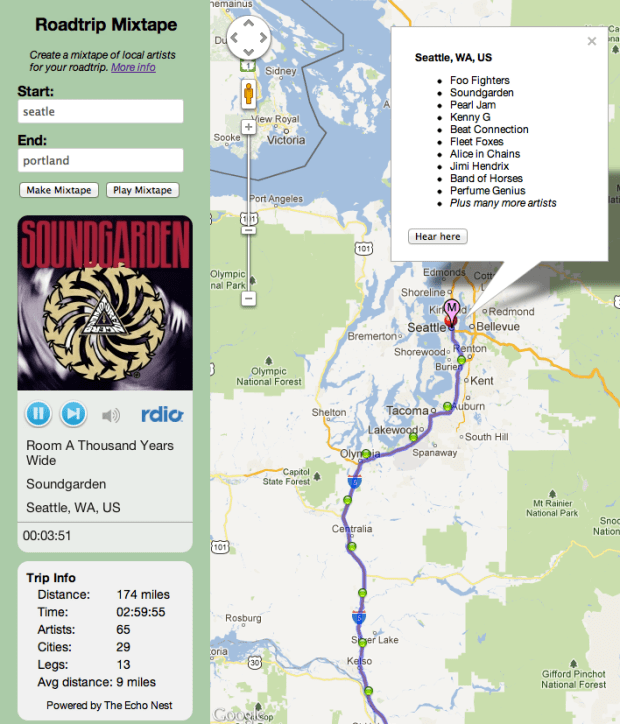
To create a playlist, type your starting and ending cities for your roadtrip. The app will use Google’s directions to plan the best route between the two cities. The route will then be broken into 15 minute playlist legs. Each playlist leg is populated by 15 minutes worth of music by nearby artists.
The beginning of each leg is represented by a green ball. You can click on the ball to see what artists will be played during that leg. The app plays music via Rdio using their nifty Web Player API. If you are an Rdio subscriber you can listen to full streams, and if not you get to hear 30 second samples. One bit of interesting info that I show for a route is the ‘Avg distance’. This shows the average distance to each artist on the roadtrip. If this number is low, you are traveling through a musically dense part of the world, and if it is high, you are traveling in a sparse musical region. For instance, for a roadtrip from Boston to New York the average artist distance is 3 miles (about as low as it goes). However, if you are traveling from Omaha to Denver, the average artist distance is 81 miles.
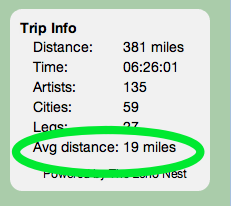
You can also click anywhere on the map to see and listen to nearby artists. For example, if you click on Shreveport you’ll see something like this:

When you click the ‘Hear here’ button, you’ll get a playlist of the hotttest artists from Shreveport.
Listening to nearby artists is quite fun. There’s potential from some extreme sonic whiplash as you drive near a brutal death metal band and then a pop vocalist from the 1950s
The Technical Bits
To build the app I used the new artist location data from The Echo Nest. This (still in beta) feature, allows you to retrieve the location of any artist. Here’s an example API call that retrieves the artist location for Radiohead:
For this app, I collected the locations for the top 100,000 or so most popular artists in the Rdio catalog. These artists were from about 15,000 different cities. I used geopy along with the Yahoo Placefinder geocoder to find the latitude and longitude for each of these cities. For the mapping and route finding, I used version 3.9 of the Google maps API. For music playback I used the Rdio Web Playback API. With the tight integration between the Echo Nest and Rdio ID spaces it was easy to go from a geolocated Echo Nest artist to a list of Rdio track IDs for songs by that artist.
The Bad Bits
As a web app that relies on the flash-based Rdio web player, Roadtrip Mixtape is not really a mobile app. It won’t play music on an iPhone or iPad, so the best way to actually use this app on the road is probably to bring along your tethered laptop. Not the best user experience. Thus, my next weekend project will be to learn a little bit of iOS programming a make a version of this app that runs on an iPhone and an iPad. Stay tuned for the next version.
 Music Machinery