Update: things have changed! You still don’t need a “Save to Playlist” but it no longer hurts. Read about the new behavior in this reddit post: Nevermind. Go ahead and use Save To Playlist!
One of the most common points of confusion in SmarterPlaylists is around saving. It’s completely logical to assume that if you’re building a playlist, you need to end your program with a “Save to Playlist” component. After all, that’s how most tools work — you build something, then you explicitly save it.
But in SmarterPlaylists, every program automatically saves its output to a Spotify playlist. The playlist gets the same name as your program, and running it again updates that same playlist. No save component needed.
Here’s all you need for a working program called “My top tracks playlist”: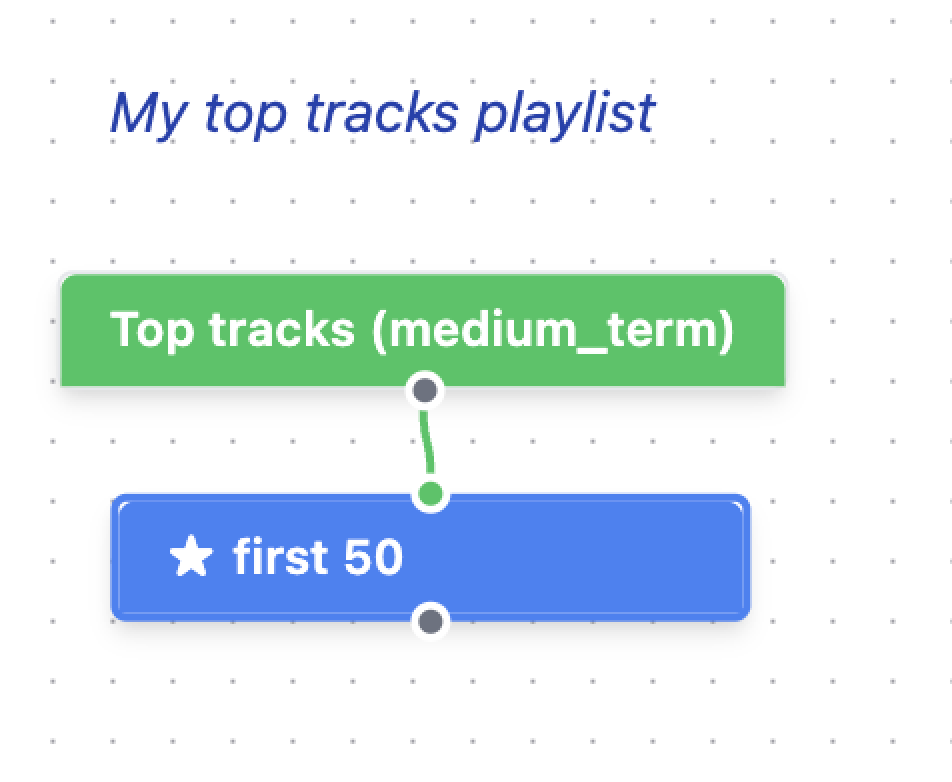
That’s it. Hit run, and you’ll find a Spotify playlist called “My top tracks playlist” with your 50 top tracks in it. Run it again tomorrow, and it updates the same playlist.
So what goes wrong?
If you add a “Save to Playlist” component at the end, things start to get confusing: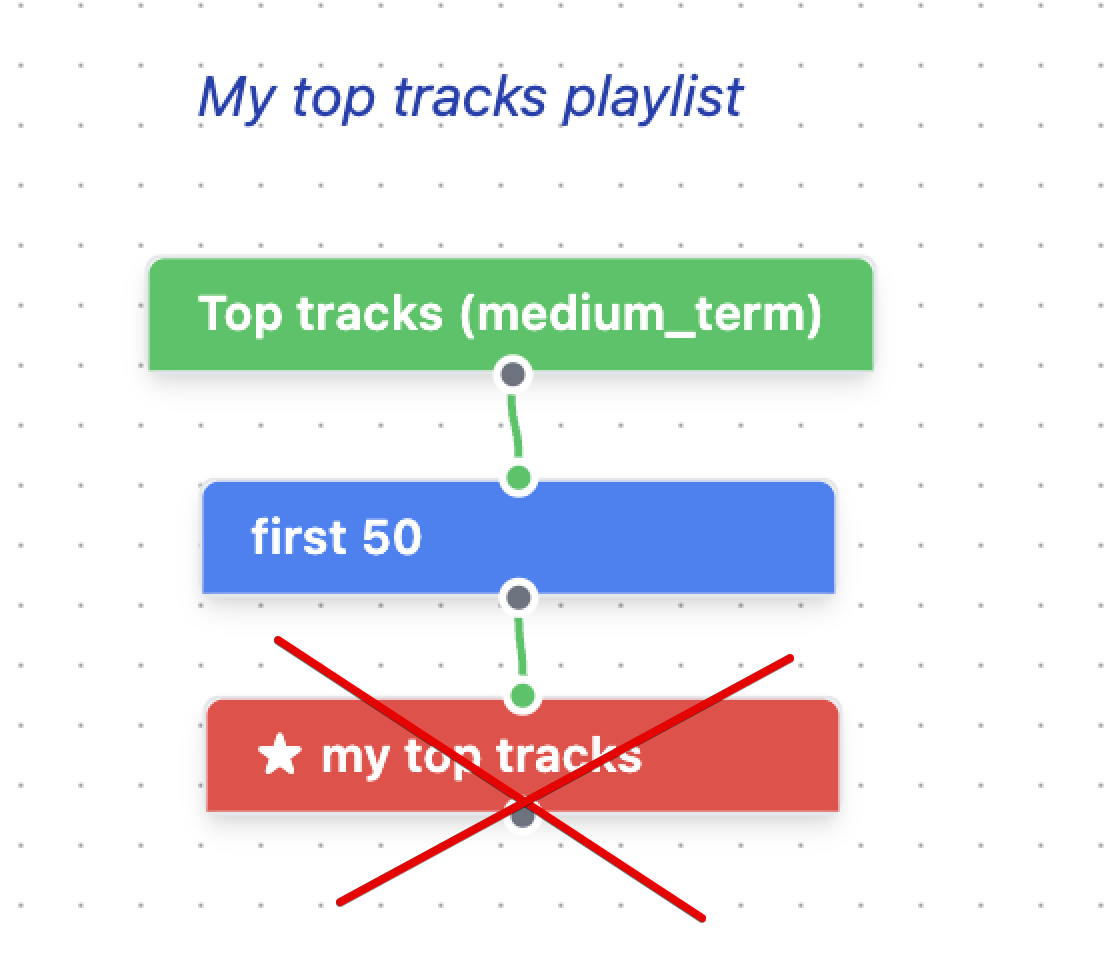
Now when you run the program, you get two playlists — one from the automatic save (named after your program) and one from the Save to Playlist component (with whatever name you gave it). Run it a few times and you might end up with a growing collection of playlists you didn’t expect.
This is the #1 source of “why do I have so many playlists?” questions.
Why does it work this way?
I’ll admit the design is a bit counterintuitive. But there are real advantages:
- Less clutter. Every one of the thousands of programs people have built would need an extra component at the end if saving weren’t automatic. That’s a lot of unnecessary nodes on a lot of canvases.
- Easy debugging. See that star on the “first 50” component in the first screenshot? You can move that star to any component in your program to preview its output. Want to see what your tracks look like before filtering? Star that node and run. This works because any node can be the output — there’s no requirement to wire everything through a save component.
- Simpler programs. Beginners can drop in a single source component, run it, and immediately see results. The less ceremony, the better.
When do you need Save to Playlist?
The Save to Playlist component exists for a specific (and pretty rare) use case: saving a side branch of your program to a separate playlist. Maybe you have a complex program that filters tracks in several stages, and you want to capture an intermediate result to its own playlist for reference. Or you want to keep track of all the tracks that were ever put into the playlist to use it as a track filter. That’s when Save to Playlist earns its place.
For everything else — which is the vast majority of programs — just build your pipeline, star the final component, and hit run.
Looking ahead
I’ll be honest: this is confusing enough that I’m exploring whether there’s a better design. Maybe a clearer visual indicator of “this is your output” would help, or a different approach to how saving works entirely. If you have ideas, I’d love to hear them.
But for now, the rule is simple: skip the Save to Playlist component. Your program’s output is already being saved for you.
 Music Machinery